
QuillBot
QuillBot is an advanced AI writing assistant designed to enhance writing quality and efficiency. It offers a powerful paraphrasing tool with multiple modes to rewrite text while maintaining original meaning. Beyond rewriting, it includes an integrated grammar checker, summarizer, citation generator, and plagiarism checker. Supporting over 30 languages, it helps users improve clarity, fluency, and originality in their writing. Ideal for students, professionals, and content creators seeking to refine their documents, essays, and articles effortlessly.
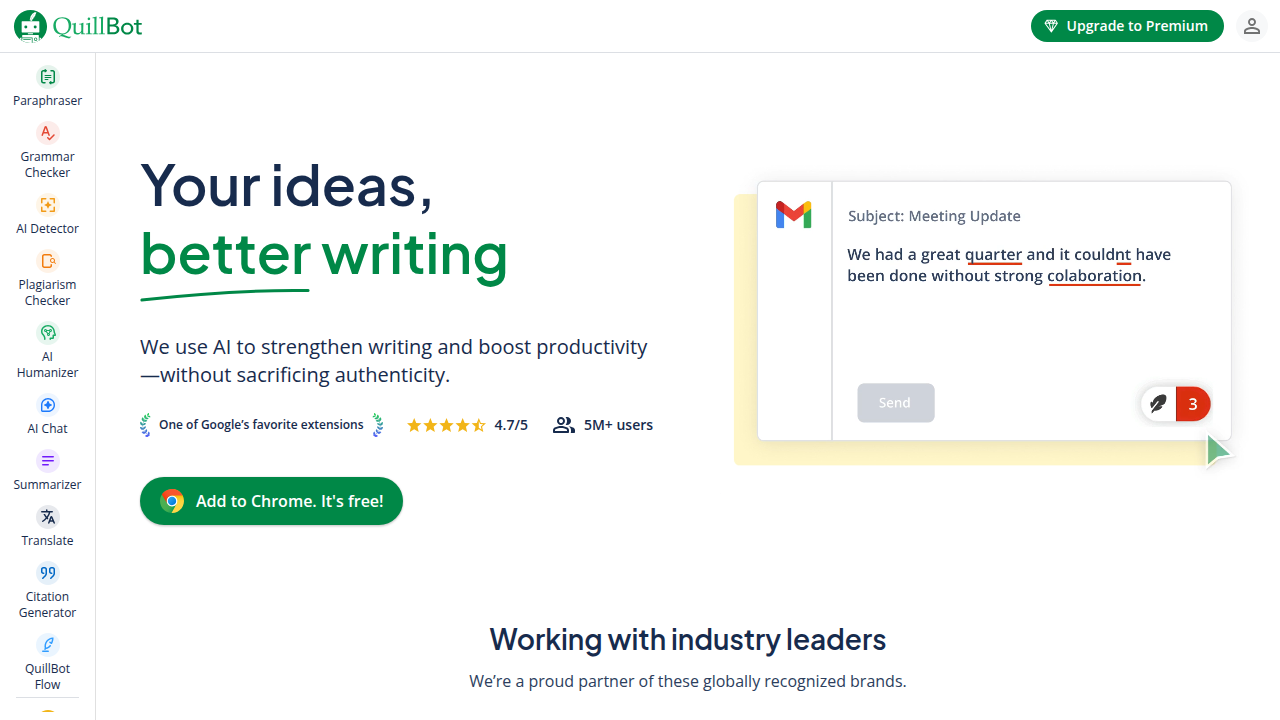
Overview of QuillBot
QuillBot is a comprehensive AI-powered writing suite that assists users in creating clearer, more fluent, and original content. Its core functionality revolves around an intelligent paraphrasing tool, which rewrites sentences and paragraphs across various modes like Standard, Fluency, Formal, and Creative. Beyond paraphrasing, it integrates a robust grammar checker, summarizer, citation generator, and plagiarism detection. Supporting over 30 languages, it serves as an all-in-one platform for writers, students, and professionals aiming to enhance their writing process. It is particularly useful for refining academic papers, business documents, and creative content. Explore more AI Writing Tools and Writing Assistants to find the perfect fit for your needs.
How to Use QuillBot
Using QuillBot is straightforward. Start by pasting your text into the input box on the main interface. Select your desired mode—such as Standard for balanced rewriting or Creative for more imaginative variations. Click the 'Paraphrase' button to generate alternative versions instantly. For grammar checks, switch to the Grammar Checker tab to identify and correct errors. The Summarizer tool condenses long articles into key points, while the Citation Generator formats references in APA, MLA, and other styles. The Plagiarism Checker scans your text against online sources to ensure originality. Integrating QuillBot into your workflow can significantly speed up editing and improve writing quality.
Core Features of QuillBot
- AI Paraphraser: Rewrites text in multiple modes while preserving meaning.
- Grammar Checker: Identifies and corrects spelling, punctuation, and grammatical errors.
- Summarizer: Condenses long texts into concise summaries.
- Citation Generator: Creates properly formatted citations in various styles.
- Plagiarism Checker: Ensures content originality by comparing against online sources.
- Translator: Supports over 30 languages for multilingual writing.
- Co-Writer: Combines all tools into a unified writing workspace.
Use Cases for QuillBot
QuillBot is versatile across numerous scenarios. Students benefit from paraphrasing research papers, checking grammar in essays, and generating citations. Content creators use it to rewrite articles, avoid plagiarism, and summarize source material. Professionals employ it for refining business reports, emails, and presentations to ensure clarity and professionalism. Academics rely on its summarizer to quickly grasp key points from lengthy papers. Its multilingual support aids non-native speakers in improving their English writing. Whether you're drafting a blog post, academic thesis, or business proposal, QuillBot streamlines the editing process and enhances overall writing quality.
Support and Contact
For assistance, QuillBot offers support through its contact page. You can also reach out via email at support@quillbot.com for direct help with any issues or questions regarding the tool's functionality.
Company Info
QuillBot is developed by QuillBot Inc., based in the United States. The company focuses on creating AI-driven writing tools to help users communicate more effectively. For more details about the company, visit their about page.
Login and Signup
To access QuillBot's features, users can login to their existing account or sign up for a new account on their website. Registration provides access to enhanced features and saved preferences.
QuillBot FAQ
What is QuillBot and what does it do?
QuillBot is an AI-powered writing assistant that helps users improve their writing through paraphrasing, grammar checking, summarizing, and plagiarism detection. It's designed to enhance clarity, fluency, and originality in various types of content.
How does the QuillBot paraphrasing tool work?
The QuillBot paraphrasing tool uses advanced AI algorithms to rewrite text while preserving the original meaning. Users can choose from different modes like Standard, Fluency, Formal, Simple, Creative, Expand, and Shorten to achieve their desired writing style and tone.
Is QuillBot free to use?
QuillBot offers a free plan with basic features and limited usage. For unlimited access to all modes, higher word limits, and advanced features like the plagiarism checker, users can upgrade to a premium subscription plan.
Can QuillBot help with academic writing?
Yes, QuillBot is highly beneficial for academic writing. It helps students paraphrase research content, check grammar and spelling in essays, generate properly formatted citations, summarize lengthy papers, and ensure originality through its plagiarism detection features.
What languages does QuillBot support?
QuillBot supports paraphrasing and translation for over 30 languages, including English, Spanish, French, German, Chinese, Japanese, and many others. This makes it a valuable tool for multilingual writers and non-native English speakers.
How accurate is QuillBot's grammar checker?
QuillBot's grammar checker is quite accurate for identifying common spelling, punctuation, and grammatical errors. It uses advanced AI to provide context-aware suggestions for improvements, making it a reliable tool for proofreading documents and enhancing writing quality.
Does QuillBot have a plagiarism checker?
Yes, QuillBot includes a plagiarism checker as part of its premium offering. This feature scans your text against billions of web pages to identify potential plagiarism and helps ensure the originality of your content before submission or publication.
QuillBot Pricing
Current prices may vary due to updates
Free Plan
The Free plan offers basic paraphrasing with a limited number of words per use, access to a few modes, and standard processing speed. It includes the grammar checker and summarizer but with restrictions. Ideal for occasional users who need quick writing assistance without advanced features.
Premium Monthly
The monthly Premium plan provides unlimited words for paraphrasing, access to all modes (including Creative, Formal, etc.), faster processing, full use of the grammar checker, summarizer, and plagiarism checker. It also includes synonym customization and is perfect for regular users who require comprehensive writing tools for daily use.
Premium Annual
The annual Premium plan offers the same unlimited features as the monthly plan but at a significantly discounted rate. It includes all paraphrasing modes, full grammar checking, summarizing, plagiarism detection, faster processing, and synonym customization. This plan is ideal for heavy users, students, and professionals who want to save money while accessing all of QuillBot's advanced writing capabilities throughout the year.
QuillBot Reviews0 review
Would you recommend QuillBot? Leave a comment