Annotation
- Introduction
- Core Features and Capabilities
- Setup and Requirements
- Pros and Cons
- Conclusion
- 常见问题
Raycast 键盘 iOS:2024年AI命令与生产力功能
Raycast 键盘 iOS 将先进的AI生产力工具带到移动设备,包括语音听写、用于文本重写的AI命令,以及在iPhone和iPad上高效打字的快速片段。
Introduction
Raycast has expanded beyond macOS with its new iOS keyboard, bringing powerful AI-driven productivity tools to iPhone and iPad users. This innovative keyboard transforms standard typing into an intelligent workflow system with dictation, AI commands, and automation features.
Core Features and Capabilities
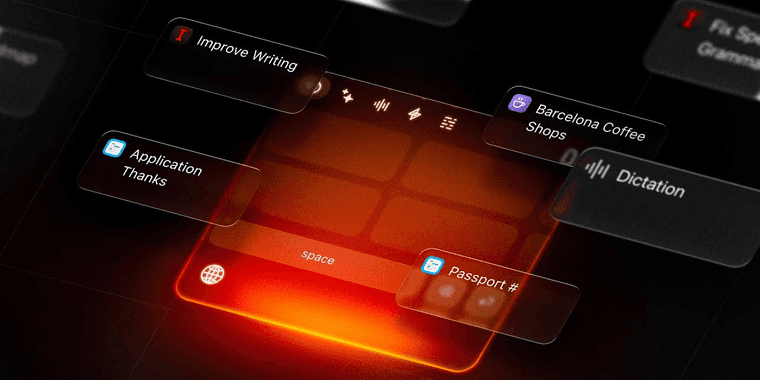
The Raycast Keyboard integrates seamlessly with iOS, offering dictation that converts speech to text with impressive accuracy. Users can leverage AI commands to rewrite social media posts, generate email responses, and fix grammatical errors on the fly. The text snippets feature stores frequently used information like addresses or email templates for quick insertion, while quicklinks provide instant access to apps and workflows. This makes the keyboard particularly valuable for users of app launcher tools and those seeking productivity tools for mobile devices.
Setup and Requirements
To access Raycast Keyboard, users must install Raycast 1.1.0 from the App Store. The latest update includes seven bug fixes that enhance stability and performance, making the experience smoother for daily use. This positions Raycast as a strong contender among mobile apps focused on automation tools and intelligent assistance.
Pros and Cons
Advantages
- AI-powered commands for text enhancement
- Accurate voice dictation integration
- Quick access to text snippets and templates
- Seamless workflow automation features
- Regular updates with bug fixes
- Free productivity boost for iOS users
Disadvantages
- Requires latest Raycast app version
- Limited to iOS platform only
- Learning curve for advanced features
Conclusion
Raycast Keyboard represents a significant step forward in mobile productivity, combining AI intelligence with practical typing enhancements. For users seeking smarter writing assistant tools and efficient keyboard shortcuts, this iOS keyboard offers compelling features that could transform daily mobile workflows and communication efficiency.
常见问题
如何在iOS上安装Raycast键盘?
从App Store下载Raycast 1.1.0,然后在设备的键盘设置中启用Raycast键盘,路径为:通用 > 键盘 > 键盘。
Raycast键盘支持哪些AI命令?
Raycast键盘提供AI命令,可在任何打字界面内直接重写文本、修正错误、生成回复和增强社交媒体帖子。
Raycast键盘是免费的吗?
是的,Raycast键盘可免费使用,通过Raycast应用提供AI功能和生产力工具,无需付费。
我可以在iPhone和iPad上使用Raycast键盘吗?
是的,Raycast键盘兼容运行iOS的iPhone和iPad设备,在支持的Apple移动设备上提供相同的功能。
使用Raycast键盘的主要好处是什么?
主要好处包括AI驱动的文本命令、准确的语音听写、用于快速插入的文本片段和工作流自动化,提升整体打字效率。
相关AI和技术趋势文章
了解塑造AI和技术未来的最新见解、工具和创新。
Stoat聊天应用:Revolt品牌重塑与功能完整指南
Stoat聊天应用因法律压力从Revolt更名,保留所有用户数据、功能和隐私重点,现有用户无需任何操作即可实现无缝过渡。
Zorin OS 18:具有 Windows 应用支持和新功能的现代 Linux 操作系统
Zorin OS 18 是一款 Linux 发行版,具有重新设计的桌面、增强的 Windows 应用支持和网页应用工具,是理想的 Windows 10 替代品,提供长期支持直至 2029 年。
AV Linux 25 和 MX Moksha 25 发布,增强文件管理器与虚拟机功能
AV Linux 25 和 MX Moksha 25 是基于 Debian Trixie 的新 Linux 发行版,通过 Quickemu 和 YT-DLP 集成增强了文件管理功能,专为多媒体制作和轻量级计算而设计。