
Google 日历
Google 日历是一款面向个人和团队的免费在线日程安排工具。它提供智能调度、共享日历、任务集成和预约预订功能,可在设备间无缝同步。
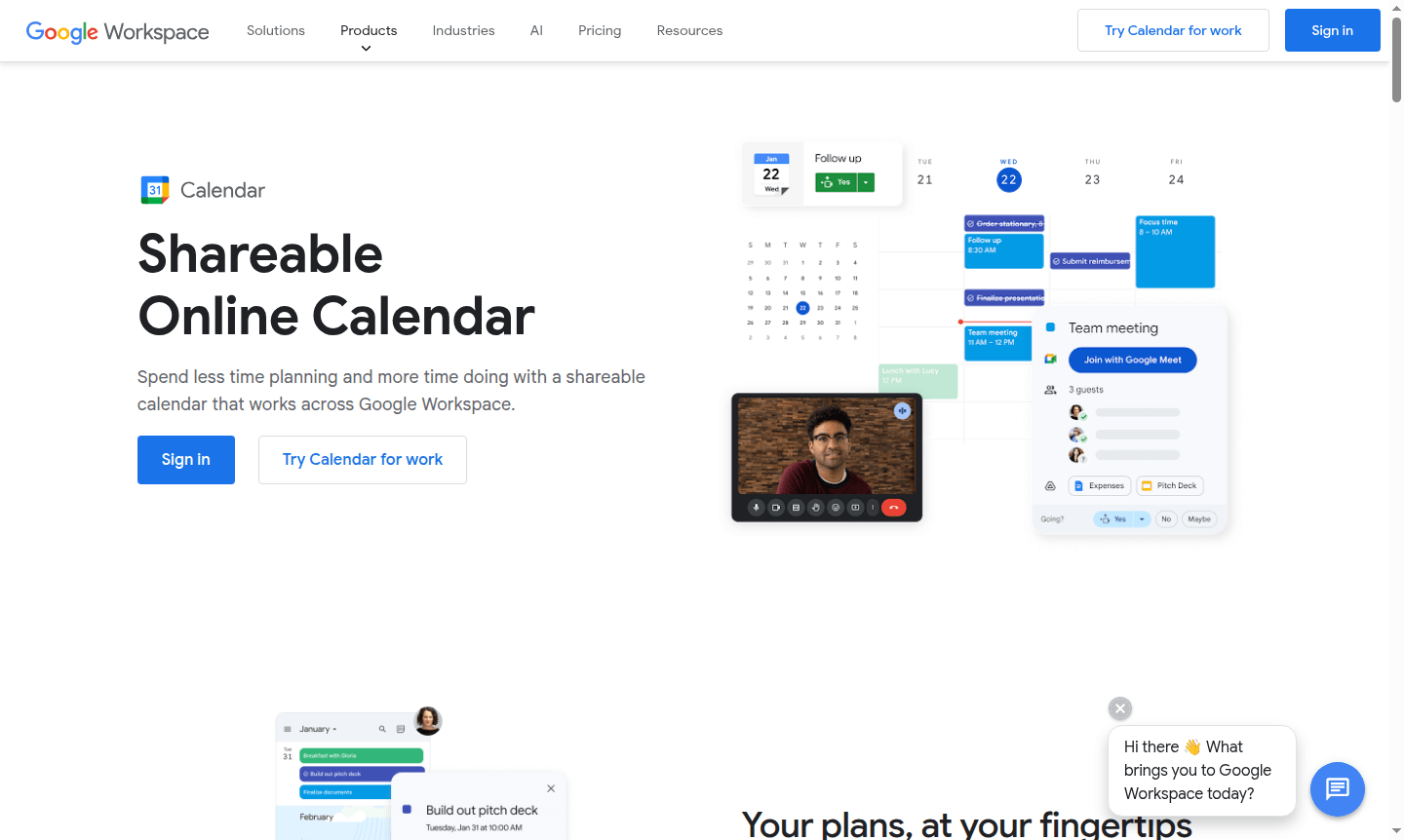
Overview of Google Calendar
Google Calendar is a powerful online scheduling platform that brings all your calendars together in one intuitive interface. This shareable calendar solution works seamlessly across Google Workspace, helping you spend less time planning and more time doing. Whether you're managing work commitments, personal appointments, or team schedules, Google Calendar provides a centralized hub for all your time management needs. It's particularly valuable for calendar applications and online scheduling tools that require reliable synchronization and collaboration features.
The platform excels at helping users stay organized with automatic event creation from emails, smart scheduling suggestions, and comprehensive calendar sharing capabilities. From individual users tracking daily tasks to enterprise teams coordinating complex meeting schedules, Google Calendar adapts to various organizational needs. Its integration with the broader Google ecosystem makes it an essential tool for anyone seeking efficient time management and improved productivity through better scheduling practices and collaborative planning.
How to Use Google Calendar
Getting started with Google Calendar is straightforward – simply sign in with your Google account and begin creating events by clicking on any time slot. You can add event details like title, location, description, and guests, then set up notifications to ensure you never miss important appointments. The platform automatically syncs across all your devices, so changes made on your computer instantly appear on your mobile app. For team coordination, create shared calendars where multiple users can view and edit events, making it easy to schedule meetings when everyone is available without the back-and-forth emails.
Core Features of Google Calendar
- Smart Scheduling – Automatically finds optimal meeting times by analyzing availability across calendars
- Task Integration – Connects with Google Tasks to manage to-dos alongside calendar events
- Appointment Scheduling – Allows creating booking pages for external contacts to schedule time
- Time Insights – Provides analytics on time usage and frequent meetings
- Cross-Platform Sync – Syncs data across web, mobile, and desktop platforms
Use Cases for Google Calendar
- Business teams coordinating meeting schedules and resource bookings across departments
- Freelancers managing client appointments and project deadlines in one system
- Educational institutions organizing class schedules, office hours, and campus events
- Families sharing household calendars for activities, appointments, and family events
- Sales professionals scheduling client meetings and tracking follow-up activities
- Project managers overseeing team availability and milestone deadlines
- Healthcare providers managing patient appointments and staff scheduling
Support and Contact
For assistance with Google Calendar, visit the Google Calendar Help Center for comprehensive documentation and troubleshooting guides. If you need direct support for Google Workspace accounts, contact Google Workspace Support for personalized assistance. Email: contact@google.com
Company Info
Google Calendar is developed by Google LLC, headquartered in Mountain View, California, United States. As part of the Google Workspace productivity suite, it benefits from Google's extensive infrastructure and security measures. Learn more at Google About.
Login and Signup
Access Google Calendar by visiting calendar.google.com and signing in with your Google account. New users can create a free account at Google Account creation to get started with basic calendar features immediately.
Google 日历 FAQ
我可以将现有日历迁移到 Google 日历吗?
是的,Google 日历支持从包括微软和 IBM 平台在内的各种日历系统迁移,让您现有的日程安排无缝过渡。
Google 日历存储我的日程信息安全吗?
Google 日历采用强大的安全措施,数据存储在 Google 的安全数据中心,并内置威胁检测功能,以保护您的日历条目。
Google 日历提供预约安排功能吗?
是的,个人和工作区用户都可以创建预订页面,商业账户可使用高级功能,包括收款和无限页面。
我可以为群组创建 Google 日历吗?
是的,您可以创建可供组织中所有人或部分用户访问的日历,用于团队假期和定期会议等活动。
如何在 Google 日历邀请中添加地点或会议室?
如果您通过工作、学校或群组拥有 Google 账户,可以添加会议室和资源。创建活动时点击“地点”以添加任何位置。
Google 日历 评论0 review
Would you recommend Google 日历? Leave a comment
Google 日历 Alternatives
The best modern alternatives to the tool
最新工具
最近添加的工具
