Annotation
- Introduction
- How SteamOS Low-Power Mode Works
- User Experience and Interface
- Pros and Cons
- Conclusion
- Frequently Asked Questions
SteamOS Low-Power Mode: Download Games with Screen Off | Battery Saving
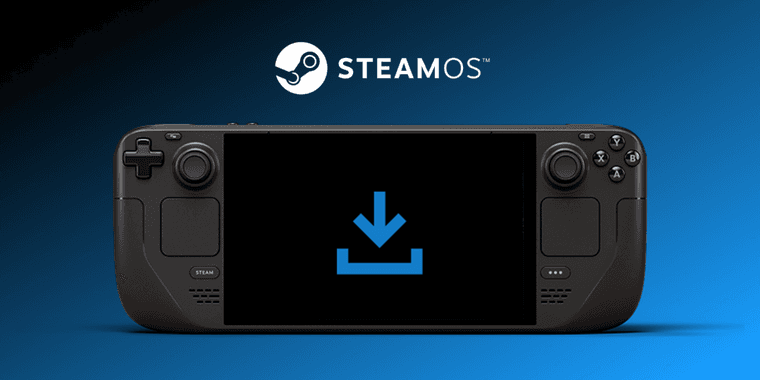
Valve's SteamOS low-power mode on Steam Deck allows downloading games with the screen off, conserving battery life and reducing heat for more efficient gaming sessions.
Introduction
Valve introduces SteamOS low-power mode for Steam Deck, enabling game downloads with screen off to save battery and reduce heat during extended sessions.
How SteamOS Low-Power Mode Works
Press the power button during downloads to enable low-power mode. It activates automatically when plugged in, or manually on battery, with sleep mode below 20% battery for safety.
User Experience and Interface
Minimal interface shows download progress; wake device or continue background downloads for efficiency.
Pros and Cons
Advantages
- Extends battery life
- Reduces heat generation
- Ideal for overnight downloads
- Smart power management
- Seamless with download manager
- Easy activation
- Minimal performance impact
Disadvantages
- Beta channel only
- Limited customization
- Not for all download types
- Requires battery awareness
Conclusion
Valve's low-power mode enhances Steam Deck usability by enabling efficient downloads, addressing power conservation for travelers and eco-users while boosting handheld gaming competitiveness.
Frequently Asked Questions
How do I enable low-power download mode on Steam Deck?
Press the power button during a download and select 'Continue' to enable low-power mode with screen off. The feature activates automatically when plugged in, or manually on battery power.
Does low-power mode work on all Steam Deck models?
Yes, the low-power download feature works on both original Steam Deck and Steam Deck OLED models running the latest Beta or Preview channel SteamOS updates.
What happens if battery gets too low during downloads?
SteamOS automatically enters full sleep mode when battery drops below 20% to protect power levels and prevent complete discharge during extended download sessions.
Is low-power mode available in stable SteamOS releases?
Currently, low-power mode is only available in Beta and Preview channels of SteamOS, not in stable releases, so users need to opt-in for testing.
Can low-power mode be used for software updates?
Yes, low-power mode works for various download types, including game updates and software patches, though it's optimized for large installations.
Relevant AI & Tech Trends articles
Stay up-to-date with the latest insights, tools, and innovations shaping the future of AI and technology.
Stoat Chat App: Complete Guide to Revolt Rebranding and Features
Stoat chat app rebranded from Revolt due to legal pressures, maintaining all user data, features, and privacy focus without any required actions from existing users for a seamless transition.
Zorin OS 18: Modern Linux OS with Windows App Support & New Features
Zorin OS 18 is a Linux distribution with a redesigned desktop, enhanced Windows app support, and web apps tool, ideal as a Windows 10 alternative with long-term support until 2029.
AV Linux 25 & MX Moksha 25 Released with Enhanced File Manager & VM Features
AV Linux 25 and MX Moksha 25 are new Linux releases based on Debian Trixie, featuring enhanced file management with Quickemu and YT-DLP integration, tailored for multimedia production and lightweight computing.