Annotation
- Introduction
- Redesigned Desktop
- Productivity Features
- Windows Compatibility
- Pro and Education Editions
- Pros and Cons
- Conclusion
- Frequently Asked Questions
Zorin OS 18: Modern Linux OS with Windows App Support & New Features
Zorin OS 18 is a Linux distribution with a redesigned desktop, enhanced Windows app support, and web apps tool, ideal as a Windows 10 alternative with long-term support until 2029.
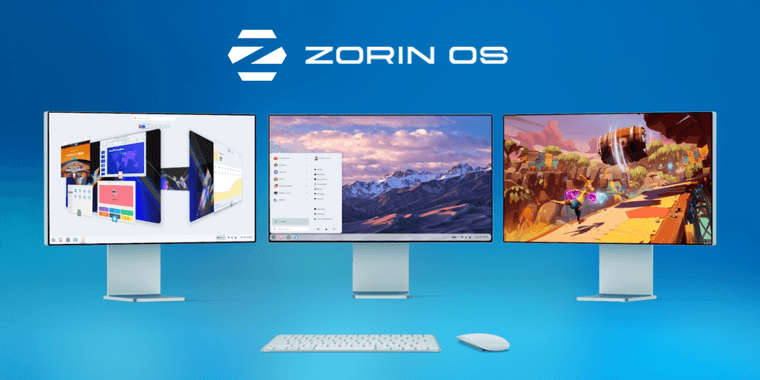
Introduction
With Windows 10 end-of-life, Zorin OS 18 is a modern Linux OS with enhanced Windows compatibility and visual improvements for smooth transition.
Redesigned Desktop
Zorin OS 18 features a refreshed desktop with rounded corners, soft colors, and tinted sidebars for a contemporary look. The floating panel maintains functionality while core apps like Files and Settings have updated interfaces.
Productivity Features
A new window tiling manager offers smart workspace organization with customizable layouts. The reactive workspace indicator improves virtual desktop navigation. For those exploring different desktop environment options, Zorin provides balance.
Windows Compatibility
Enhanced WINE 10 integration supports over 170 Windows apps, suggesting Linux alternatives. The Web Apps tool creates desktop apps from websites using Chrome, Firefox, or Edge. OneDrive integration aids Microsoft 365 users.
Pro and Education Editions
Pro adds Deskflow for cross-device input, Warp for secure transfers, Valot for time tracking, and EasyEffects for audio. Education includes Gradebook, Spedread, and TurboWarp for coding.
Pros and Cons
Advantages
- Excellent Windows compatibility with extensive app recognition
- Modern, polished desktop design with rounded elements
- Comprehensive web app creation tool for multiple browsers
- Long-term support guaranteed until June 2029
- Improved performance and PipeWire audio enhancements
- Specialized Pro and Education editions with unique tools
- User-friendly installer with alternative app suggestions
Disadvantages
- Pro version requires paid upgrade for full feature set
- Some Windows applications may still require configuration
- Learning curve for users completely new to Linux systems
- Limited gaming support compared to specialized distributions
Conclusion
Zorin OS 18 advances Linux accessibility with refined design, enhanced compatibility, and specialized editions. It's a reliable choice for personal and educational use, offering long-term support and improved remote desktop capabilities.
Frequently Asked Questions
Is Zorin OS 18 completely free to use?
Zorin OS 18 has a free Core edition with most features, while the Pro version requires payment and includes additional applications, layouts, and premium support options for advanced users.
Can Zorin OS 18 run Windows applications?
Yes, Zorin OS 18 includes enhanced WINE 10 compatibility and recognizes over 170 Windows applications, suggesting Linux alternatives or providing installation options for many popular Windows programs.
How long will Zorin OS 18 receive updates?
Zorin OS 18 is a long-term support release with security updates and maintenance guaranteed until June 2029, providing five years of stable support for users.
What are the system requirements for Zorin OS 18?
Zorin OS 18 requires a 64-bit processor, at least 2GB of RAM, and 10GB of storage space, making it compatible with most modern computers and hardware configurations.
Can I upgrade from previous Zorin OS versions?
Yes, Zorin OS 18 supports upgrades from Zorin OS 16 and later versions, with an easy migration process to retain user data and settings during the update.
Relevant AI & Tech Trends articles
Stay up-to-date with the latest insights, tools, and innovations shaping the future of AI and technology.
Stoat Chat App: Complete Guide to Revolt Rebranding and Features
Stoat chat app rebranded from Revolt due to legal pressures, maintaining all user data, features, and privacy focus without any required actions from existing users for a seamless transition.
Immich 2.1.0 Release: Enhanced Slideshow Shuffle and Stack Upload Features
Immich 2.1.0 enhances photo management with improved slideshow shuffle, direct stack uploads, better mobile browsing, and collaboration features for self-hosted solutions.
GLM-4.6 and Qwen3-coder-480B Now on Ollama Cloud - AI Coding Models
GLM-4.6 and Qwen3-coder-480B AI coding models are now available on Ollama's cloud platform, offering enhanced tool calling, API access, and development integrations for programmers.