Annotation
- Introduction
- Understanding Claude Code: The AI-Powered Coding Assistant
- What is Claude Code?
- Building Effective Coding Learning Pathways
- Creating a Structured Learning Roadmap
- Practical Implementation Strategies
- Getting Started with Claude Code
- Advanced Customization Techniques
- Leveraging Hooks and Custom Commands
- Integration Capabilities and Ecosystem
- Connecting with Development Tools
- Pros and Cons
- Conclusion
- Frequently Asked Questions
Claude Code AI Assistant: Boost Coding Efficiency & Productivity in 2025
Claude Code is an AI-powered coding assistant that enhances developer productivity through intelligent code completion, error detection, and seamless

Introduction
As software development continues to evolve at a rapid pace, developers are constantly seeking tools that can enhance productivity while maintaining code quality. Claude Code has emerged as a sophisticated AI-powered coding assistant that promises to transform how programmers approach their daily workflows. This comprehensive guide explores how Claude Code can automate repetitive tasks, provide intelligent code suggestions, and integrate seamlessly with your existing development environment to maximize efficiency throughout 2025 and beyond.
Understanding Claude Code: The AI-Powered Coding Assistant
What is Claude Code?
Claude Code represents a significant advancement in AI-assisted development tools, functioning as more than just a code editor – it serves as an intelligent coding partner that adapts to your programming style and project requirements. Built on sophisticated Large Language Models (LLMs), this assistant provides context-aware suggestions that go beyond basic autocomplete functionality. Developers working with various AI chatbots and AI agents and assistants will find Claude Code particularly valuable for maintaining coding consistency across projects.
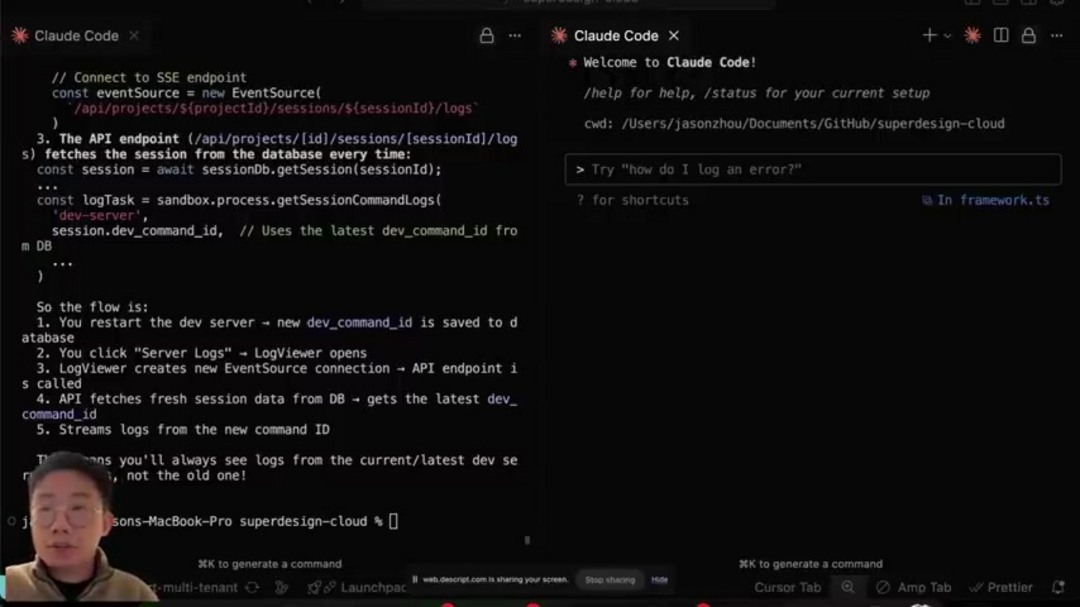
The system's ability to learn from your coding patterns enables it to deliver increasingly relevant recommendations over time. Unlike traditional code editors that simply highlight syntax, Claude Code understands the semantic meaning behind your code, allowing it to suggest architectural improvements, identify potential security vulnerabilities, and recommend optimization strategies. This deep understanding transforms the development process from a manual coding exercise into a collaborative partnership between developer and AI.
Key capabilities that set Claude Code apart include intelligent code completion that anticipates your next logical steps, automated error detection that catches issues before they become problems, context-aware suggestions that consider your entire project structure, and seamless integration with popular development tools. These features collectively work to reduce cognitive load on developers, allowing them to focus on solving complex problems rather than wrestling with syntax or debugging trivial errors.
Building Effective Coding Learning Pathways
Creating a Structured Learning Roadmap
For developers beginning their coding journey or transitioning to AI-assisted development, establishing a clear learning pathway is crucial for success. A well-structured roadmap helps programmers identify the most relevant skills to develop and provides a systematic approach to mastering new technologies. When combined with powerful AI automation platforms, this structured learning approach can significantly accelerate skill development.
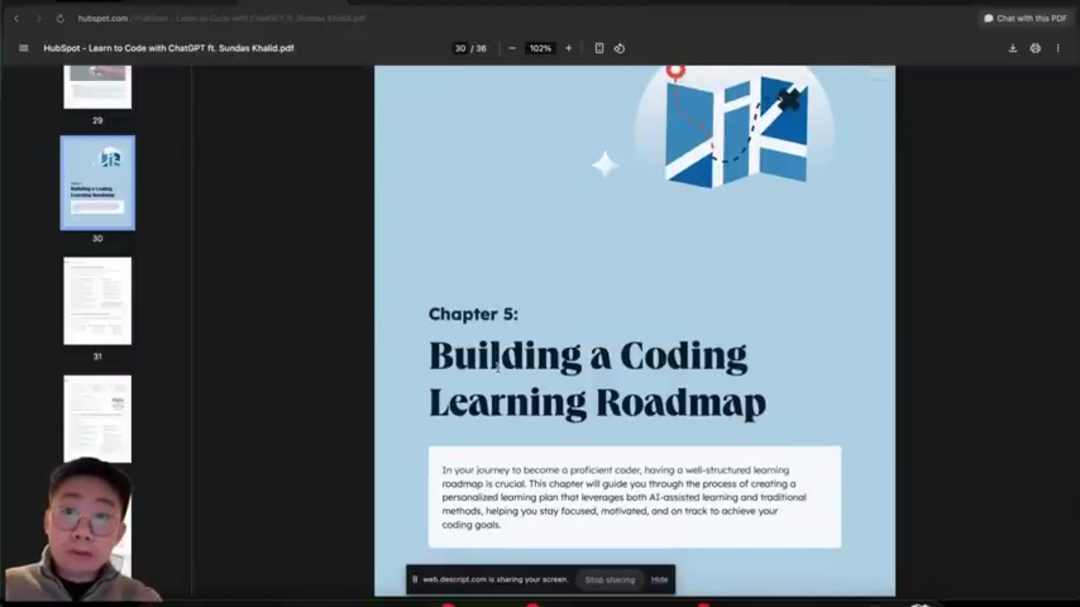
Comprehensive learning resources typically cover fundamental programming concepts, best practices for different coding scenarios, and detailed progression paths for specific languages. For instance, a Python mastery roadmap might outline a four-month journey from basic syntax to advanced application development. These resources often include practical exercises, real-world project examples, and guidance on when and how to leverage AI assistance effectively.
Essential components of an effective coding roadmap include fundamental programming concepts and principles, best practice prompts tailored to different development scenarios, language-specific learning paths with realistic timelines, and customized GPT resources that adapt to individual learning styles. This structured approach ensures that developers build a solid foundation while gradually incorporating more advanced AI-assisted development techniques.
Practical Implementation Strategies
Getting Started with Claude Code
Implementing Claude Code effectively begins with proper installation and configuration within your preferred Integrated Development Environment. The process typically involves installing the Claude Code extension in popular IDEs like Cursor, VS Code, or Winserv, which allows developers to access AI assistance without leaving their familiar coding environment. This integration is particularly valuable for teams using multiple IDE tools across different projects.
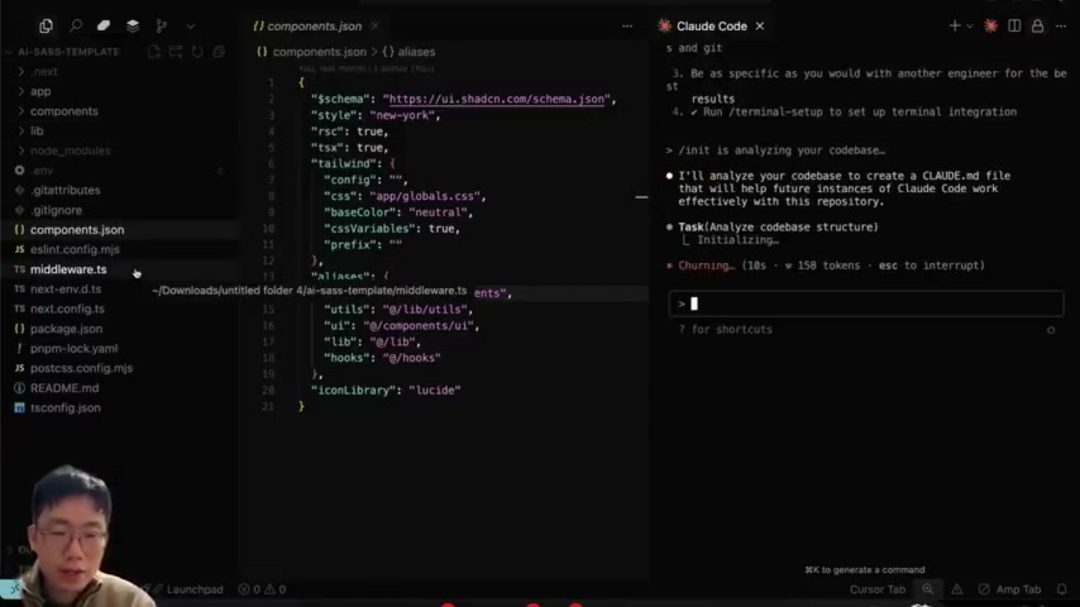
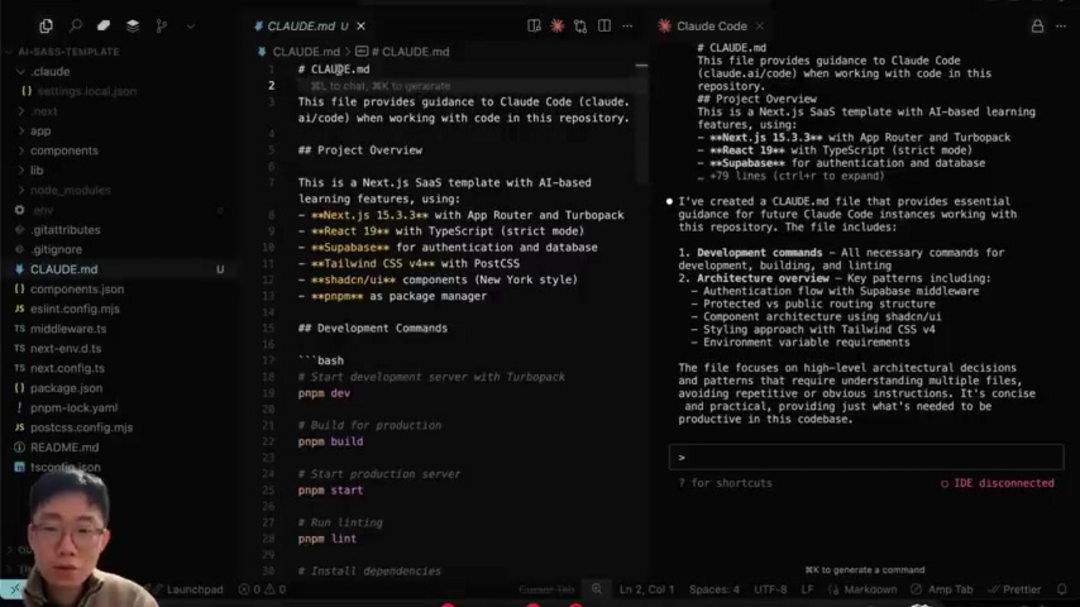
The initialization process is critical for maximizing Claude Code's effectiveness. Running the /init command allows the system to analyze your codebase comprehensively, understanding project structure, dependencies, and coding patterns. This deep analysis enables the AI to provide more relevant suggestions and identify potential improvements specific to your project's architecture and requirements.
Essential setup commands and functions include connecting your IDE to establish the development environment, using /init to enable comprehensive codebase analysis, leveraging different modes like bash mode (!), memory mode (#), and command mode (/) for various tasks, utilizing /resume to continue previous conversations and maintain context, and employing /export to save valuable conversation history for future reference. These functions collectively create a robust foundation for AI-assisted development.
Advanced Customization Techniques
Leveraging Hooks and Custom Commands
One of Claude Code's most powerful features is its extensive customization capabilities through hooks and custom commands. Hooks allow developers to define specific actions that trigger automatically when certain events occur within the development workflow. This automation can significantly streamline repetitive tasks and enforce coding standards consistently across projects. When combined with code formatters and code linters, hooks create a comprehensive quality assurance system.
Custom slash commands provide another layer of personalization, enabling developers to create tailored functions that address specific project requirements. These commands can range from simple utility functions to complex multi-step processes that automate entire development workflows. The effectiveness of these customizations increases with their complexity and specificity to your development environment.
Effective hook implementation might include pre-commit checks that automatically run tests before code commits, automated documentation generation triggered by specific code changes, custom validation rules that enforce project-specific coding standards, and integration with external tools and services through webhook connections. These automated processes ensure consistency while freeing developers to focus on creative problem-solving.
Integration Capabilities and Ecosystem
Connecting with Development Tools
Claude Code's true power emerges through its robust integration capabilities with the broader development ecosystem. The ability to connect seamlessly with popular Integrated Development Environments means developers can maintain their established workflows while gaining AI assistance. This integration is particularly valuable for teams using specialized debugger tools and other development utilities that complement AI assistance.
The integration extends beyond basic IDE connectivity to include comprehensive tool ecosystems. Cursor integration provides a robust development environment enhanced by AI capabilities, VS Code connectivity maintains familiarity while adding intelligent assistance, Winserv compatibility enables development within specialized application environments, and Supercloud integration offers alternative AI model options for specific use cases. These connections create a cohesive development experience where AI assistance becomes a natural part of the coding process rather than a separate tool.

Pros and Cons
Advantages
- Streamlined AI coding integration with existing development workflows
- Intelligent code completion and context-aware suggestions
- Comprehensive error detection and debugging assistance
- Extensive customization through hooks and custom commands
- Seamless integration with popular IDEs and development tools
- Adaptive learning that improves suggestions over time
- Automated documentation generation and code optimization
Disadvantages
- Command line interface can be challenging to preview and debug
- Complex setup process for advanced hooks and custom commands
- Initial learning curve for maximizing AI assistance effectiveness
- Potential over-reliance on AI suggestions for novice developers
Conclusion
Claude Code represents a significant step forward in AI-assisted development, offering developers powerful tools to enhance productivity, improve code quality, and streamline workflows. By combining intelligent code suggestions with robust customization options and extensive integration capabilities, it addresses many of the pain points modern developers face. While there is an initial learning curve and setup complexity, the long-term benefits of reduced debugging time, automated repetitive tasks, and improved code consistency make Claude Code a valuable addition to any developer's toolkit. As AI continues to transform software development, tools like Claude Code will become increasingly essential for maintaining competitive advantage and delivering high-quality software efficiently.
Frequently Asked Questions
What are the main benefits of using Claude Code for development?
Claude Code streamlines development through AI-powered code suggestions, automated error detection, and seamless IDE integration. It reduces repetitive tasks, catches errors early, and adapts to your coding style for increasingly relevant assistance over time.
How can beginners effectively learn coding with Claude Code?
Beginners should follow structured learning roadmaps that combine fundamental programming concepts with Claude Code best practices. Start with basic setup, gradually incorporate AI suggestions, and use the system's learning resources to build skills systematically.
What integration capabilities does Claude Code support?
Claude Code integrates with popular IDEs including Cursor, VS Code, and Winserv, plus additional tools through hooks and custom commands. This creates a cohesive development environment where AI assistance enhances rather than disrupts existing workflows.
How difficult is Claude Code to set up and customize?
Basic setup is straightforward through IDE extensions, but advanced customization with hooks and commands requires technical understanding. The initial complexity pays off through significant workflow automation and personalized assistance once configured properly.
What are the system requirements for Claude Code?
Claude Code requires a compatible Integrated Development Environment such as VS Code or Cursor, along with an internet connection for AI functionality. Specific system requirements depend on the IDE and integration method.
Relevant AI & Tech Trends articles
Stay up-to-date with the latest insights, tools, and innovations shaping the future of AI and technology.
Grok AI: Free Unlimited Video Generation from Text & Images | 2024 Guide
Grok AI offers free unlimited video generation from text and images, making professional video creation accessible to everyone without editing skills.
Grok 4 Fast Janitor AI Setup: Complete Unfiltered Roleplay Guide
Step-by-step guide to configuring Grok 4 Fast on Janitor AI for unrestricted roleplay, including API setup, privacy settings, and optimization tips
Top 3 Free AI Coding Extensions for VS Code 2025 - Boost Productivity
Discover the best free AI coding agent extensions for Visual Studio Code in 2025, including Gemini Code Assist, Tabnine, and Cline, to enhance your