
GeoFS Flight Simulator
Experience free web-based flight simulation with GeoFS. Fly 30+ aircraft on 40,000 runways with global satellite imagery, multiplayer, and real weather. Ideal for students and enthusiasts.
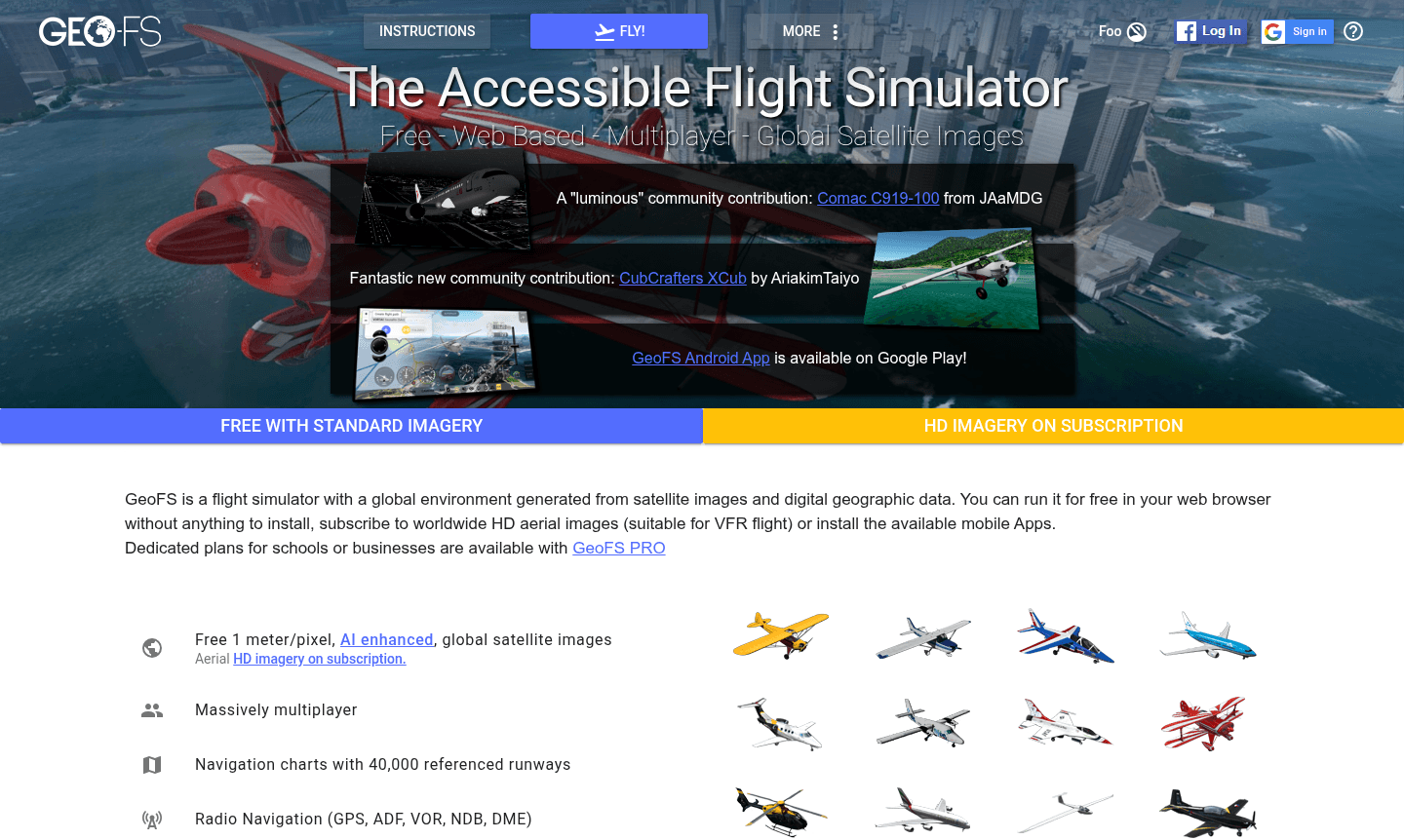
Overview of GeoFS Flight Simulator
GeoFS is a comprehensive web-based flight simulator that delivers realistic aviation experiences directly in your browser without any downloads or installations required. This accessible flight simulation platform generates a global environment using satellite imagery and digital geographic data, allowing pilots to fly anywhere in the world with authentic physics and navigation systems. The platform serves aviation enthusiasts, student pilots, and casual users looking for an immersive flying experience with both free and premium options available.
As a massively multiplayer flight simulator, GeoFS enables real-time interaction with other pilots while supporting various aircraft types and navigation tools. The platform operates across multiple devices including Windows, Mac, Linux, and mobile platforms (iOS and Android), making it one of the most accessible flight simulation solutions available. With its realistic flight dynamics based on actual physics principles and simplified controls, GeoFS bridges the gap between professional flight training tools and casual gaming experiences.
How to Use GeoFS Flight Simulator
Getting started with GeoFS is straightforward – simply visit the website through any modern web browser and begin flying immediately. The platform requires no registration for basic access, allowing instant entry into the flight simulation environment. Users can choose from over 30 available aircraft, select their desired location from 40,000 referenced runways worldwide, and configure weather conditions to match real-time meteorological data or custom preferences. The intuitive interface supports joystick input for enhanced control realism while maintaining accessibility for beginners through simplified instrument panels and automated assistance features.
Core Features of GeoFS Flight Simulator
- Global Satellite Environment – Worldwide HD imagery for detailed VFR flight practice
- Realistic Flight Physics – Authentic aerodynamics with lift, drag, and stall simulation
- Multiplayer Integration – Real-time pilot interaction and community events
- Comprehensive Navigation – GPS, ADF, VOR, NDB, DME with 40,000 runways
- Real Weather Integration – Live METAR data for accurate atmospheric conditions
Use Cases for GeoFS Flight Simulator
- Flight training and VFR practice for student pilots seeking instrument familiarity
- Casual aviation exploration and virtual tourism across global locations
- Multiplayer flight experiences with real-time pilot interaction and coordination
- Navigation practice using authentic radio navigation systems and GPS technology
- Weather flying experience with real-time atmospheric condition simulation
- Community engagement through Discord servers and organized flight events
- Educational applications for schools with dedicated GeoFS PRO plans
Support and Contact
For technical assistance and general inquiries, visit the official GeoFS website or email contact@geo-fs.com. The platform maintains active community support through various Discord servers on Disboard.org where users can find voice communication channels, troubleshooting help, and event coordination. While no direct support email was located during research, the community-driven support system provides comprehensive assistance for both free and premium users.
Company Info
GeoFS operates as a web-based flight simulation platform developed to make realistic aviation experiences accessible to everyone. The service maintains global availability with server infrastructure supporting worldwide user access. For detailed company information and development background, users can reference the official website and associated community resources that document the platform's evolution and technical capabilities.
Login and Signup
Access GeoFS directly through the main GeoFS website without requiring account creation for basic features. Premium subscriptions and enhanced functionality may require account setup through the platform's subscription portal. The GeoFS PRO service for educational and business use offers customized access options through dedicated enterprise planning and implementation.
GeoFS Flight Simulator FAQ
Is GeoFS completely free to use for basic flight simulation?
Yes, GeoFS offers a comprehensive free version with global standard resolution satellite imagery, 30+ aircraft, multiplayer support, and basic flight features suitable for casual flying and learning purposes.
What platforms and devices support the GeoFS flight simulator?
GeoFS runs on Windows, Mac, Linux computers through web browsers and offers mobile apps for iOS and Android devices, providing cross-platform accessibility without installation requirements.
Does GeoFS support joystick controllers and flight hardware?
Yes, GeoFS includes full joystick support and compatibility with various flight control hardware, enhancing the realism of the flight simulation experience for aviation enthusiasts.
What weather features does GeoFS include?
GeoFS uses live METAR data to simulate wind, turbulence, clouds, and precipitation, offering realistic weather flying experiences for enhanced training and exploration.
GeoFS Flight Simulator Pricing
Current prices may vary due to updates
Free
Complete web-based flight simulator with global standard resolution satellite images (10 meters per pixel), 30+ aircraft selection, multiplayer suppor
HD Subscription
Enhanced version featuring worldwide HD aerial imagery at 1 meter/pixel resolution with AI enhancement, specifically designed for VFR flight practice
GeoFS PRO
Dedicated enterprise plans for educational institutions and businesses with advanced features, custom pricing structures, and specialized functionalit
GeoFS Flight Simulator Reviews0 review
Would you recommend GeoFS Flight Simulator? Leave a comment
GeoFS Flight Simulator Alternatives
The best modern alternatives to the tool
New Tools Releases
Recently added tools
