Annotation
- Introduction
- The New Unified Affinity Platform
- Access Requirements and Limitations
- Pros and Cons
- Conclusion
- Frequently Asked Questions
Affinity Design Suite Free: Complete Photo, Vector & Layout Tools
Affinity's design suite is now free, merging photo editing, vector illustration, and layout tools into one app with Canva integration, offering professional features without subscription.
Introduction
Serif has transformed its professional design ecosystem by merging Affinity Photo, Designer, and Publisher into a single free application called Affinity. This unified platform eliminates the need for separate purchases, offering comprehensive creative tools without subscription fees – a significant shift in the graphic design software landscape.
The New Unified Affinity Platform
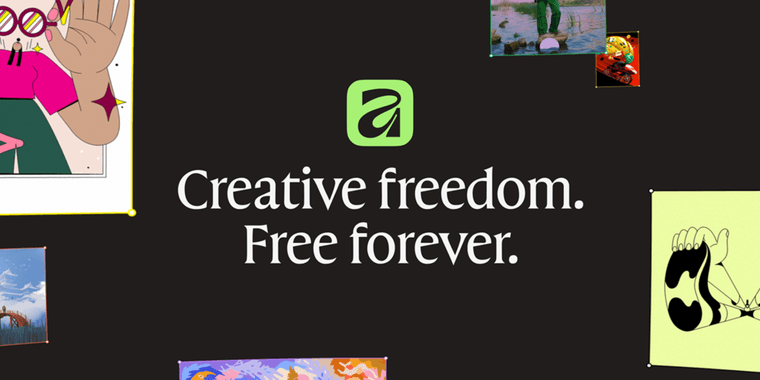
Following Canva's acquisition of Serif last year, industry observers anticipated a subscription model transition. Instead, the companies delivered a surprising move: making the entire Affinity suite permanently free. The new application combines pixel-based photo editing, vector illustration, and professional page layout capabilities within one customizable interface.
Users can now access tools from all three previously separate applications through configurable studios that adapt to different workflow needs. The platform maintains support for industry-standard file formats including PSD, AI, PDF, and IDML files while introducing a universal .af format for cross-compatibility. Advanced features like Smart Master Pages, shared text styles, and GPU-accelerated editing ensure professional-grade performance.
Access Requirements and Limitations
While the core application is completely free, users must create a free Canva account to access the software. This integration enables seamless asset sharing between platforms while keeping essential design tools accessible. Advanced AI features like Generative Fill and image generation remain exclusive to Canva Pro subscribers, creating a clear freemium distinction without compromising core functionality.
Existing customers who purchased standalone Affinity applications can continue using them indefinitely, though new downloads are no longer available. This transition strategy honors previous investments while encouraging migration to the unified platform. For those exploring other options, our photo editor and vector graphics categories offer additional alternatives.
Pros and Cons
Advantages
- Completely free access to professional design tools
- Unified workspace eliminates application switching
- No subscription required for core features
- Supports industry-standard file formats
- Powerful GPU-accelerated performance
- Customizable interface for different workflows
- Continuous updates and improvements
Disadvantages
- Requires free Canva account registration
- Advanced AI features need paid subscription
- iPad version not immediately available
- Learning curve for new unified interface
Conclusion
Affinity's transition to a free unified platform represents a major shift in creative software accessibility. By combining professional-grade photo editing, vector design, and layout capabilities without subscription barriers, it positions itself as a compelling alternative to Adobe's ecosystem. The requirement for a Canva account reflects strategic integration while maintaining core functionality freely available – a balanced approach that benefits both casual users and professional designers seeking capable diagram creator and mockup tool alternatives without financial commitment.
Frequently Asked Questions
Is Affinity completely free to use?
Yes, the core Affinity application is completely free forever, combining photo editing, vector design, and layout tools. Only advanced AI features require a Canva Pro subscription, but essential creative tools remain accessible without payment.
What happened to the separate Affinity apps?
Affinity Photo, Designer, and Publisher have been merged into one unified application. Existing paid customers can continue using their purchased versions, but new downloads are no longer available as the company focuses on the integrated platform.
Do I need a Canva account to use Affinity?
Yes, a free Canva account is required to access the new Affinity application. This enables integration between platforms while keeping the design software itself completely free for all users.
What file formats does Affinity support?
Affinity supports industry-standard file formats including PSD, AI, PDF, and IDML, along with its universal .af format for cross-compatibility, ensuring seamless workflow integration.
Are there any limitations on the free version?
The free version includes all core features; only advanced AI tools like Generative Fill require a Canva Pro subscription, but essential design functions are fully accessible without payment.
Relevant AI & Tech Trends articles
Stay up-to-date with the latest insights, tools, and innovations shaping the future of AI and technology.
Stoat Chat App: Complete Guide to Revolt Rebranding and Features
Stoat chat app rebranded from Revolt due to legal pressures, maintaining all user data, features, and privacy focus without any required actions from existing users for a seamless transition.
Zorin OS 18: Modern Linux OS with Windows App Support & New Features
Zorin OS 18 is a Linux distribution with a redesigned desktop, enhanced Windows app support, and web apps tool, ideal as a Windows 10 alternative with long-term support until 2029.
AV Linux 25 & MX Moksha 25 Released with Enhanced File Manager & VM Features
AV Linux 25 and MX Moksha 25 are new Linux releases based on Debian Trixie, featuring enhanced file management with Quickemu and YT-DLP integration, tailored for multimedia production and lightweight computing.