
Online-Convert
Free online file converter for documents, audio, video, images, and ebooks. Convert between formats like PDF to Word, MP4 to MP3 without installation.
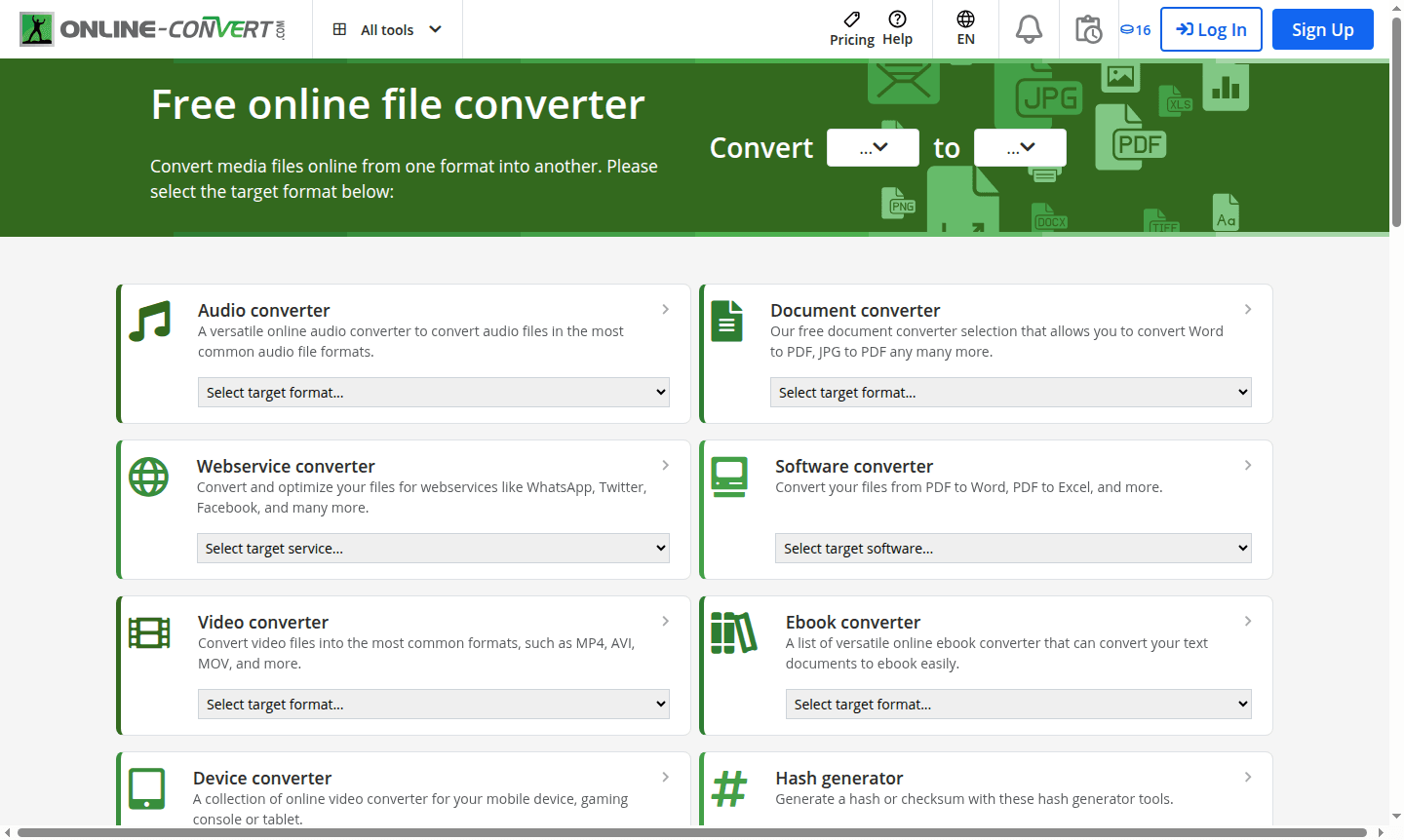
Overview of Online-Convert
Online-Convert is a comprehensive free online file converter that transforms media files between hundreds of formats without requiring software installation. This versatile web-based tool serves individuals, students, and professionals who need quick format conversions for images, audio, video, documents, and archives. The platform supports popular conversions like PDF to Word, MP4 to MP3, PNG to JPG, and EPUB to PDF, making it essential for anyone working with digital files across different devices and applications.
The service operates entirely through your web browser, eliminating the need for downloads while maintaining broad compatibility with mobile devices, gaming consoles, and tablets. Beyond basic conversions, Online-Convert includes specialized tools for hash generation, archive creation, and social media optimization for platforms like WhatsApp, Twitter, and Facebook. With its extensive format support and user-friendly interface, this tool has become a go-to solution for quick file transformation needs in both personal and professional contexts.
How to Use Online-Convert
Using Online-Convert is straightforward: simply visit the website, select your desired conversion type from the available categories, upload your source file, choose the target format, and initiate the conversion process. The platform automatically processes your file and provides a download link once completed. No registration or account creation is required for basic conversions, making it accessible for immediate use. For specialized conversions or bulk processing, users can explore advanced settings within each converter category to customize output quality and file specifications.
Core Features of Online-Convert
- Multi-format Conversion – Supports hundreds of file types across audio, video, document, and image formats
- Browser-based Processing – No software installation required with all conversions happening online
- Free File Conversion – Complete access to conversion tools without subscription fees
- Social Media Optimization – Specialized converters for WhatsApp, Twitter, and Facebook compatibility
- Hash Generation – Built-in tools for creating checksums and verifying file integrity
Use Cases for Online-Convert
- Converting business documents from PDF to editable Word format
- Extracting audio tracks from video files as MP3 for music collections
- Transforming image formats for website compatibility and optimization
- Creating compressed archives for efficient file storage and sharing
- Preparing ebook files for different reading devices and applications
- Optimizing media files for social media platforms and messaging apps
- Converting between video formats for editing software compatibility
Support and Contact
For technical assistance or conversion requests, users can contact the support team through the website's contact form or via email at contact@online-convert.com. The platform encourages users to suggest new conversion formats if their specific needs aren't currently supported. General inquiries can be directed to the main contact channels available on the Online-Convert website.
Company Info
Online-Convert operates as a web-based file conversion service accessible globally. The platform maintains an extensive collection of conversion tools developed to address diverse digital file transformation needs across multiple industries and user scenarios.
Login and Signup
Online-Convert provides immediate access to all conversion tools without requiring user registration. The service operates on a no-login-required basis for standard conversions, allowing users to convert files directly through the main website interface.
Online-Convert FAQ
Is Online-Convert completely free to use for file conversions?
Yes, Online-Convert offers free file conversion services for all supported formats without requiring payment or subscription for basic conversion features.
What types of files can I convert using Online-Convert tools?
Online-Convert supports audio, video, document, image, ebook, archive, and hash conversion across hundreds of different file formats and types.
Do I need to create an account to use Online-Convert file conversion services?
No account creation is required - you can upload and convert files immediately through the web interface without any registration process.
Is Online-Convert compatible with mobile devices?
Yes, Online-Convert is compatible with mobile devices, tablets, and other platforms, allowing file conversions on the go.
Online-Convert Reviews0 review
Would you recommend Online-Convert? Leave a comment
Online-Convert Alternatives
The best modern alternatives to the tool
New Tools Releases
Recently added tools
