Annotation
- Introduction
- Enhanced AI Capabilities
- Accessibility and Plans
- Pros and Cons
- Conclusion
- Frequently Asked Questions
Slack ChatGPT Integration: AI Sidebar for Team Collaboration Tools
Slack integrates ChatGPT with an AI sidebar for enhanced team collaboration, offering real-time search, content drafting, and problem-solving features exclusively for Business+ and Enterprise+ users.
Introduction
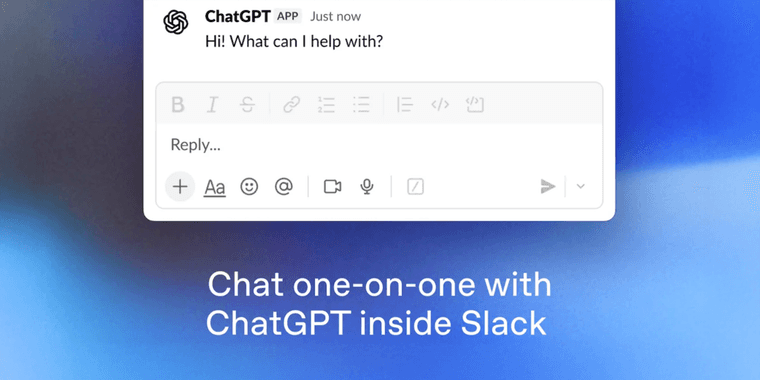
Slack has officially integrated ChatGPT directly into its platform through a dedicated AI sidebar, bringing powerful language model capabilities to team collaboration environments. This strategic move positions Slack as a leader in workplace AI integration, offering users seamless access to advanced AI features without leaving their communication hub.
Enhanced AI Capabilities
The new ChatGPT app leverages Slack's Real-Time Search API to deliver immediate responses for various workplace needs. Users can now generate content, brainstorm ideas, solve complex problems, and draft communications directly within their collaboration tool environment. The integration supports both keyword-based and semantic search functionality, enabling more intuitive and context-aware interactions with the AI assistant.
Accessibility and Plans
Currently available exclusively for Business+ and Enterprise+ subscription tiers with AI features enabled, this integration represents a significant step forward in AI chatbot implementation within professional settings. The dedicated sidebar ensures that AI assistance remains accessible without disrupting existing workflows or conversation threads.
Pros and Cons
Advantages
- Seamless integration within existing Slack interface
- Real-time AI assistance for immediate problem solving
- Dual search functionality combining keywords and semantics
- Enhanced content drafting and idea generation capabilities
- Streamlined workflow without switching between applications
- Professional-grade AI features for business environments
Disadvantages
- Limited to higher-tier Business+ and Enterprise+ plans
- Requires separate AI feature activation and configuration
- Potential learning curve for non-technical team members
- Dependent on stable internet connectivity for optimal performance
Conclusion
Slack's ChatGPT integration marks a significant advancement in workplace AI agents and assistants, offering teams powerful AI capabilities directly within their primary communication platform. While currently limited to premium subscription tiers, this development signals a broader trend toward embedded AI solutions in professional group chat platforms and sets new standards for productivity-enhancing tools in modern digital workplaces.
Frequently Asked Questions
Which Slack plans include the ChatGPT integration?
The ChatGPT integration is currently available exclusively for Business+ and Enterprise+ subscription tiers that have AI features enabled, providing advanced AI capabilities to premium business users.
What types of tasks can the Slack ChatGPT sidebar perform?
The AI sidebar supports question answering, content drafting, idea generation, problem solving, and both keyword and semantic search functionality directly within Slack's interface for enhanced team productivity.
How does the ChatGPT sidebar integrate with Slack's interface?
The ChatGPT sidebar appears as a dedicated panel within Slack, allowing users to access AI features without leaving their current conversation or channel, enhancing workflow efficiency.
What are the system requirements for using the AI features?
Users need a Slack Business+ or Enterprise+ plan with AI features enabled, and a stable internet connection for optimal performance of the real-time search and AI capabilities.
Can multiple team members use the AI sidebar simultaneously?
Yes, the AI sidebar can be accessed by multiple users in a workspace concurrently, supporting collaborative AI-assisted tasks and discussions.
Relevant AI & Tech Trends articles
Stay up-to-date with the latest insights, tools, and innovations shaping the future of AI and technology.
Stoat Chat App: Complete Guide to Revolt Rebranding and Features
Stoat chat app rebranded from Revolt due to legal pressures, maintaining all user data, features, and privacy focus without any required actions from existing users for a seamless transition.
Zorin OS 18: Modern Linux OS with Windows App Support & New Features
Zorin OS 18 is a Linux distribution with a redesigned desktop, enhanced Windows app support, and web apps tool, ideal as a Windows 10 alternative with long-term support until 2029.
AV Linux 25 & MX Moksha 25 Released with Enhanced File Manager & VM Features
AV Linux 25 and MX Moksha 25 are new Linux releases based on Debian Trixie, featuring enhanced file management with Quickemu and YT-DLP integration, tailored for multimedia production and lightweight computing.