
DownSub
DownSub: Free subtitle downloader for YouTube, VIU, Viki, Vlive. Export SRT, TXT, VTT files without installation. For content creators, language learners, and accessibility.
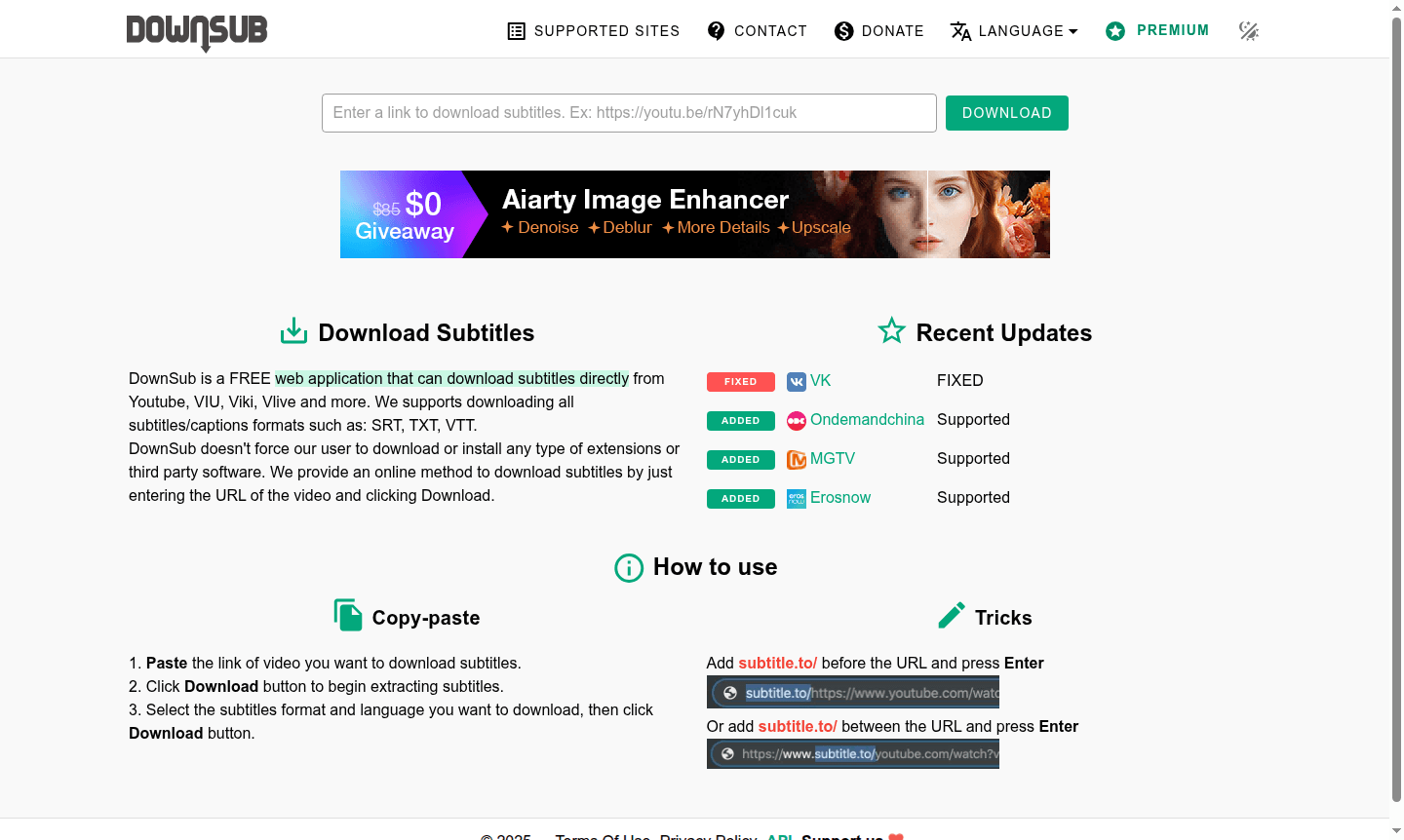
Overview of DownSub
DownSub is a completely free web application designed for downloading subtitles from various video platforms including YouTube, VIU, Viki, Vlive, and several other streaming services. This browser-based tool eliminates the need for software installations, browser extensions, or third-party applications, providing a straightforward online solution for subtitle extraction. Users can access subtitle files in multiple formats such as SRT, TXT, and VTT, making it compatible with various media players and editing software. The platform serves content creators, language learners, accessibility users, and anyone needing accurate subtitle files for video content across different streaming platforms.
The tool operates entirely through web interface, requiring only a valid video URL to begin the subtitle extraction process. Recent platform updates have expanded compatibility to include additional services like Ondemandchina, MGTV, and Erosnow, demonstrating ongoing development and platform expansion. DownSub maintains a simple, user-friendly approach to subtitle downloading while supporting multiple languages and subtitle formats commonly used in video production and content localization workflows. This makes it particularly valuable for Download Manager enthusiasts and professionals working with international content.
How to Use DownSub
Using DownSub requires just three simple steps: copy the video URL from your preferred platform, paste it into the DownSub interface, and click the download button to extract available subtitles. The system automatically detects all available subtitle tracks and languages, allowing users to select their preferred format before downloading. For quick access, users can employ URL shortcuts by adding "subtitle.to/" before the video URL or inserting it within the URL structure, providing alternative methods for rapid subtitle extraction without visiting the main website interface.
Core Features of DownSub
- Multi-Platform Support – Download subtitles from YouTube, VIU, Viki, Vlive and other streaming services
- Format Flexibility – Export subtitles in SRT, TXT, and VTT file formats for various applications
- Browser-Based Operation – No software installation or browser extensions required for use
- Free Access – Completely free web application with no subscription fees or hidden costs
- URL Shortcut Method – Alternative access through URL modification for quick subtitle extraction
Use Cases for DownSub
- Content creators needing subtitle files for video editing and production workflows
- Language learners extracting subtitles for study materials and comprehension practice
- Accessibility users obtaining subtitle files for improved video content consumption
- Video editors requiring subtitle tracks for professional post-production work
- Educators downloading subtitles for classroom materials and educational content
- Researchers extracting textual content from video presentations and lectures
- International viewers accessing content in their preferred language through subtitles
Support and Contact
For technical support and general inquiries, users can visit the DownSub website or email contact@downsub.com. The platform provides online documentation and usage guides to help users navigate the subtitle downloading process effectively.
Company Info
DownSub is developed by an independent development team with information available through the main website. The tool operates as a free web-based service focused on subtitle extraction from multiple video platforms.
Login and Signup
DownSub requires no user registration or login process for accessing its subtitle downloading features. Users can immediately begin using the service by visiting the DownSub website and entering video URLs for subtitle extraction.
DownSub FAQ
What video platforms does DownSub support for subtitle downloading?
DownSub supports YouTube, VIU, Viki, Vlive, Ondemandchina, MGTV, Erosnow, and several other streaming platforms for subtitle extraction.
Is DownSub completely free to use for downloading subtitles?
Yes, DownSub is entirely free with no subscription fees, hidden costs, or limitations on subtitle downloads from supported platforms.
What subtitle formats can I download using DownSub?
DownSub supports SRT, TXT, and VTT subtitle formats, compatible with most media players and video editing software.
Do I need to install any software to use DownSub?
No installation required - DownSub operates entirely online through your web browser without extensions or third-party software.
DownSub Pricing
Current prices may vary due to updates
Free
Completely free web application for downloading subtitles from YouTube, VIU, Viki, Vlive and other platforms without requiring any downloads, extensio
DownSub Reviews0 review
Would you recommend DownSub? Leave a comment
DownSub Alternatives
The best modern alternatives to the tool
New Tools Releases
Recently added tools
