
AudioRecorder.app
AudioRecorder.app review: features, pricing, use cases. macOS app for system and microphone audio recording without drivers. Ideal for podcasts, meetings, voice notes, music. Privacy-focused, local storage.
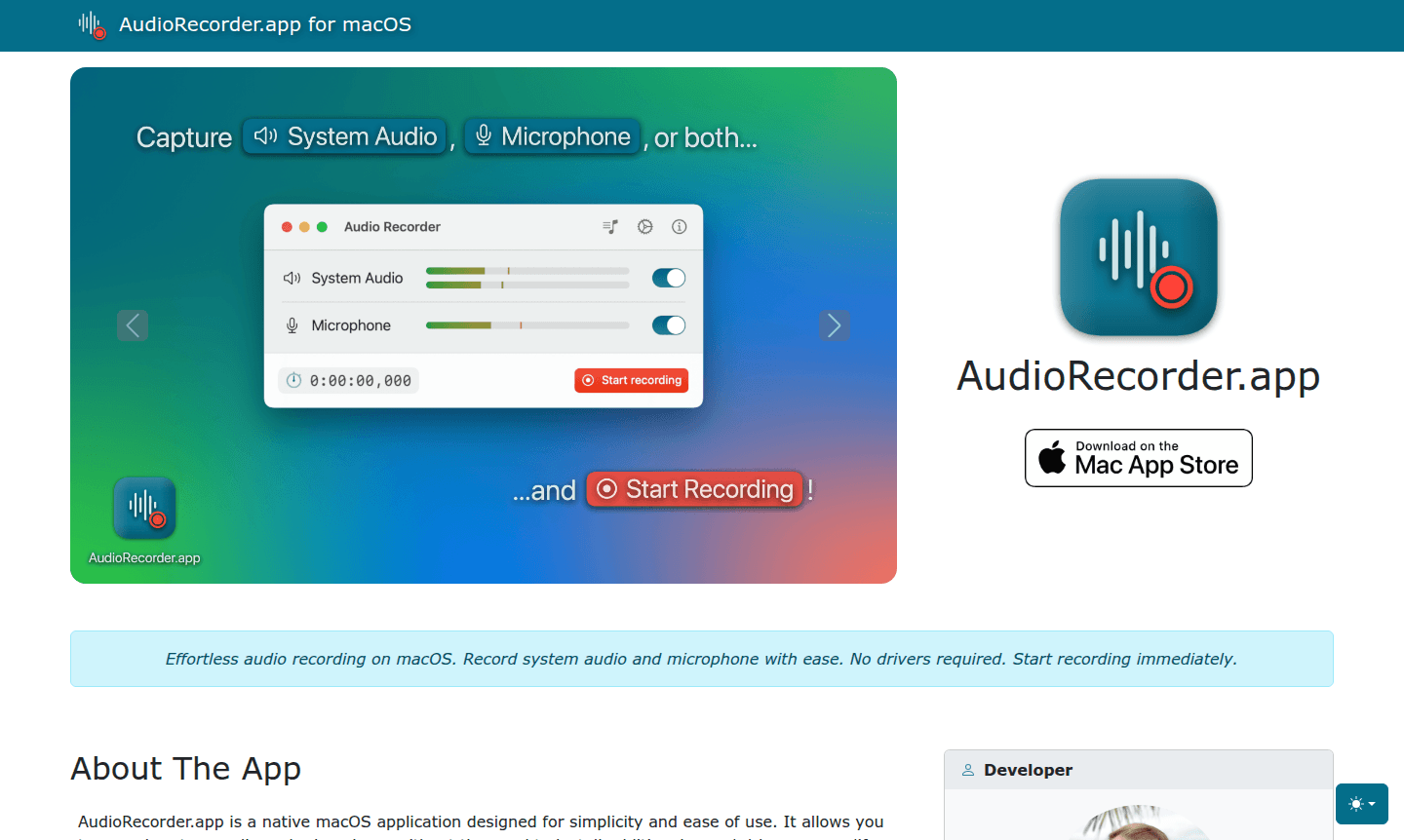
Overview of AudioRecorder.app
AudioRecorder.app is a native macOS application designed for straightforward audio recording without complex setup requirements. This powerful tool enables users to capture both system audio and microphone input simultaneously, eliminating the need for additional drivers or system modifications. Whether you're creating professional podcasts, recording online meetings, or capturing personal voice memos, this application provides an intuitive solution for all your audio recording needs on Mac systems.
The application stands out for its privacy-first approach, ensuring all recordings remain securely stored on your local device without external sharing. With support for unlimited recording sessions and seamless audio file merging capabilities, AudioRecorder.app serves as an essential tool for content creators, professionals, and students alike. Explore more audio tools in our Audio Editor and Podcast App categories.
How to Use AudioRecorder.app
Getting started with AudioRecorder.app is remarkably simple – just install the application from the Mac App Store and launch it on your macOS device. Select your preferred audio sources (system audio, microphone, or both), choose your recording quality settings, and click the record button to begin capturing audio immediately. The interface allows real-time monitoring of your recording levels, and you can pause or stop recordings at any point. Once finished, your audio files are automatically saved and can be easily merged if you recorded multiple sources simultaneously.
Core Features of AudioRecorder.app
- System Audio Recording – Capture system audio without extra drivers
- Microphone Input Recording – Record microphone input for voiceovers and interviews
- Audio File Merging – Merge system and microphone audio into one file
- Driver-Free Operation – No drivers or system modifications needed
- Unlimited Recording – Record without time limits with Pro version
Use Cases for AudioRecorder.app
- Podcast recording and production for content creators
- Capturing audio from Zoom, FaceTime, or Google Meet meetings
- Creating personal voice notes and memos for daily organization
- Recording system audio from music streaming services or videos
- Educational purposes like recording lectures or online courses
- Musicians recording practice sessions or song ideas
- Journalists conducting remote interviews with clear audio capture
Support and Contact
For technical support and inquiries about AudioRecorder.app, please email contact@audio.macrecorder.app or visit the official website. Comprehensive help resources are available through the app's integrated support system.
Company Info
AudioRecorder.app is developed by an independent software team specializing in macOS utilities. The company focuses on creating user-friendly applications that enhance productivity while maintaining strong privacy standards for all users.
Login and Signup
AudioRecorder.app does not require login or signup for basic use. It is available for download on the Mac App Store. For Pro features, in-app purchase is handled within the application.
AudioRecorder.app FAQ
Does AudioRecorder.app require additional audio drivers on macOS?
No, AudioRecorder.app works natively without requiring any additional sound drivers or system modifications on your Mac.
Can I record both system audio and microphone simultaneously with AudioRecorder.app?
Yes, AudioRecorder.app allows simultaneous recording of system audio and microphone input, with optional merging into a single file.
Is there a time limit for recordings in AudioRecorder.app?
The free version offers substantial recording capabilities, while unlimited recording requires activating the Pro features through in-app purchase.
How can I get support for AudioRecorder.app?
For support, email contact@audio.macrecorder.app or visit the official website at https://audio.macrecorder.app for help resources.
AudioRecorder.app Pricing
Current prices may vary due to updates
Free
Includes system audio recording, microphone recording, audio file merging, and driver-free operation. Basic features are accessible immediately after
Pro
Unlocks unlimited recording duration and all advanced capabilities. Activate Unlimited features through in-app purchase in the application settings.
AudioRecorder.app Reviews0 review
Would you recommend AudioRecorder.app? Leave a comment
AudioRecorder.app Alternatives
The best modern alternatives to the tool
New Tools Releases
Recently added tools
