Annotation
- Introduction
- What Gemini for TV Offers
- Activation and Use Cases
- Pros and Cons
- Conclusion
- Frequently Asked Questions
Gemini for TV Replaces Google Assistant on Google TV Streamer Devices
Gemini AI replaces Google Assistant on Google TV Streamer, offering advanced voice control for entertainment, education, and DIY tasks with improved natural language processing.
Introduction
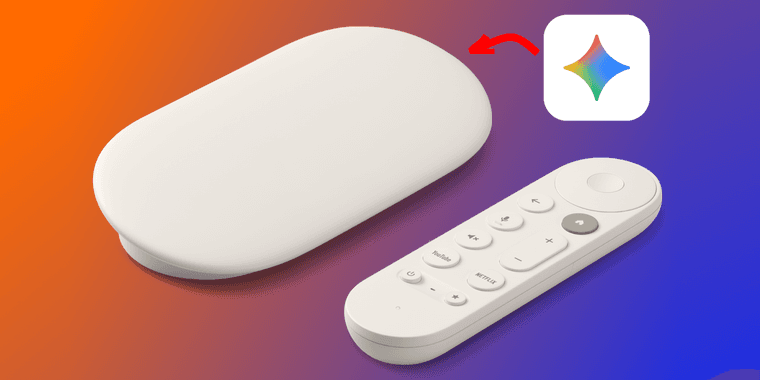
Google is rolling out Gemini for TV to Google TV Streamer devices, replacing Google Assistant with a more advanced AI voice assistant. This update enables users to interact with their TV using natural language for entertainment searches, educational content, and practical help with daily tasks.
What Gemini for TV Offers
Gemini for TV transforms how you control your streaming experience. By pressing the microphone button on your remote, you can ask complex questions like "Find documentaries about space exploration" or "Explain how photosynthesis works." The AI understands context better than previous assistants, making it ideal for learning or DIY projects. This integration aligns with trends in AI chatbots and conversational AI tools, enhancing home entertainment through smarter voice interactions.
Activation and Use Cases
Activating Gemini is straightforward – just hold the microphone button and speak naturally. For example, say "Help me build a birdhouse" to get step-by-step guidance, or "Show me comedy series from the 90s" for tailored recommendations. This functionality bridges home automation and streaming services, offering a seamless, voice-driven interface for modern households.
Pros and Cons
Advantages
- More natural and intuitive voice command processing
- Enhanced educational and DIY support capabilities
- Seamless integration with Google TV ecosystem
- Improved context awareness in conversations
- Easy activation via existing remote microphone
Disadvantages
- Limited to Google TV Streamer devices initially
- Potential privacy concerns with always-listening AI
- Learning curve for users accustomed to Google Assistant
Conclusion
Gemini for TV marks a significant upgrade in AI-powered television assistants, offering smarter, more responsive control for Google TV Streamer users. While adoption may face initial hurdles, its advanced capabilities in entertainment and education position it as a valuable tool for enhancing the streaming experience.
Frequently Asked Questions
How do I activate Gemini for TV on my Google TV Streamer?
Press and hold the microphone button on your Google TV remote, then speak your command naturally to activate Gemini's AI features.
What can Gemini for TV do that Google Assistant couldn't?
Gemini understands more complex, context-aware queries for entertainment searches, educational explanations, and detailed DIY guidance with improved natural language processing.
What devices support Gemini for TV?
Gemini for TV is currently exclusive to Google TV Streamer devices, with no announced support for other platforms yet.
Is Gemini for TV free to use?
Yes, Gemini for TV is available at no additional cost for Google TV Streamer users as part of the device's software updates.
How does Gemini for TV handle user privacy?
Google implements privacy controls, but as with always-listening devices, users should manage settings and be cautious about data collection.
Relevant AI & Tech Trends articles
Stay up-to-date with the latest insights, tools, and innovations shaping the future of AI and technology.
Stoat Chat App: Complete Guide to Revolt Rebranding and Features
Stoat chat app rebranded from Revolt due to legal pressures, maintaining all user data, features, and privacy focus without any required actions from existing users for a seamless transition.
Zorin OS 18: Modern Linux OS with Windows App Support & New Features
Zorin OS 18 is a Linux distribution with a redesigned desktop, enhanced Windows app support, and web apps tool, ideal as a Windows 10 alternative with long-term support until 2029.
AV Linux 25 & MX Moksha 25 Released with Enhanced File Manager & VM Features
AV Linux 25 and MX Moksha 25 are new Linux releases based on Debian Trixie, featuring enhanced file management with Quickemu and YT-DLP integration, tailored for multimedia production and lightweight computing.