Annotation
- Introduction
- Proton Pass CLI Features
- Availability and Use Cases
- Pros and Cons
- Conclusion
- Frequently Asked Questions
Proton Pass CLI Beta: Secure Terminal Password Management for Developers
The Proton Pass CLI beta provides secure terminal-based password management with end-to-end encryption, enabling developers to automate credentials in CI/CD and server environments.
Introduction
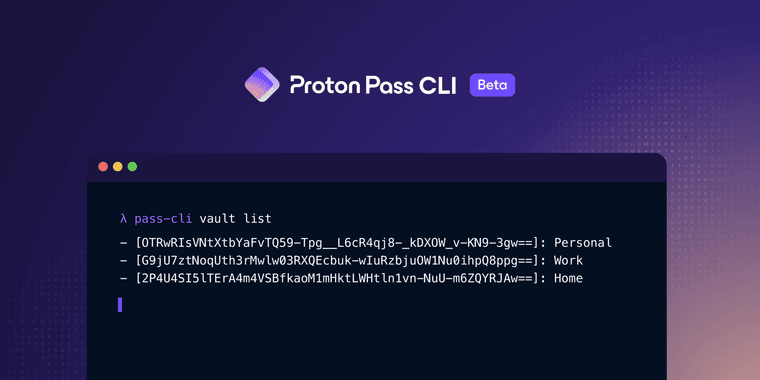
Proton has launched a command-line interface (CLI) beta for its Proton Pass password manager, enabling secure vault access directly from terminal environments. This tool is designed for scenarios lacking graphical interfaces, such as servers and CI/CD pipelines, providing encrypted automation for developers and IT teams.
Proton Pass CLI Features
The Proton Pass CLI allows users to retrieve secrets, manage vault items, and automate credential workflows entirely from the command line. It maintains Proton's strict end-to-end encryption, ensuring that sensitive data like passwords and API keys remain protected even in automated scripts. This is particularly useful for integrating secure authentication into deployment processes or continuous integration setups, where manual input isn't feasible. By supporting headless environments, the CLI bridges a critical gap for professionals using tools in categories like password manager and CI/CD tool workflows.
Availability and Use Cases
Currently in beta for Visionary-tier subscribers, the Proton Pass CLI is set to expand to other paid plans. It empowers system administrators and developers to handle credentials securely without switching to GUI-based applications. For instance, teams can automate login sequences for servers or fetch tokens during build processes, enhancing efficiency while adhering to privacy standards. This aligns well with needs in encryption tool and API client integrations, offering a streamlined approach to security.
Pros and Cons
Advantages
- Enables secure password automation in terminal environments
- Maintains end-to-end encryption for all vault operations
- Integrates seamlessly with CI/CD and deployment scripts
- Supports headless server management without GUI reliance
- Enhances productivity for developers and IT professionals
- Offers flexible permission controls for team workflows
Disadvantages
- Limited to Visionary-tier users during beta phase
- Requires familiarity with command-line interfaces
- May have fewer features compared to full GUI version
Conclusion
The Proton Pass CLI beta marks a significant step forward in secure, terminal-based password management, catering to developers and IT teams in automated environments. By combining robust encryption with command-line convenience, it addresses real-world needs in two-factor auth and privacy checker contexts. As it evolves, this tool promises to become an essential asset for anyone prioritizing security in headless systems.
Frequently Asked Questions
What is Proton Pass CLI used for?
Proton Pass CLI allows secure password and secret management from the terminal, ideal for automating credentials in CI/CD, servers, and scripts without a graphical interface.
Who can access the Proton Pass CLI beta?
The CLI beta is currently available to Proton Pass Visionary-tier subscribers, with plans to expand to other paid plans in the future.
What is end-to-end encryption in Proton Pass CLI?
End-to-end encryption in Proton Pass CLI ensures passwords and secrets are encrypted on the user's device and only decrypted when needed, preventing unauthorized access in automated scripts.
How does Proton Pass CLI integrate with CI/CD pipelines?
Proton Pass CLI integrates with CI/CD pipelines to automatically retrieve credentials for deployments, ensuring secure and seamless automation without manual steps.
What are the system requirements for Proton Pass CLI?
Proton Pass CLI requires a terminal environment and is compatible with Linux, macOS, and Windows, with no GUI dependencies for headless operations.
Relevant AI & Tech Trends articles
Stay up-to-date with the latest insights, tools, and innovations shaping the future of AI and technology.
Stoat Chat App: Complete Guide to Revolt Rebranding and Features
Stoat chat app rebranded from Revolt due to legal pressures, maintaining all user data, features, and privacy focus without any required actions from existing users for a seamless transition.
Zorin OS 18: Modern Linux OS with Windows App Support & New Features
Zorin OS 18 is a Linux distribution with a redesigned desktop, enhanced Windows app support, and web apps tool, ideal as a Windows 10 alternative with long-term support until 2029.
AV Linux 25 & MX Moksha 25 Released with Enhanced File Manager & VM Features
AV Linux 25 and MX Moksha 25 are new Linux releases based on Debian Trixie, featuring enhanced file management with Quickemu and YT-DLP integration, tailored for multimedia production and lightweight computing.