Annotation
- Introduction
- Enhanced Color Management
- Audio Playback and Editing Fixes
- AI and Automation Enhancements
- Pros and Cons
- Conclusion
- Frequently Asked Questions
DaVinci Resolve 20.2.2 Update: Color Management & Audio Fixes
DaVinci Resolve 20.2.2 enhances color accuracy for Rec.709 on Mac, fixes Fairlight audio playback, and improves timeline editing for professional video workflows.
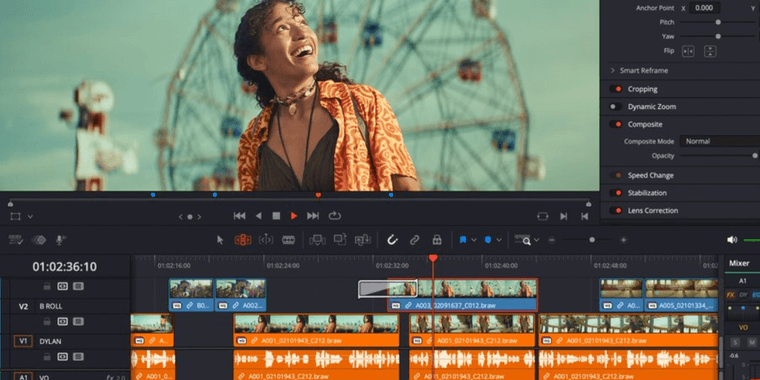
Introduction
DaVinci Resolve 20.2.2 update enhances color accuracy and fixes audio issues for professional video editing workflows.
Enhanced Color Management
Refined viewer color management for Rec.709 files on macOS ensures precise visual representation during editing sessions.
Audio Playback and Editing Fixes
Eliminates jittery Fairlight playback and improves timeline trimming for better integration with audio editor tools.
AI and Automation Enhancements
AI IntelliScript supports multicam clips, and script API improvements aid workflow automation, complementing animation software and screen capture tools.
Pros and Cons
Advantages
- Improved color accuracy for Rec.709 workflows
- Stable audio playback in Fairlight module
- Enhanced timeline editing reliability
- AI transcription for multicam projects
- Extended scripting API capabilities
- Better linked audio operation handling
Disadvantages
- Limited to macOS for color improvements
- No major new feature additions
- Requires learning updated workflows
Conclusion
DaVinci Resolve 20.2.2 is a quality-of-life update that strengthens core features and maintains competitiveness in the media catalog market.
Frequently Asked Questions
What are the main improvements in DaVinci Resolve 20.2.2?
DaVinci Resolve 20.2.2 enhances color management for Rec.709 files on Mac, fixes jittery Fairlight audio playback, improves timeline trimming, and adds multicam support for AI IntelliScript transcription.
Is DaVinci Resolve 20.2.2 a major feature update?
No, version 20.2.2 is primarily a maintenance release focusing on bug fixes and workflow improvements rather than introducing major new features to the video editing platform.
How does the update enhance color accuracy?
DaVinci Resolve 20.2.2 refines viewer color management for Rec.709 files on macOS, providing more precise visual representation during editing sessions.
What audio playback problems are resolved?
The update fixes jittery playback in the Fairlight audio module and improves timeline trimming inconsistencies for smoother audio-video synchronization.
Does DaVinci Resolve 20.2.2 support new AI features?
Yes, AI IntelliScript now supports multicam clips for transcription, and script API improvements offer better workflow automation capabilities.
Relevant AI & Tech Trends articles
Stay up-to-date with the latest insights, tools, and innovations shaping the future of AI and technology.
Stoat Chat App: Complete Guide to Revolt Rebranding and Features
Stoat chat app rebranded from Revolt due to legal pressures, maintaining all user data, features, and privacy focus without any required actions from existing users for a seamless transition.
Zorin OS 18: Modern Linux OS with Windows App Support & New Features
Zorin OS 18 is a Linux distribution with a redesigned desktop, enhanced Windows app support, and web apps tool, ideal as a Windows 10 alternative with long-term support until 2029.
AV Linux 25 & MX Moksha 25 Released with Enhanced File Manager & VM Features
AV Linux 25 and MX Moksha 25 are new Linux releases based on Debian Trixie, featuring enhanced file management with Quickemu and YT-DLP integration, tailored for multimedia production and lightweight computing.