
Monkeytype
Enhance typing speed with Monkeytype's free online typing test. Features real-time WPM tracking, accuracy feedback, and various test modes. Ideal for students, professionals, and typists seeking improvement.
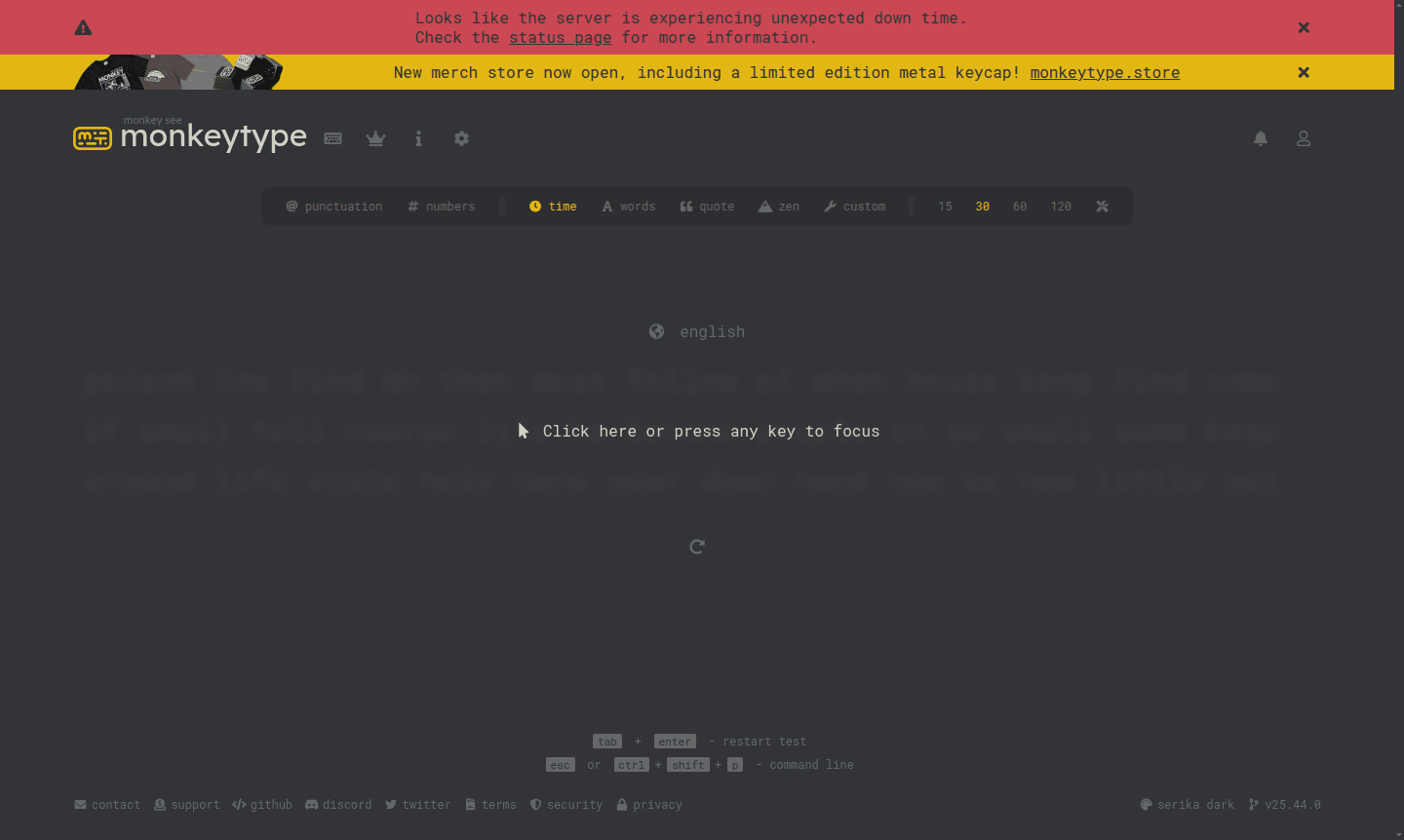
Overview of Monkeytype
Monkeytype is a sleek, minimalistic online typing test platform designed to help users improve their typing speed and accuracy through customizable practice sessions. This open-source tool offers a distraction-free typing experience with real-time feedback on words per minute (WPM), accuracy, and error tracking. Whether you're a beginner looking to learn touch typing or an experienced typist aiming to break speed records, Monkeytype provides the perfect environment for typing practice and skill development.
The platform serves students, professionals, writers, and anyone seeking to enhance their keyboard proficiency. With its clean interface and extensive customization options, Monkeytype stands out among Typing Tutor tools and education & reference applications. Users can practice with various test modes including timed tests, word counts, and quote typing, making it ideal for both casual practice and serious skill improvement.
How to Use Monkeytype
Getting started with Monkeytype is straightforward – simply visit the website and begin typing immediately without any registration required. The platform automatically presents text prompts for you to type, displaying your performance metrics in real-time as you progress through each test. For enhanced features and progress tracking, users can create a free account to save their typing history, access personalized statistics, and unlock additional customization options. The intuitive interface allows you to adjust test settings, choose different themes, and select from multiple test modes to match your practice preferences.
Core Features of Monkeytype
- Multiple Test Modes – Time-based and word count tests for varied practice.
- Real-time Analytics – Live WPM, accuracy, and error tracking as you type.
- Customization Options – Themes, sounds, and interface settings for personalization.
- Account System – Save history and track progress with user accounts.
- Practice Varieties – Punctuation, numbers, quotes, and custom text practice.
Use Cases for Monkeytype
- Students enhancing typing for academics and exams.
- Office workers boosting typing speed and productivity.
- Developers practicing coding-specific typing.
- Writers increasing speed for quicker content creation.
- Gamers enhancing keyboard skills and accuracy.
- Language learners practicing English typing.
- Competitive typists training for speed challenges.
Support and Contact
For assistance with Monkeytype typing test features or account-related inquiries, contact the support team at support@monkeytype.com. Additional resources and community discussions are available through the platform's official channels and documentation.
Company Info
Monkeytype is developed by Jack Miodec as an open-source project focused on creating the best typing practice experience. The platform operates as a free web-based service accessible to users worldwide through modern web browsers.
Login and Signup
Access your Monkeytype account or create a new profile at monkeytype.com/login. Account registration is optional but recommended for users who want to save their typing speed history and access advanced features.
Monkeytype FAQ
What is Monkeytype and how does it improve typing skills?
Monkeytype is a minimalistic online typing test that provides real-time feedback on speed and accuracy, helping users practice and track their typing improvement over time.
Is Monkeytype free to use for typing practice?
Yes, Monkeytype is completely free and open-source, offering unlimited typing tests and practice sessions without any subscription fees or hidden costs.
What typing test modes are available in Monkeytype?
Monkeytype offers time tests, word count challenges, quote typing, punctuation practice, number exercises, and custom text options for varied practice.
How does Monkeytype track typing speed and accuracy?
The platform displays live WPM, accuracy percentage, and error count during tests, with detailed statistics available for registered users.
Monkeytype Reviews0 review
Would you recommend Monkeytype? Leave a comment
Monkeytype Alternatives
The best modern alternatives to the tool
New Tools Releases
Recently added tools
