Annotation
- Introduction
- How Direct Results Work
- Privacy Protection Technology
- Implementation and Availability
- Sponsored Content Approach
- Pros and Cons
- Conclusion
- Frequently Asked Questions
Firefox Tests Privacy-Focused Address Bar Direct Results with Sponsorships
Mozilla Firefox is testing direct address bar results with Oblivious HTTP for privacy, offering immediate answers and exploring sponsored content in a protected manner.
Introduction
Mozilla is testing Firefox address bar direct results that provide immediate answers with privacy protection, potentially changing web browsing.
How Direct Results Work
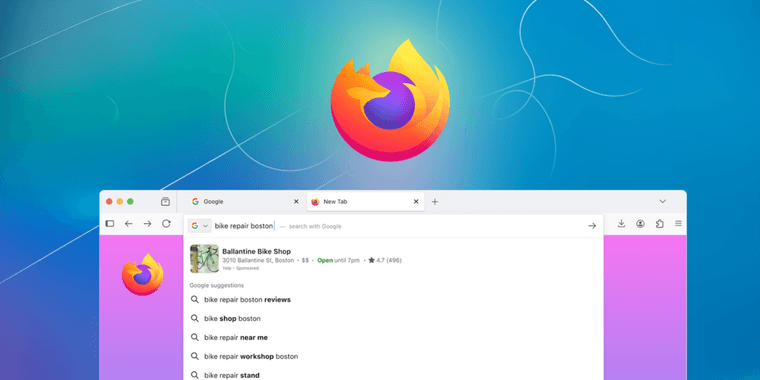
Firefox shows relevant info like flight status or quick answers directly in the address bar, eliminating need for search engine pages.
Privacy Protection Technology
Oblivious HTTP encrypts queries; Fastly sees only IPs, Mozilla gets content without user data, ensuring no single party can identify users, maintaining true secure browser privacy.
Implementation and Availability
Initial US testing with gradual expansion. Users can disable it, and it works with existing web browser features.
Sponsored Content Approach
Relevant sponsored content may appear with privacy protection, no user data shared, exploring sustainable models for search engine innovation.
Pros and Cons
Advantages
- No search engine pages needed
- Strong privacy with encryption
- Immediate answers for queries
- Flight status and link access
- User control via settings
- Keeps traditional search
- Potential relevant sponsorships
Disadvantages
- US-only initially
- Sponsored content concerns
- User adjustment required
- Testing may delay release
Conclusion
Firefox's direct results enhance browsing efficiency and privacy, setting standards for privacy checker features and influencing future developments.
Frequently Asked Questions
How does Firefox protect privacy in direct address bar results?
Firefox uses Oblivious HTTP protocol to encrypt queries. Fastly relays requests seeing only IP addresses, while Mozilla receives query content without user identification, ensuring no single party can link searches to individuals.
Can users disable Firefox's direct results feature?
Yes, users can disable the feature in Firefox Search settings or by setting browser.urlbar.quicksuggest.online.enabled to false in about:config, maintaining full control over their browsing experience.
What types of queries trigger direct results in Firefox?
Direct results appear for common queries like flight status, quick facts, and relevant website links when confidence is high, providing immediate answers without search pages.
How does Oblivious HTTP enhance privacy?
Oblivious HTTP encrypts queries and uses relays so no single party can link searches to users, ensuring anonymity and robust privacy protection for all interactions.
Will Firefox's direct results be available outside the US?
Mozilla plans gradual expansion based on testing performance, starting with US users, with wider availability expected after initial evaluations.
Relevant AI & Tech Trends articles
Stay up-to-date with the latest insights, tools, and innovations shaping the future of AI and technology.
Stoat Chat App: Complete Guide to Revolt Rebranding and Features
Stoat chat app rebranded from Revolt due to legal pressures, maintaining all user data, features, and privacy focus without any required actions from existing users for a seamless transition.
Zorin OS 18: Modern Linux OS with Windows App Support & New Features
Zorin OS 18 is a Linux distribution with a redesigned desktop, enhanced Windows app support, and web apps tool, ideal as a Windows 10 alternative with long-term support until 2029.
AV Linux 25 & MX Moksha 25 Released with Enhanced File Manager & VM Features
AV Linux 25 and MX Moksha 25 are new Linux releases based on Debian Trixie, featuring enhanced file management with Quickemu and YT-DLP integration, tailored for multimedia production and lightweight computing.