
Send Anywhere
Send Anywhere provides secure, cross-platform file transfer for large files without accounts. Free service with key-based transfers, supporting Windows, macOS, Android, iOS, and web browsers.
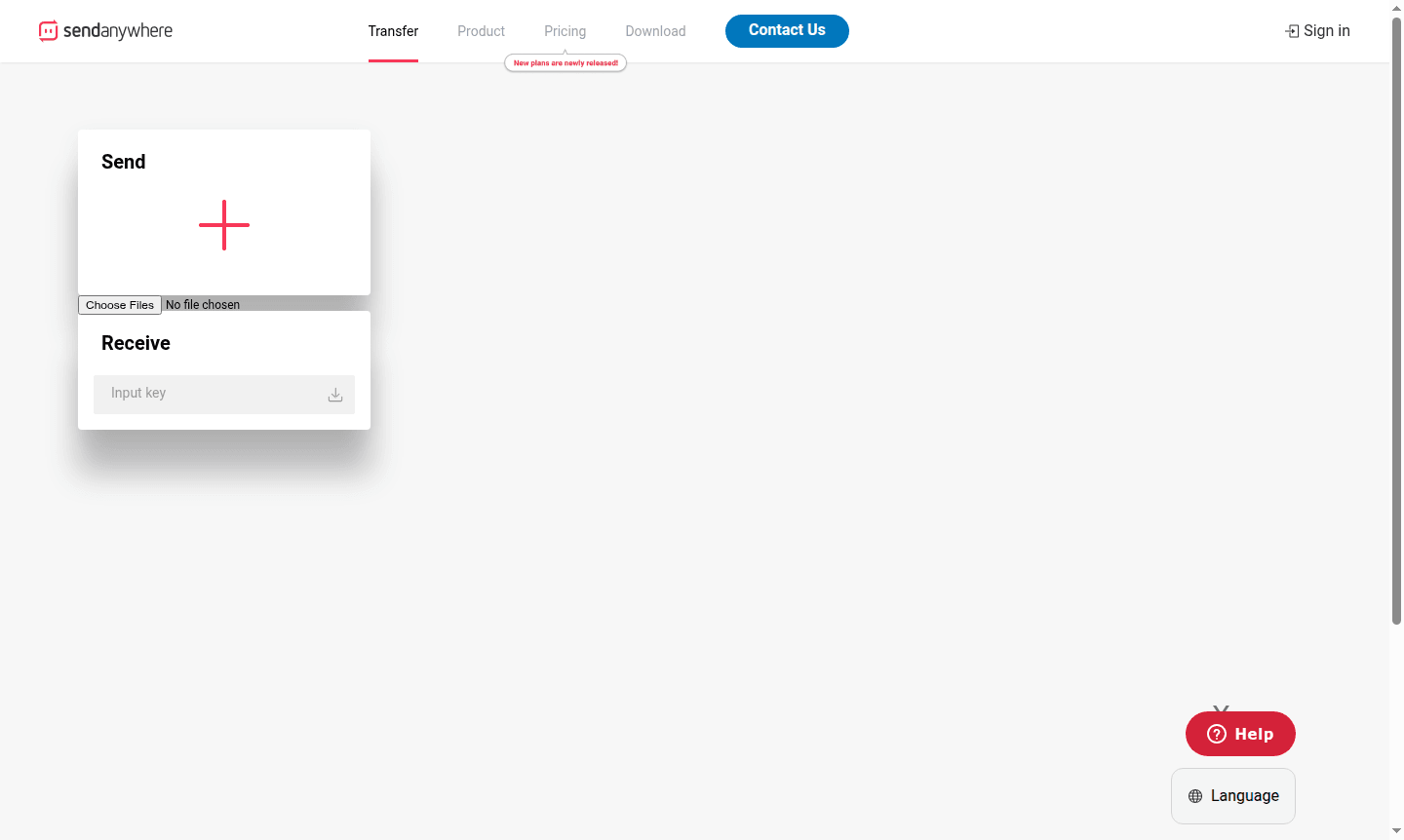
Overview of Send Anywhere
Send Anywhere is a versatile file transfer service that enables users to securely share files across different devices and platforms without requiring account creation. This cross-platform solution supports desktop applications, mobile apps, and web browsers, making it accessible for both personal and professional file sharing needs. The service specializes in transferring large files that exceed typical email attachment limits, providing a practical alternative to traditional file sharing methods.
As a reliable tool in the Send Large Files and File Transfer Automation categories, Send Anywhere uses temporary keys and links to maintain security during transfers. The platform's straightforward approach eliminates complex setup processes, allowing users to focus on their file sharing tasks rather than technical configurations. Whether you're collaborating with colleagues or sharing personal files, this service streamlines the entire transfer process.
How to Use Send Anywhere
Using Send Anywhere follows a simple three-step process: first, select the files you want to transfer through the desktop app, mobile application, or web interface. The system generates a unique six-digit key that expires after a short period for security. The recipient enters this key on their device to establish a direct connection and begin the secure file transfer. For ongoing access, users can also create shareable links with customizable expiration dates and download limits.
Core Features of Send Anywhere
- Cross-Platform Compatibility – Works seamlessly across Windows, macOS, Android, iOS, and web browsers
- Key-Based Transfers – Uses temporary six-digit codes for secure peer-to-peer file sharing
- Large File Support – Handles files of substantial size without compression or quality loss
- No Account Required – Enables immediate file transfers without registration or login
- Link Sharing – Creates shareable URLs with customizable expiration and download limits
Use Cases for Send Anywhere
- Transferring large video files between team members during collaborative projects
- Sharing high-resolution photos with clients who need quick access to visual assets
- Sending important documents when email attachment limits are too restrictive
- Moving work files between office and home computers securely
- Distributing presentation materials to multiple recipients simultaneously
- Backing up critical files to different devices without cloud storage
- Sharing project assets with remote team members across different platforms
Support and Contact
For assistance with Send Anywhere, visit the official website or contact support at contact@send-anywhere.com. The platform offers help center resources and documentation for common issues like browser compatibility, expired keys, and download limits.
Company Info
Send Anywhere is developed by Estmob Inc., a company focused on file transfer solutions with global support for multiple languages and regions.
Login and Signup
Send Anywhere allows file transfers without accounts. For more features, visit the official website. Start sharing files instantly without sign-up.
Send Anywhere FAQ
How does Send Anywhere ensure secure file transfers without requiring user accounts?
Send Anywhere uses temporary six-digit keys that expire quickly and encrypted direct connections between devices, eliminating the need for account creation while maintaining security.
What should I do if my Send Anywhere transfer key has expired or is invalid?
Generate a new transfer key in the Send Anywhere app and share it with the recipient, as keys automatically expire after a short period for security purposes.
Can I use Send Anywhere for cross-platform file sharing between different operating systems?
Yes, Send Anywhere supports seamless file transfers between Windows, macOS, Android, iOS, and web browsers through its universal platform compatibility.
What are the file size limits for Send Anywhere transfers?
Send Anywhere supports large file transfers, typically allowing files up to several gigabytes in size, depending on the platform and network conditions.
Send Anywhere Reviews0 review
Would you recommend Send Anywhere? Leave a comment
Send Anywhere Alternatives
The best modern alternatives to the tool
New Tools Releases
Recently added tools
