
MakeMKV
MakeMKV converts DVD and Blu-ray discs to MKV format, preserving all audio tracks, HD quality, and metadata. Free beta for Windows, macOS, Linux.
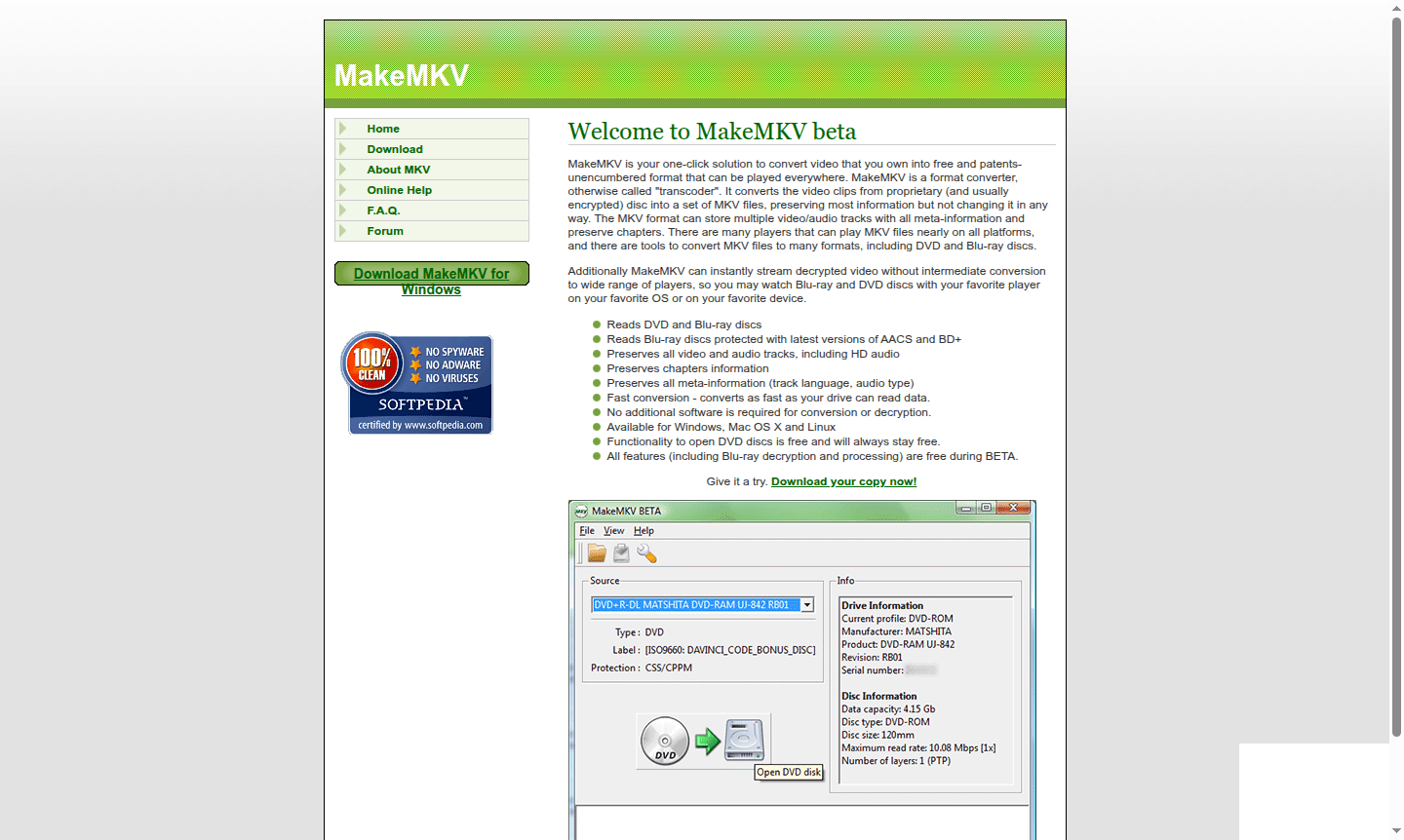
Overview of MakeMKV
MakeMKV is your comprehensive solution for converting DVD and Blu-ray discs into versatile MKV files. This powerful format converter transforms proprietary, encrypted video content into patent-free formats that play seamlessly across all devices and platforms. Whether you're backing up your movie collection or preparing content for media servers, MakeMKV preserves the original quality while making your videos universally accessible. The software handles both standard DVDs and advanced Blu-ray discs protected by the latest AACS and BD+ encryption systems, ensuring you can archive even the most recent releases.
Designed for media enthusiasts and content archivists alike, MakeMKV serves as an essential tool in the DVD Ripper and Blu-ray Authoring categories. The program maintains all original video and audio tracks – including high-definition audio formats – while preserving chapter markers and metadata. Available for Windows, macOS, and Linux systems, it offers a straightforward approach to media conversion without requiring additional software for decryption or processing. The MKV container format was specifically chosen for its ability to store multiple tracks with complete metadata, functioning much like a digital DVD structure.
How to Use MakeMKV
Using MakeMKV is remarkably straightforward – simply insert your DVD or Blu-ray disc, launch the application, and click the conversion button. The software automatically detects the disc, decrypts the content, and presents you with all available tracks for selection. Choose which video and audio streams to include, select your output destination, and begin the conversion process. MakeMKV converts data as quickly as your optical drive can read it, making the entire process efficient and time-effective. For immediate playback, you can also use the streaming feature to watch decrypted content directly through your preferred media player without creating intermediate files.
Core Features of MakeMKV
- Universal Disc Support – Reads both DVD and Blu-ray discs, including those with latest AACS and BD+ protection
- Complete Preservation – Maintains all video/audio tracks, HD audio, chapters, and metadata without quality loss
- Instant Streaming – Allows direct playback of decrypted video to various media players without conversion
- Cross-Platform Compatibility – Available for Windows, Mac OS X, and Linux operating systems
- Fast Conversion – Processes content at maximum drive read speed for efficient workflow
Use Cases for MakeMKV
- Creating digital backups of your DVD and Blu-ray movie collections
- Converting commercial discs for playback on media center systems
- Archiving home videos and personal content for long-term preservation
- Preparing video content for streaming to various devices and platforms
- Extracting specific audio tracks or subtitle files from optical media
- Building personal media libraries accessible across multiple devices
- Converting region-locked discs for universal playback compatibility
Support and Contact
For technical support, email contact@makemkv.com or visit the official MakeMKV website. The development team also maintains an active forum community for assistance and updates on beta developments.
Company Info
MakeMKV is developed by GuinpinSoft Inc., a software company specializing in media conversion tools. The company focuses on creating practical solutions for digital media management and preservation.
Login and Signup
MakeMKV requires no account creation or login process for basic functionality. Simply download the software from the official website and begin using it immediately. The application operates independently without cloud services or user authentication.
MakeMKV FAQ
Is MakeMKV completely free to use for DVD and Blu-ray conversion?
DVD functionality is permanently free, while Blu-ray features are free during beta testing with occasional key updates required.
What video formats does MakeMKV support for output conversion?
MakeMKV exclusively outputs to MKV format, which preserves all original quality and supports multiple audio/video tracks.
Can MakeMKV stream videos without saving files to disk?
Yes, MakeMKV can instantly stream decrypted video to compatible media players without intermediate file conversion.
What operating systems does MakeMKV support?
MakeMKV is available for Windows, macOS, and Linux operating systems.
MakeMKV Pricing
Current prices may vary due to updates
Free DVD functionality
Permanent free access to all DVD conversion and playback features with no limitations or time restrictions for basic DVD processing capabilities.
Beta version
Complete access to all features including Blu-ray decryption and processing during the beta testing period with full functionality available at no cos
MakeMKV Reviews0 review
Would you recommend MakeMKV? Leave a comment
MakeMKV Alternatives
The best modern alternatives to the tool
New Tools Releases
Recently added tools
