
Otter.ai
Otter.ai's AI meeting assistant offers live transcription, automated summaries, and action items. Integrates with Zoom, Google Meet, Teams. Free and paid plans from $19.99/month. Save time with accurate speech-to-text.
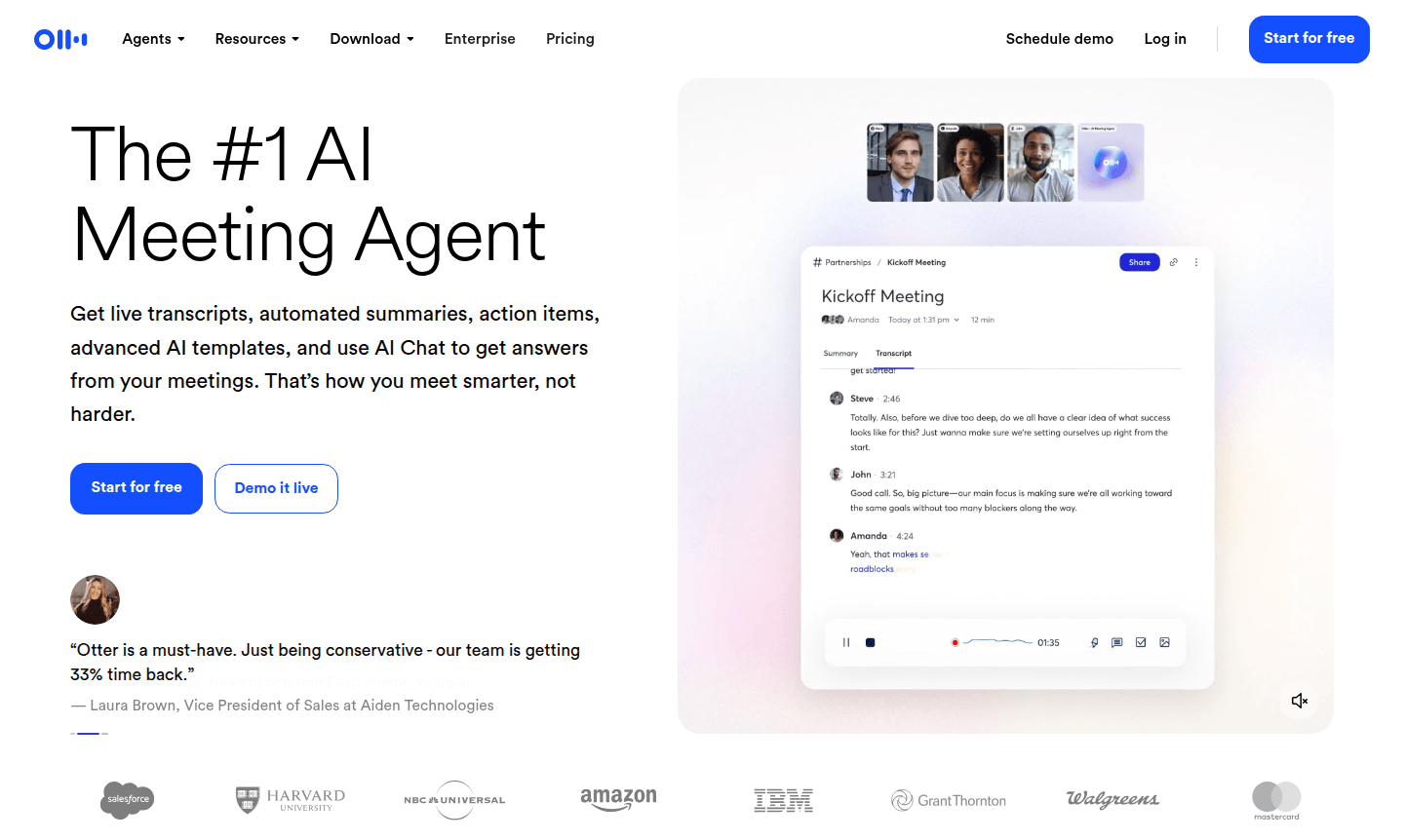
Overview of Otter.ai
Otter.ai stands as the premier AI meeting assistant that transforms how teams collaborate and document conversations. This intelligent platform delivers live transcription services with remarkable accuracy, automated meeting summaries, and actionable insights that help professionals across various industries work more efficiently. Whether you're conducting sales calls, educational sessions, or media interviews, Otter.ai serves as your dedicated AI meeting agent that never takes a day off, capturing every detail while you focus on the conversation.
The platform integrates seamlessly with popular collaboration tools like Video Call Software and Collaboration Tools, making it an essential component for modern remote and hybrid work environments. Users consistently report saving over four hours weekly by automating transcription and note-taking processes, allowing teams to redirect their energy toward strategic initiatives rather than administrative tasks. From individual professionals to enterprise teams, Otter.ai adapts to various meeting scenarios while maintaining exceptional transcription quality.
How to Use Otter.ai
Getting started with Otter.ai is easy: connect it to your calendar, and it auto-joins Zoom, Teams, or Google Meet calls. During meetings, it transcribes in real-time, generates summaries, and identifies action items. Afterward, use AI Chat to query discussions or create follow-ups, and use "Hey Otter" voice commands to recall past conversations.
Core Features of Otter.ai
- Live Transcription – Real-time speech-to-text conversion with up to 95% accuracy for detailed meeting documentation
- Automated Summaries – Condenses lengthy meetings into concise, readable overviews highlighting key discussion points
- Action Item Tracking – Automatically captures and assigns follow-up tasks from conversation context
- AI Chat Integration – Interactive questioning capability to extract specific information from meeting records
- Voice Command Access – Hands-free operation through "Hey Otter" voice activation for quick information retrieval
Use Cases for Otter.ai
- Sales teams automating follow-ups and capturing meeting notes with CRM integration
- Recruiting professionals conducting interviews with real-time candidate insights
- Educational institutions automating lecture transcription and note-taking
- Media professionals organizing interviews and extracting key quotes
- Business meetings generating automated summaries and action items
- Team collaborations keeping everyone aligned with shared transcripts
- Project management tracking decisions and next steps from discussions
Support and Contact
For assistance with Otter.ai, contact contact@otter.ai or visit the official support page for comprehensive resources and documentation.
Company Info
Otter.ai develops AI-powered transcription and meeting tools to enhance productivity. Learn more at the about page.
Login and Signup
Access your account at the login page or sign up to start using Otter.ai features.
Otter.ai FAQ
How accurate is Otter.ai's live transcription service?
Otter.ai delivers up to 95% accuracy in live transcription, making it one of the most reliable speech-to-text solutions for meetings.
Can Otter.ai integrate with video conferencing platforms?
Yes, Otter.ai seamlessly integrates with Zoom, Google Meet, and Microsoft Teams for automatic meeting joining and transcription.
Does Otter.ai offer a free plan for individual users?
Otter.ai provides a free Basic plan with automated summaries and unlimited meetings, perfect for individual users and small teams.
Is Otter.ai available on mobile devices?
Yes, Otter.ai offers mobile apps for iOS and Android, allowing transcription and access to meeting notes on the go.
Otter.ai Pricing
Current prices may vary due to updates
Basic Plan
Perfect for individuals and small teams with automated AI meeting summaries, unlimited meetings, and basic integrations with Zoom, Google Meet, Teams,
Business Plan
Includes 7-day free trial, 6000 monthly transcription minutes, 4 hours per conversation, collaborative note editing, and unlimited audio/video file im
Enterprise
Custom solution with advanced capabilities for large organizations, requiring contact with sales team for pricing and feature details.
Otter.ai Reviews0 review
Would you recommend Otter.ai? Leave a comment
Otter.ai Alternatives
The best modern alternatives to the tool
New Tools Releases
Recently added tools
