Annotation
- Introduction
- Rainbow Brackets in Zed
- Enable and Customize
- Pros and Cons
- Conclusion
- Frequently Asked Questions
Zed Editor Adds Rainbow Brackets for Better Nested Code Readability
Zed editor launches rainbow brackets to improve code readability for developers handling nested structures. Learn how to enable and customize this feature for better workflow.
Introduction
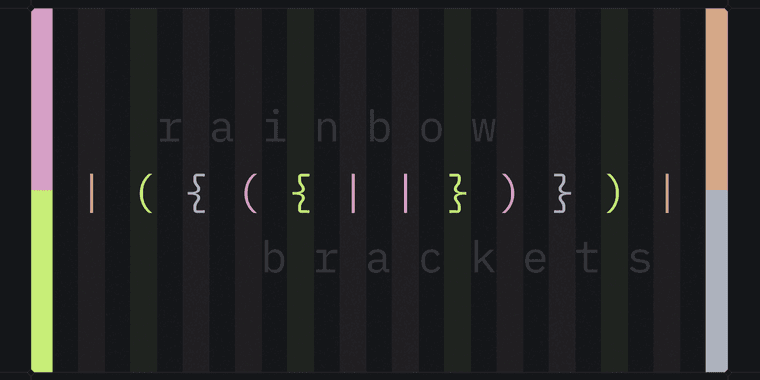
Zed editor introduces rainbow brackets to boost code readability by coloring nested brackets, addressing developer requests for better visual tools in programming workflows.
Rainbow Brackets in Zed
After years of feedback, Zed's team added rainbow brackets to aid with complex, nested code. It assigns unique colors to bracket levels, simplifying matching and structure comprehension for improved developer productivity.
Enable and Customize
Enable via "Colorize Brackets" in settings. Customize for specific languages and themes, allowing fine-grained control over code visualization and syntax highlighting to enhance coding efficiency.
Pros and Cons
Advantages
- Improves nested code readability
- Reduces bracket matching time
- Customizable for languages and themes
- Prevents syntax errors
- Enhances visual debugging
- Useful for legacy code
- Lightweight, no performance hit
Disadvantages
- Disabled by default
- May clutter simple code
- Learning curve for colors
- Not preferred by all
Conclusion
Rainbow brackets enhance Zed's usability for developers, especially with nested codebases. This feature strengthens its position as a modern text editor with IDE-like tools, supporting software development and programming tools efficiently.
Frequently Asked Questions
How do I enable rainbow brackets in Zed editor?
Search for 'Colorize Brackets' in Zed's settings and toggle it on. The feature is disabled by default but customizable for specific languages and themes.
Which programming languages support rainbow brackets in Zed?
Rainbow brackets work with most programming languages in Zed. You can configure it globally or for specific languages in the editor's settings.
What are the benefits of rainbow brackets?
Rainbow brackets improve code readability, reduce bracket matching time, prevent syntax errors, and enhance visual debugging, especially for nested code structures.
Can I customize the colors of rainbow brackets?
Yes, Zed allows customization of bracket colors, including theme-aware options and language-specific settings, to match your preferences and workflow.
Does rainbow brackets affect Zed's performance?
No, the implementation is lightweight and does not impact Zed's performance, ensuring smooth operation even with large codebases.
Relevant AI & Tech Trends articles
Stay up-to-date with the latest insights, tools, and innovations shaping the future of AI and technology.
Stoat Chat App: Complete Guide to Revolt Rebranding and Features
Stoat chat app rebranded from Revolt due to legal pressures, maintaining all user data, features, and privacy focus without any required actions from existing users for a seamless transition.
Zorin OS 18: Modern Linux OS with Windows App Support & New Features
Zorin OS 18 is a Linux distribution with a redesigned desktop, enhanced Windows app support, and web apps tool, ideal as a Windows 10 alternative with long-term support until 2029.
AV Linux 25 & MX Moksha 25 Released with Enhanced File Manager & VM Features
AV Linux 25 and MX Moksha 25 are new Linux releases based on Debian Trixie, featuring enhanced file management with Quickemu and YT-DLP integration, tailored for multimedia production and lightweight computing.