
Zamzar
Free online file converter for documents, images, videos, and audio. Convert between 1200+ formats like PDF to Word and MP4 to MP3. Batch processing and API integration.
Overview of Zamzar
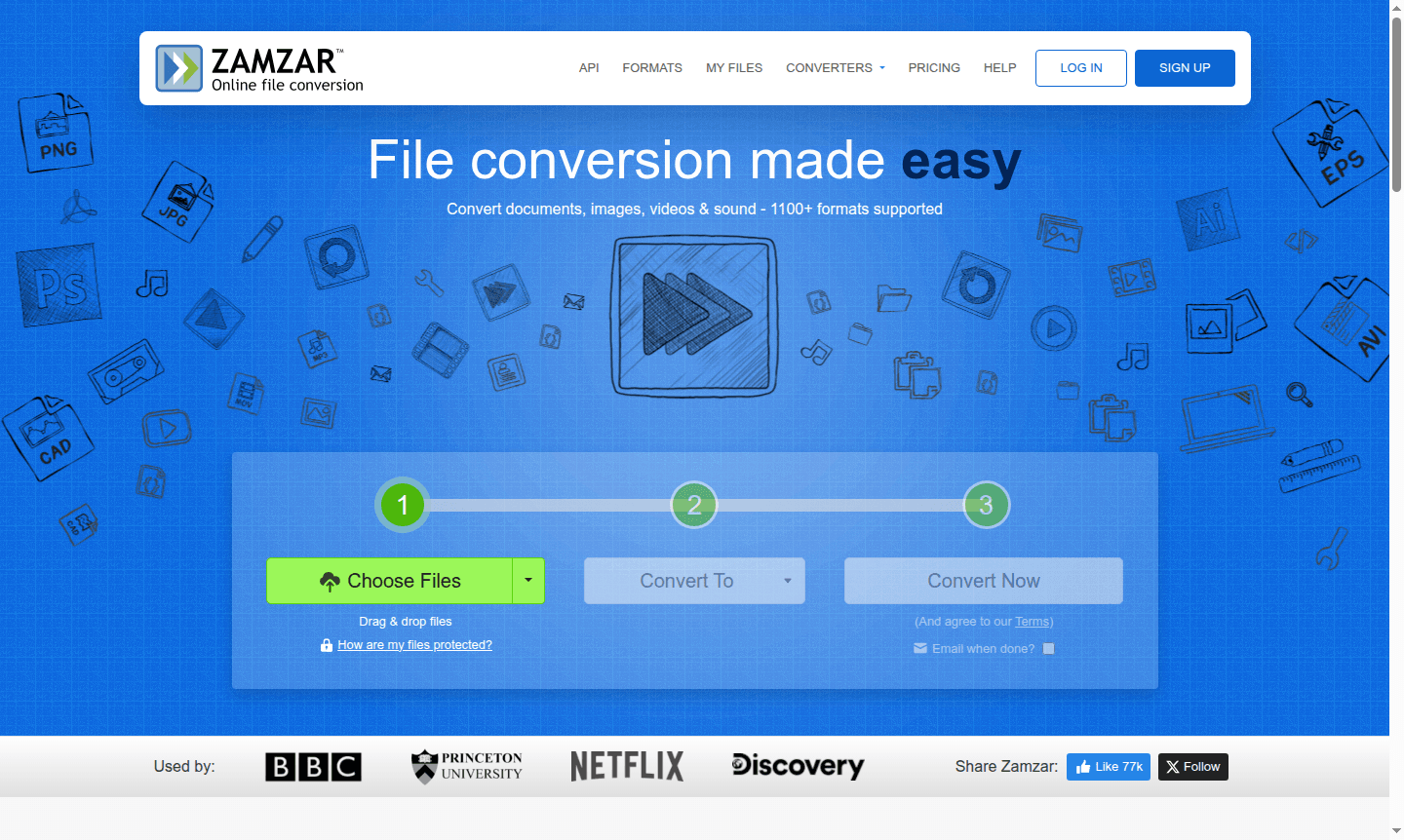
Zamzar is a comprehensive online file conversion platform that makes document, image, video, and audio conversion incredibly simple. Supporting over 1,200 different file formats, this web-based tool eliminates the need for software downloads while providing reliable conversion services trusted by major organizations like the BBC, Princeton University, Netflix, and Discovery. Whether you need to convert PDF to Word documents, transform video files, or compress images for web use, Zamzar delivers professional-grade results through an intuitive browser interface that works seamlessly across all devices.
This versatile file converter serves a broad audience including students converting academic papers, professionals handling business documents, creatives working with multimedia files, and developers integrating conversion capabilities through Zamzar's robust API. The platform has been operating since 2006, building extensive experience in handling diverse file types while maintaining conversion quality and security. With support for popular formats across multiple categories including Document Editor, Image Converter, Audio Converter, and PDF Tools, Zamzar provides a one-stop solution for all your file transformation needs.
How to Use Zamzar
Using Zamzar's free online file conversion service follows a straightforward three-step process that requires no technical expertise. First, select your source files by clicking the Choose Files button – you can upload documents, images, videos, or audio files from your computer. Second, choose your target format from the extensive dropdown menu featuring over 1,100 supported formats across categories like PDF, DOCX, MP4, MP3, JPG, and PNG. Finally, click the Convert Now button to initiate the transformation process, which typically completes within 10 minutes. The converted files are then available for download directly through your browser, making the entire workflow completely web-based and accessible from any device with internet connectivity.
Core Features of Zamzar
- Multi-Format Support – Convert between 1,200+ file types including documents, images, videos, and audio formats
- Batch Conversion – Process multiple files simultaneously for efficient workflow management
- File Compression – Reduce file sizes for audio, documents, images, and videos without quality loss
- API Integration – Developers can embed scalable file conversion into applications and platforms
- No Installation Required – Web-based platform works directly through your browser without downloads
Use Cases for Zamzar
- Convert PDF documents to editable Word or Excel formats for business documentation
- Transform video files between MP4, MOV, AVI, and other formats for media projects
- Compress large image files for faster website loading and efficient storage
- Extract audio from video files to create MP3 files from MP4 videos
- Convert CAD files like DWG to PDF for easy sharing and viewing
- Transform ebook formats between EPUB, MOBI, and PDF for different reading devices
- Process audio files between MP3, WAV, FLAC, and other formats for music production
Support and Contact
Zamzar provides dedicated customer support through email assistance for conversion challenges and technical inquiries. If you encounter files that cannot be converted through the standard interface, the support team will have dedicated engineers examine your specific requirements. For general inquiries and conversion assistance, visit the Zamzar website or contact the support team directly through the platform's help resources.
Company Info
Zamzar has been providing reliable file conversion services since 2006, serving millions of customers worldwide with professional-grade conversion technology. The company maintains a strong focus on user experience and format compatibility while continuously expanding its supported file types and conversion capabilities. For more information about the company and its services, visit the official Zamzar website.
Login and Signup
Access Zamzar's file conversion services directly through the main website. The platform offers immediate conversion capabilities without requiring account creation for basic file processing, though registered users may access additional features and conversion history. For API access and developer integration, visit the Zamzar developer portal.
Zamzar FAQ
What types of files can Zamzar convert?
Zamzar supports over 1,200 file formats including documents, images, videos, audio, and archive files for comprehensive conversion needs.
Is Zamzar completely free to use for file conversion?
Zamzar offers free online file conversion with some limitations, plus premium options for advanced features and higher volume usage.
How long does Zamzar take to convert files?
Most Zamzar conversions complete within 10 minutes, though complex files or large batches may require additional processing time.
Can I use Zamzar on mobile devices?
Yes, Zamzar's web-based platform is responsive and works on all devices, including smartphones and tablets, through any modern browser.
Zamzar Reviews0 review
Would you recommend Zamzar? Leave a comment
Zamzar Alternatives
The best modern alternatives to the tool
New Tools Releases
Recently added tools
