Annotation
- Introduction
- Full Terminal Use and AI Control
- Interactive Code Review and Planning
- Pros and Cons
- Conclusion
- Frequently Asked Questions
Warp Agents 3.0: AI Terminal Assistant with Code Review & Integrations
Warp Agents 3.0 introduces AI-powered terminal assistance with full terminal control, code review, planning commands, and integrations for streamlined development workflows.
Introduction
Warp Terminal has rolled out Agents 3.0, a major upgrade to its AI development assistant that now operates directly within the terminal. This release brings full terminal use, interactive code review, a new /plan command, and integrations with Slack, Linear, and GitHub Actions, enabling developers to streamline debugging, automate pull requests, and enhance team collaboration.
Full Terminal Use and AI Control
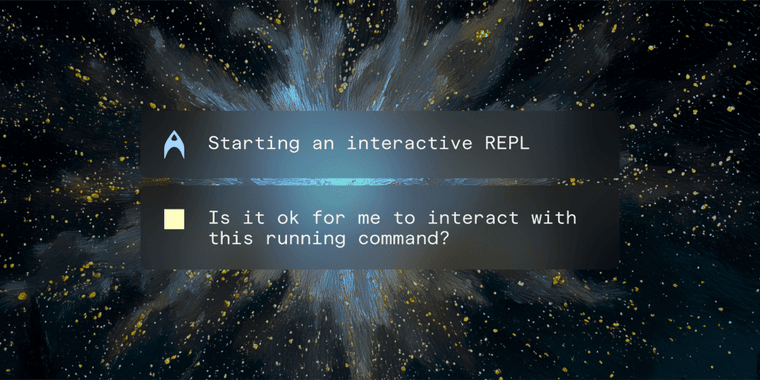
With full terminal use, Warp Agents can now manage REPLs, debuggers, and full-screen tools in the foreground. This gives users real-time oversight while the AI handles prompts, inspects live states, and executes multi-step commands—like GDB debugging or database queries—without switching contexts. It’s a leap for terminal productivity tools, blending automation with hands-on control.
Interactive Code Review and Planning
The interactive code review feature allows browsing diffs, batching comments, and applying fixes directly in the terminal, keeping reviews transparent. Meanwhile, the /plan command introduces a pre-coding alignment step; plans are versionable and can be attached to pull requests, aiding teams in maintaining accurate documentation. These updates make Warp a robust code diff tool and collaboration tool.
Pros and Cons
Advantages
- Enables real-time AI control in terminal sessions
- Streamlines code reviews with in-terminal fixes
- Integrates with Slack, Linear, and GitHub Actions
- Supports multi-step debugging and REPL operations
- Improves team alignment via versioned planning
- Automates pull request creation seamlessly
- Boosts development workflow automation
Disadvantages
- May require learning curve for new users
- Dependent on stable terminal environment
- Limited to supported integrations initially
- Potential overhead in resource-intensive tasks
Conclusion
Warp Agents 3.0 marks a significant advancement in AI development tools, offering full terminal integration, enhanced code review, and smart planning features. By connecting with popular platforms like GitHub Actions and Slack, it empowers teams to automate workflows and maintain code quality efficiently. This update solidifies Warp’s role in modern development environments.
Frequently Asked Questions
What is Warp Agents 3.0?
Warp Agents 3.0 is an AI-powered development assistant in Warp Terminal, featuring full terminal use, code review, planning commands, and integrations with tools like Slack and GitHub Actions.
How does Warp Agents improve code reviews?
It enables interactive code review in the terminal, allowing users to browse diffs, batch comments, and have the AI apply fixes directly, keeping the process continuous and transparent.
How to install Warp Agents 3.0?
Warp Agents 3.0 is included in the latest Warp Terminal update. Download Warp from their website and follow the setup instructions for your OS.
What are the system requirements for Warp Agents?
Warp Agents requires a modern terminal environment and internet connection. Specific requirements depend on your OS, but generally, it supports macOS, Linux, and Windows.
Can Warp Agents be used with other terminal emulators?
No, Warp Agents is specifically designed for Warp Terminal and integrates deeply with its features, so it may not work with other emulators.
Relevant AI & Tech Trends articles
Stay up-to-date with the latest insights, tools, and innovations shaping the future of AI and technology.
Stoat Chat App: Complete Guide to Revolt Rebranding and Features
Stoat chat app rebranded from Revolt due to legal pressures, maintaining all user data, features, and privacy focus without any required actions from existing users for a seamless transition.
Zorin OS 18: Modern Linux OS with Windows App Support & New Features
Zorin OS 18 is a Linux distribution with a redesigned desktop, enhanced Windows app support, and web apps tool, ideal as a Windows 10 alternative with long-term support until 2029.
AV Linux 25 & MX Moksha 25 Released with Enhanced File Manager & VM Features
AV Linux 25 and MX Moksha 25 are new Linux releases based on Debian Trixie, featuring enhanced file management with Quickemu and YT-DLP integration, tailored for multimedia production and lightweight computing.