
ImgBB
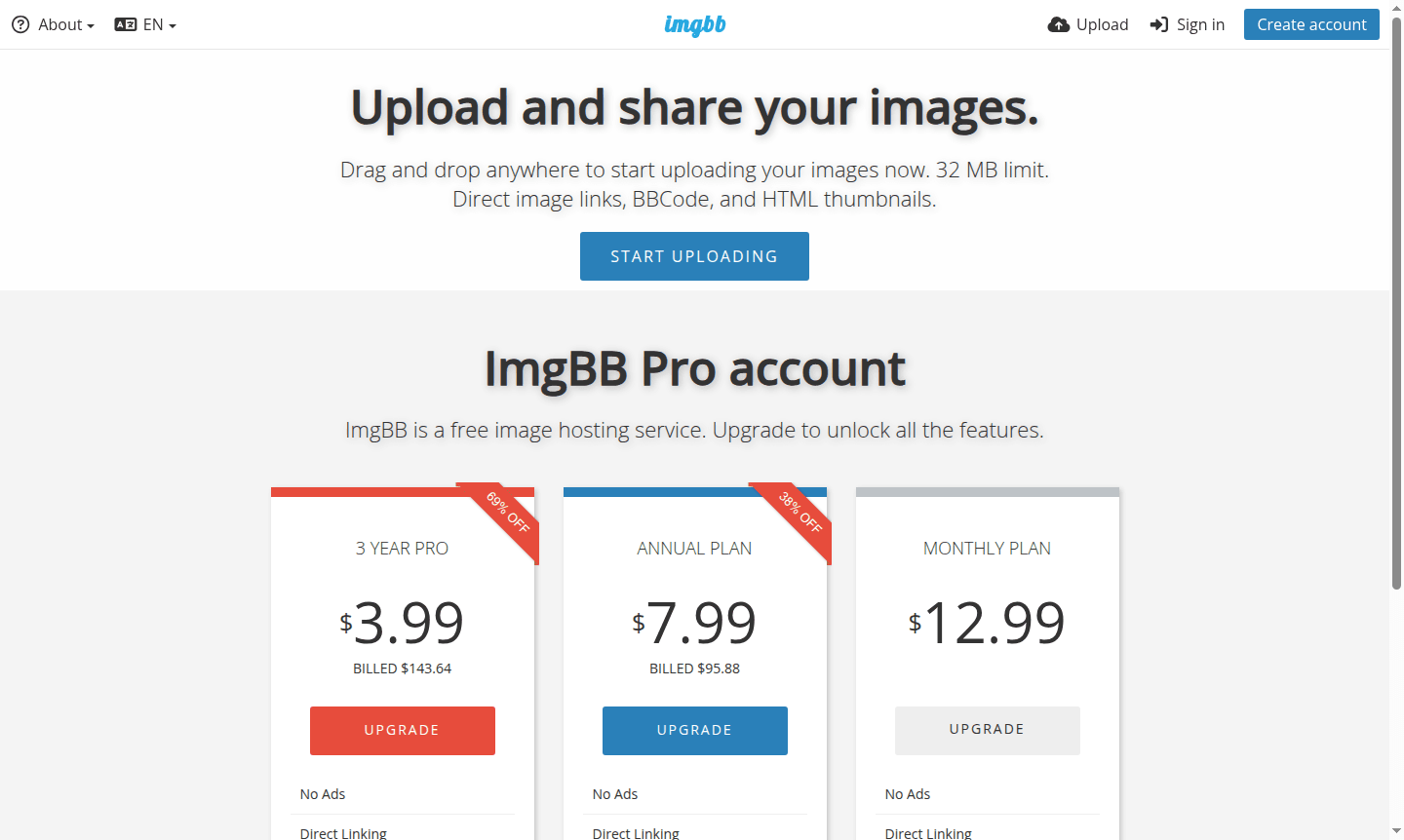
ImgBB is a free image hosting service for uploading and sharing images with direct links, BBCode, and HTML thumbnails. Free accounts support 32MB files, Pro plans offer 64MB limits and API access.
Overview of ImgBB
ImgBB is a comprehensive free image hosting and sharing platform that enables users to upload, store, and distribute images across the web with ease. This powerful service provides direct image links, BBCode formatting, and HTML thumbnail options, making it ideal for forum posts, website embeds, and social media sharing. With its intuitive drag-and-drop interface and support for both file uploads and URL-based image additions, ImgBB serves as an essential tool for content creators, developers, and everyday users who need reliable image hosting solutions without the complexity of traditional cloud storage platforms.
The platform caters to a diverse audience including bloggers, forum moderators, web developers, and social media managers who require quick image sharing capabilities. ImgBB's integration-friendly approach makes it particularly valuable for Photo Editor workflows and social media management tasks. The service maintains a strong focus on accessibility while offering professional-grade features through its Pro subscription tiers, positioning itself as a versatile solution in the competitive image hosting landscape.
How to Use ImgBB
Getting started with ImgBB is straightforward – simply visit the website and drag and drop your images anywhere on the page to begin uploading immediately. You can also browse files from your computer or add images via URLs for remote hosting. Once uploaded, click on any image preview to access basic editing and resizing tools. To save your content permanently and manage your uploads effectively, create a free account or sign in to an existing one. The platform automatically generates multiple sharing formats including direct links for immediate use, BBCode for forum integration, and HTML thumbnails for website embedding, making the entire process seamless from upload to distribution.
Core Features of ImgBB
- Drag and Drop Uploading – Instant image uploading with 32MB free file size limit
- Multiple Sharing Formats – Direct image links, BBCode, and HTML thumbnail options
- Basic Image Editing – Built-in resize and edit tools accessible from image preview
- Pro Account Upgrades – Enhanced features including 64MB file sizes and API access
- Cross-Platform Compatibility – Web-based service accessible from any device with internet
Use Cases for ImgBB
- Forum administrators embedding images in discussion threads
- Bloggers and content creators hosting images for articles
- Developers integrating image uploads through API access
- Social media managers preparing images for multiple platforms
- Website owners creating image galleries and portfolios
- Students and educators sharing visual materials for projects
- Small businesses hosting product images for online stores
Support and Contact
For assistance with ImgBB services, visit the official website at imgbb.com for comprehensive documentation and support resources. While no direct support email was located during our research, the platform provides extensive help materials and community forums to address user inquiries and technical issues effectively.
Company Info
ImgBB is developed by an independent development team focused on providing reliable image hosting solutions. The service operates as a web-based platform accessible globally, with its infrastructure designed to deliver fast image loading and reliable uptime for users worldwide. The company maintains a commitment to free image hosting while offering enhanced features through its Pro subscription model.
Login and Signup
New users can create an account at imgbb.com/signup while existing users can access their accounts through imgbb.com/login. Account creation enables permanent storage of uploaded images and provides access to advanced management features, making it essential for regular users who need to organize and maintain their image collections over time.
ImgBB FAQ
What is the file size limit for free ImgBB accounts?
Free ImgBB accounts support images up to 32MB, while Pro accounts increase this limit to 64MB per image with unlimited storage space.
Does ImgBB require account creation for basic image uploads?
While you can upload images without an account, creating a free ImgBB account is required to save and manage your uploads permanently with organized access.
What sharing options does ImgBB provide for uploaded images?
ImgBB generates direct image links, BBCode for forums, and HTML thumbnails – making it easy to share images across websites, blogs, and social platforms.
How long are images stored on free ImgBB accounts?
Free ImgBB accounts have automatic deletion options from 5 minutes to 6 months, depending on user settings for image retention.
ImgBB Pricing
Current prices may vary due to updates
Free
Basic image hosting with 32MB file size limit, direct image links, BBCode and HTML thumbnails. Requires account creation to save content with automati
Monthly Plan
Monthly subscription providing ad-free hosting, direct image linking, unlimited storage space, replace image functionality, 64MB file size limit, and
ImgBB Reviews0 review
Would you recommend ImgBB? Leave a comment
ImgBB Alternatives
The best modern alternatives to the tool
New Tools Releases
Recently added tools
