
Clipfly
Clipfly's AI platform lets you generate videos from text, remove watermarks, create avatars, and edit images easily. Perfect for social media and marketing projects.
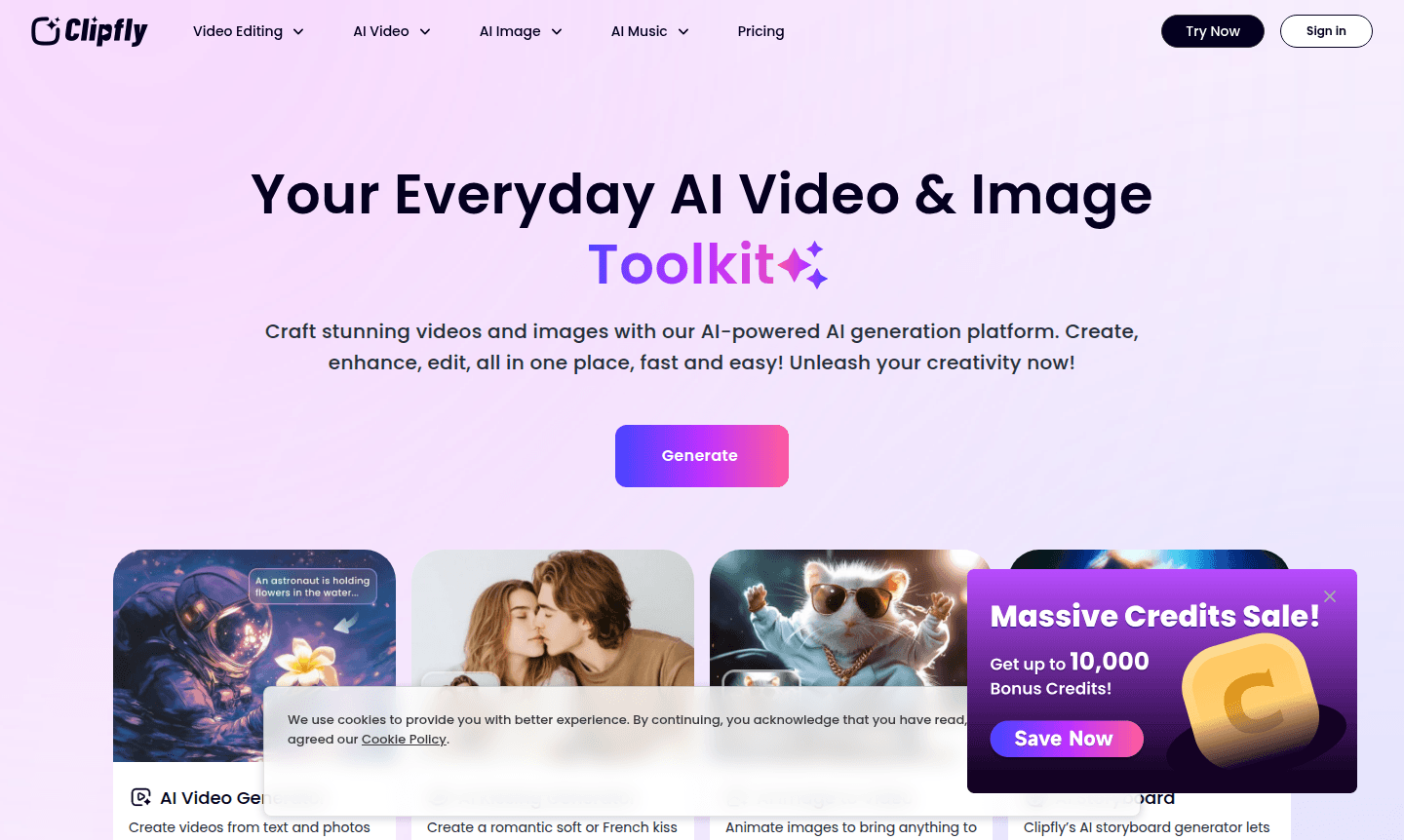
Overview of Clipfly
Clipfly provides a comprehensive suite of AI tools for video and image generation, editing, and enhancement. Users can create stunning visual content from simple text prompts or upload existing media to transform them into professional-quality videos and images. The platform is user-friendly and requires no technical expertise, making it accessible for beginners and experts alike. It supports various creative needs, including social media optimization, marketing campaigns, and personal entertainment. As part of the AI Image Generators and AI Avatars Generators categories, Clipfly integrates multiple AI functionalities.
The platform's intuitive interface guides users through each step, from inputting text or images to selecting styles and generating content. Clipfly's AI models are continuously updated to provide the latest in video and image creation technology, ensuring high-quality outputs for business presentations, social media posts, and creative projects. Its all-in-one nature eliminates the need for multiple software, saving time and effort for creators. With features like AI talking avatar creation and background removal, Clipfly caters to a broad audience, including marketers, educators, and entertainment enthusiasts. The tool is web-based, requiring no downloads, and offers real-time previews for instant feedback.
How to Use Clipfly
Getting started with Clipfly is straightforward and requires no special skills or software installation. Simply visit the Clipfly website and choose your desired tool from the extensive AI toolkit. For video creation, input text descriptions or upload reference images, then select your preferred style and let the AI generate dynamic video content in seconds. For editing tasks, upload your existing videos or photos and use the intuitive tools to remove watermarks, erase unwanted objects, enhance quality, or transform images into different artistic styles. The platform guides you through each step with clear options and real-time previews.
Core Features of Clipfly
- AI Video Generator – Create videos from text descriptions or reference images with multiple style options
- Video Enhancement Tools – Remove watermarks, objects, and text while improving video clarity and resolution
- AI Talking Avatar Creator – Generate lifelike avatars that speak your scripts with natural expressions
- Image Transformation Suite – Convert photos to cartoons, anime, or sketches while removing backgrounds
- Social Media Optimization – Create viral-ready content specifically designed for platforms like TikTok and YouTube
Use Cases for Clipfly
- Create engaging social media videos for TikTok, YouTube, and Instagram without editing experience
- Generate professional marketing and promotional videos for business presentations and campaigns
- Remove watermarks and unwanted elements from existing video footage quickly and efficiently
- Create personalized talking avatars for educational content, greetings, or entertainment purposes
- Transform personal photos into artistic creations like cartoons, anime, or sketch styles
- Produce storyboard videos from scripts for film, animation, or creative projects
- Enhance blurry or low-quality videos to professional standards with AI upscaling technology
Support and Contact
For support with Clipfly's AI video and image tools, email contact@clipfly.ai or visit the Clipfly website for comprehensive resources, tutorials, FAQs, and community help. The platform provides assistance through its online interface and knowledge base.
Company Info
Clipfly is an AI technology company that develops tools for video and image creation, making professional content accessible to all users. The company is based online and continuously updates its platform.
Login and Signup
To use Clipfly, visit the Clipfly website to sign up or log in. The registration is quick, and no software installation is needed for the web-based platform.
Clipfly FAQ
What types of videos can I create with Clipfly's AI video generator?
Clipfly's AI video generator creates various video types from text or images, including social media content, marketing videos, storyboards, and personalized avatar videos with natural speech and expressions.
Can Clipfly remove watermarks from existing videos effectively?
Yes, Clipfly specializes in removing both static and moving watermarks from videos while preserving video quality, making it ideal for cleaning up footage for professional use.
How does Clipfly's AI kissing video generator work?
Clipfly's AI kissing generator creates realistic kissing videos by uploading photos of two people or separate solo shots, producing lifelike romantic content for personal or creative projects.
Is Clipfly compatible with mobile devices?
Yes, Clipfly is web-based and works on any device with a modern browser, including smartphones and tablets, for seamless video and image creation on the go.
Clipfly Reviews0 review
Would you recommend Clipfly? Leave a comment
Clipfly Alternatives
The best modern alternatives to the tool
New Tools Releases
Recently added tools
