Google Translate
Google Translate is a free online tool that translates text, documents, websites, and images between 100+ languages. Ideal for travelers, students, and professionals.
Overview of Google Translate
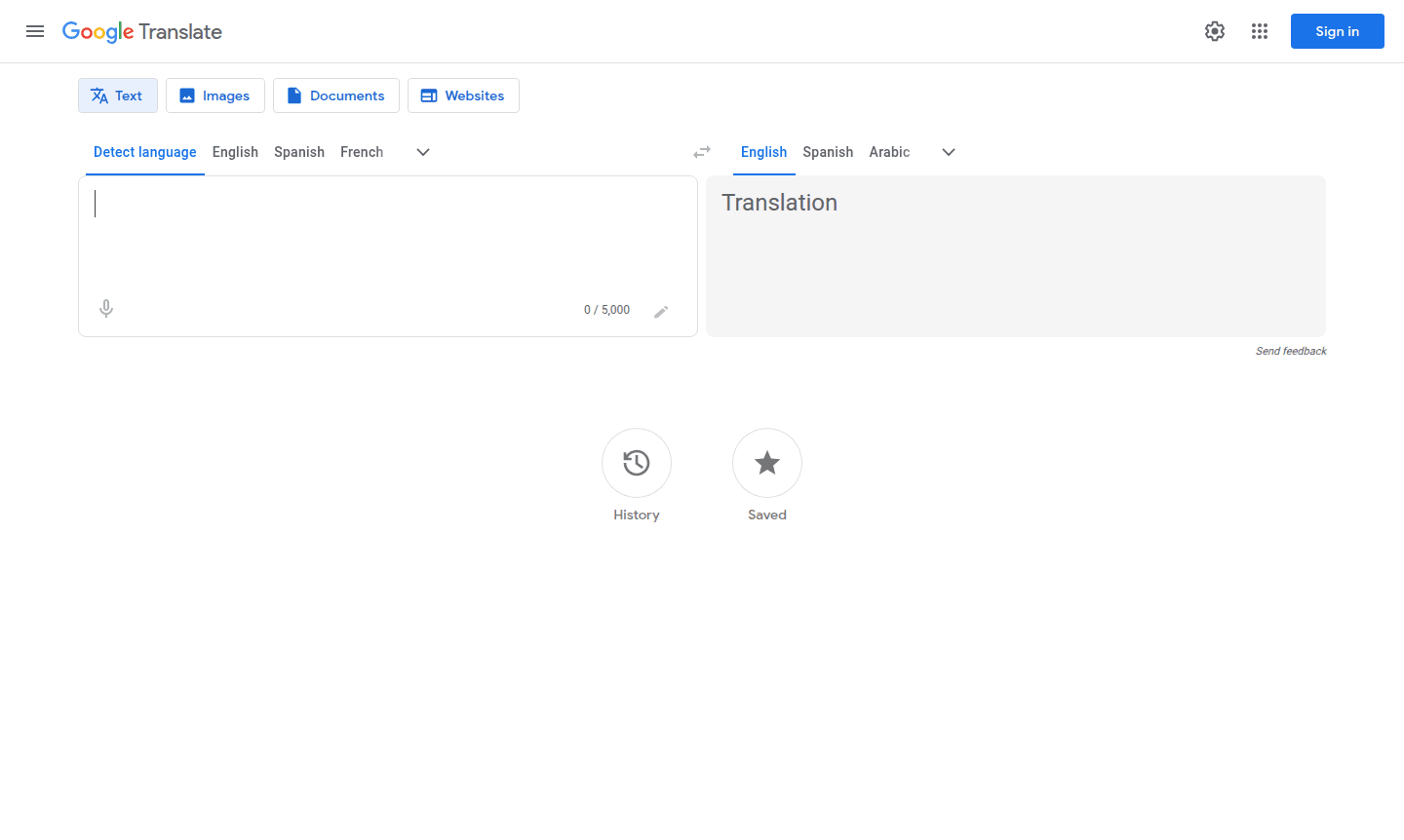
Google Translate is a comprehensive multilingual translation service that enables instant communication across language barriers. This powerful tool supports over 100 languages including English, Spanish, French, Arabic, Chinese, German, and Japanese, making it indispensable for travelers, students, professionals, and anyone needing quick translations. The platform serves as both a Language Helper and translation tool, offering multiple input methods to accommodate different user preferences and situations.
Available as a web service, mobile app, and browser extension, Google Translate provides real-time translation capabilities for text, documents, websites, and images. The service leverages Google's advanced neural machine translation technology to deliver accurate, context-aware translations that preserve meaning and nuance. Whether you're translating a simple phrase or an entire document, the tool adapts to your specific needs while maintaining the free accessibility that has made it one of the most widely used translation services worldwide.
How to Use Google Translate
Getting started with Google Translate is straightforward – simply visit the website or download the mobile app, then choose your translation method. For text translation, select your source and target languages, type or paste your text, and receive instant translation results. For documents, drag and drop files in supported formats like PDF, DOCX, or PPTX. For real-world translation, use the camera feature to point at text in images or signs, or enable voice translation for spoken conversations. The interface guides you through each step with intuitive controls and clear visual feedback.
Core Features of Google Translate
- Text Translation – Instant translation between 100+ languages with language detection
- Document Translation – Support for PDF, DOCX, PPTX, and XLSX file formats
- Website Translation – Translate entire web pages by entering URLs
- Image Translation – Extract and translate text from JPG, JPEG, PNG, and WebP images
- Offline Mode – Download language packs for translation without internet connection
Use Cases for Google Translate
- Travel communication with locals in foreign countries
- Academic research involving multilingual sources
- Business document translation for international clients
- Website localization for global audience reach
- Learning new languages through phrase comparison
- Reading foreign literature and publications
- Real-time conversation translation during meetings
Support and Contact
For assistance with Google Translate, visit the Google Translate Help Center or contact Google support through their general support portal. The platform also offers extensive documentation and community forums for troubleshooting common issues. You can also email contact@google.com for support.
Company Info
Google Translate is developed by Google LLC, based in the United States. As part of Google's suite of productivity tools, it benefits from continuous improvement and integration with other Google services.
Login and Signup
Access Google Translate directly at translate.google.com without requiring an account for basic features. For personalized features like saved translations and history, sign in with your Google account.
Google Translate FAQ
Is Google Translate completely free to use?
Yes, Google Translate is completely free for personal use with all core features available at no cost.
How accurate are Google Translate translations?
Accuracy varies by language pair, with major languages like Spanish and French achieving high accuracy, while complex languages may require review.
Can Google Translate work without internet connection?
Yes, you can download language packs for offline translation of text and camera translations on mobile devices.
What file types does Google Translate support for document translation?
Google Translate supports DOCX, PDF, PPTX, and XLSX files for document translation with drag-and-drop functionality.
How many languages does Google Translate support?
Google Translate supports over 100 languages including English, Spanish, French, Arabic, Chinese, German, and Japanese.
Google Translate Reviews0 review
Would you recommend Google Translate? Leave a comment
Google Translate Alternatives
The best modern alternatives to the tool
New Tools Releases
Recently added tools
