
Jekyll
Jekyll transforms text into static websites with free GitHub Pages hosting. Perfect for developers using Markdown and Liquid templates. Learn installation and themes.
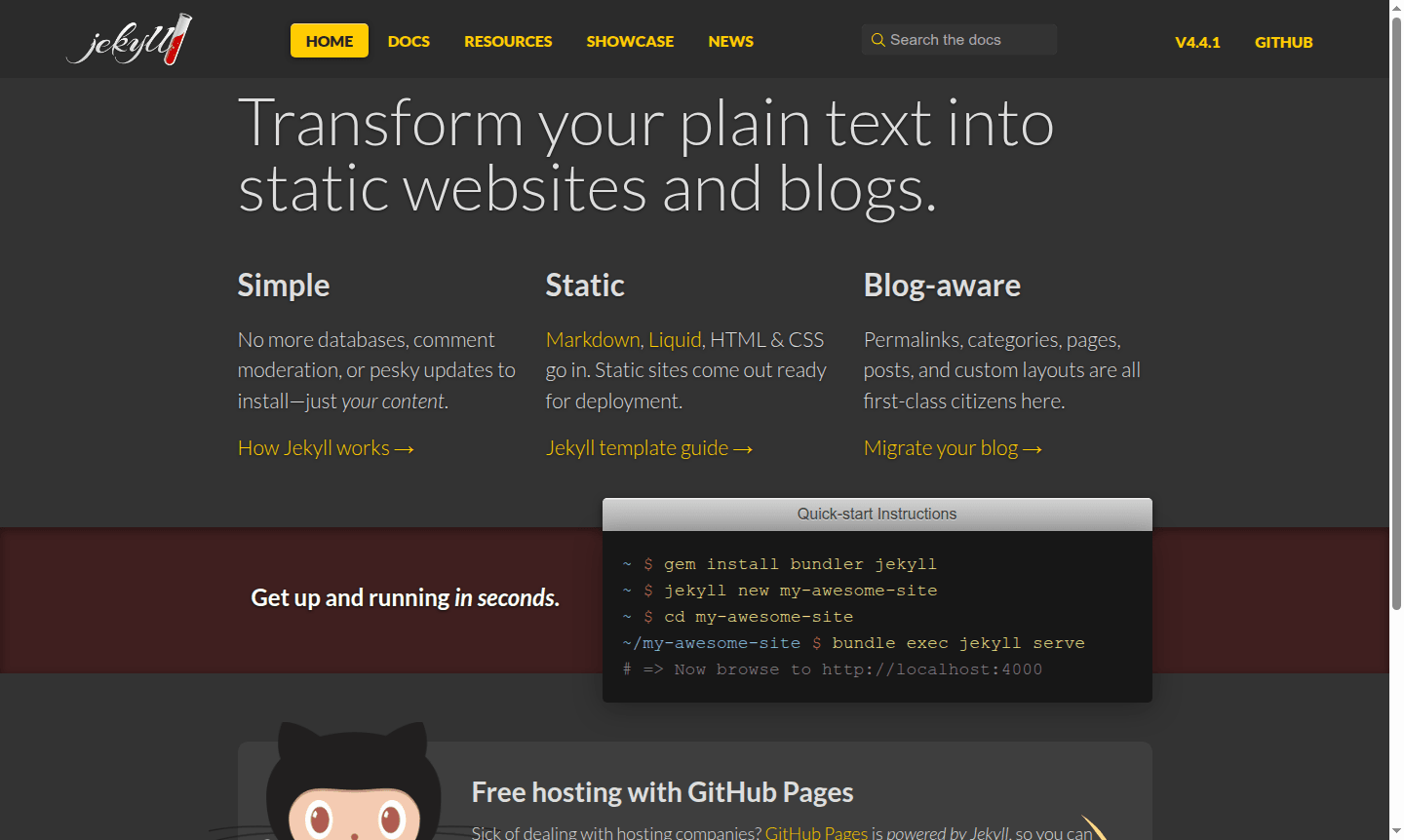
Overview of Jekyll
Jekyll is a powerful static site generator that transforms plain text files into complete, ready-to-deploy websites and blogs. Designed for developers and content creators who prefer simplicity and performance, Jekyll eliminates the need for databases, complex content management systems, or frequent software updates. By processing Markdown, Liquid templates, HTML, and CSS through its conversion engine, Jekyll outputs clean, fast-loading static sites that can be hosted anywhere – from basic web servers to specialized platforms like Web Hosting and Code Repository Hosting services.
As the engine behind GitHub Pages, Jekyll offers seamless integration with one of the most popular development platforms, allowing users to deploy sites directly from their repositories. This makes it particularly valuable for technical documentation, project pages, and developer blogs within the Static Site Generator category. The platform's blog-aware architecture handles permalinks, categories, posts, and custom layouts as first-class citizens, providing robust functionality without the overhead of dynamic content management systems.
How to Use Jekyll
Getting started with Jekyll is straightforward for developers familiar with command-line tools. Begin by installing the required gems using `gem install bundler jekyll`, then create a new site with `jekyll new my-awesome-site`. Navigate to your project directory and run `bundle exec jekyll serve` to start the local development server. Your site will be available at http://localhost:4000, where you can preview changes in real-time before deploying to production. The entire workflow emphasizes developer efficiency and version control integration, making it ideal for teams practicing continuous deployment.
Core Features of Jekyll
- Static Site Generation – Converts Markdown and Liquid templates into fast, secure static websites
- GitHub Pages Integration – Free hosting with automatic deployment from GitHub repositories
- Blog-Aware Architecture – Built-in support for posts, categories, permalinks, and custom layouts
- Template Flexibility – Extensive theme system and Liquid templating for complete design control
- Plugin Ecosystem – Extensible functionality through community-developed plugins
Use Cases for Jekyll
- Developer blogs and technical documentation sites
- Project documentation and open-source project pages
- Company websites and marketing landing pages
- Personal portfolios and resume websites
- Academic research pages and conference sites
- Documentation for APIs and software libraries
- Fast-loading e-commerce product pages
Support and Contact
For technical support, email contact@jekyllrb.com or visit the official Jekyll documentation at Jekyll Documentation. Community resources include GitHub discussions and Stack Overflow for comprehensive help at all skill levels.
Company Info
Jekyll is an open-source project originally developed by Tom Preston-Werner and Nick Quaranto, maintained by a global community of contributors.
Login and Signup
Jekyll requires no account creation or login process since it operates as a local development tool. Access the official website at jekyllrb.com to download the software and begin building immediately without any registration requirements.
Jekyll FAQ
What is Jekyll and how does it differ from WordPress?
Jekyll is a static site generator that creates fast, secure websites without databases, unlike WordPress which is a dynamic CMS requiring constant updates and server resources.
Is Jekyll completely free to use for commercial projects?
Yes, Jekyll is open-source and completely free, including commercial use, with free hosting available through GitHub Pages integration.
How difficult is it to learn Jekyll for beginners?
Jekyll has a learning curve for non-developers but offers excellent documentation and starter templates to help beginners get started quickly.
What programming language is Jekyll built with?
Jekyll is built with Ruby and uses Liquid templating for dynamic content generation in static sites.
Jekyll Pricing
Current prices may vary due to updates
Free
Complete access to Jekyll's static site generation capabilities with free hosting through GitHub Pages, custom domain support, and no limitations on u
Jekyll Reviews0 review
Would you recommend Jekyll? Leave a comment
Jekyll Alternatives
The best modern alternatives to the tool
New Tools Releases
Recently added tools
