Annotation
- Introduction
- Smart Branch Organization
- Enhanced Branch Protection
- History View Improvements
- macOS 26 Tahoe Integration
- Pros and Cons
- Conclusion
- Frequently Asked Questions
Tower 15 Mac: Automatic Branch Management & macOS 26 Tahoe Support
Tower 15 for Mac introduces automatic branch management and macOS 26 Tahoe support, enhancing Git workflow with smart cleanup and visualization tools for developers.
Introduction
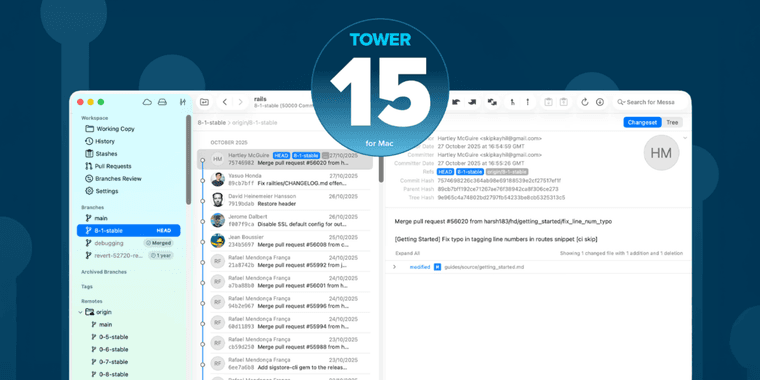
Tower 15 for Mac enhances Git workflow with automatic branch management and macOS 26 Tahoe support, solving issues for developers.
Smart Branch Organization
Automatic system identifies inactive branches with visual badges for easy cleanup. One-click deletion and contextual hints streamline version control GUI experience. Configurable archiving with notifications and bulk operations.
Enhanced Branch Protection
Skip auto-archiving flag protects pinned branches. Status stored in Git config, preventing accidental changes. Enhances Git client reliability for teams.
History View Improvements
History view shows fork points, highlighting unique commits. Helps understand branch relationships in developer tools workflow.
macOS 26 Tahoe Integration
Full support with updated icons, modern UI, and stability fixes. Ensures smooth performance for code repository hosting integration.
Pros and Cons
Advantages
- Automatic detection of inactive branches reduces clutter
- One-click deletion for merged or stale branches
- Pinned branch status preserved in Git configuration
- Enhanced History view with fork point visualization
- Full macOS 26 Tahoe compatibility and updated UI
- Bulk operations for branch management tasks
- Improved stability and bug fixes throughout
Disadvantages
- Learning curve for new branch management features
- Auto-archiving may require initial configuration
- Limited customization for badge appearance
Conclusion
Tower 15 for Mac delivers workflow improvements with intelligent branch management and macOS 26 support. Cleanup features and visualization tools maintain organized repositories, solidifying its position as a top Git client.
Frequently Asked Questions
What is automatic branch management in Tower 15?
Automatic branch management in Tower 15 identifies and helps clean up inactive, merged, or stale branches through visual badges and one-click deletion options, reducing sidebar clutter in your Git repositories.
Does Tower 15 support macOS 26 Tahoe?
Yes, Tower 15 fully supports macOS 26 Tahoe with updated icons, refreshed appearance options, redesigned sidebar footer, and various stability improvements for optimal performance.
What are the key improvements in Tower 15?
Key improvements include automatic branch management, enhanced history view with fork points, branch protection features, and full macOS 26 Tahoe compatibility.
How does Tower 15 handle branch archiving?
Tower 15 allows automatic archiving of suggested branches with notifications, and manual organization through drag-and-drop or context menus, including bulk operations.
What are the system requirements for Tower 15?
Tower 15 requires macOS 26 Tahoe or later for full compatibility, with support for various Git hosting services and repositories.
Relevant AI & Tech Trends articles
Stay up-to-date with the latest insights, tools, and innovations shaping the future of AI and technology.
Stoat Chat App: Complete Guide to Revolt Rebranding and Features
Stoat chat app rebranded from Revolt due to legal pressures, maintaining all user data, features, and privacy focus without any required actions from existing users for a seamless transition.
Zorin OS 18: Modern Linux OS with Windows App Support & New Features
Zorin OS 18 is a Linux distribution with a redesigned desktop, enhanced Windows app support, and web apps tool, ideal as a Windows 10 alternative with long-term support until 2029.
Immich 2.1.0 Release: Enhanced Slideshow Shuffle and Stack Upload Features
Immich 2.1.0 enhances photo management with improved slideshow shuffle, direct stack uploads, better mobile browsing, and collaboration features for self-hosted solutions.