VideoPad Video Editor
VideoPad Video Editor: Free video editing software for Windows, Mac, iOS, Android. 150+ effects, green screen, audio tools, 4K support. Ideal for YouTube, social media, home movies. No signup required.
Overview of VideoPad Video Editor
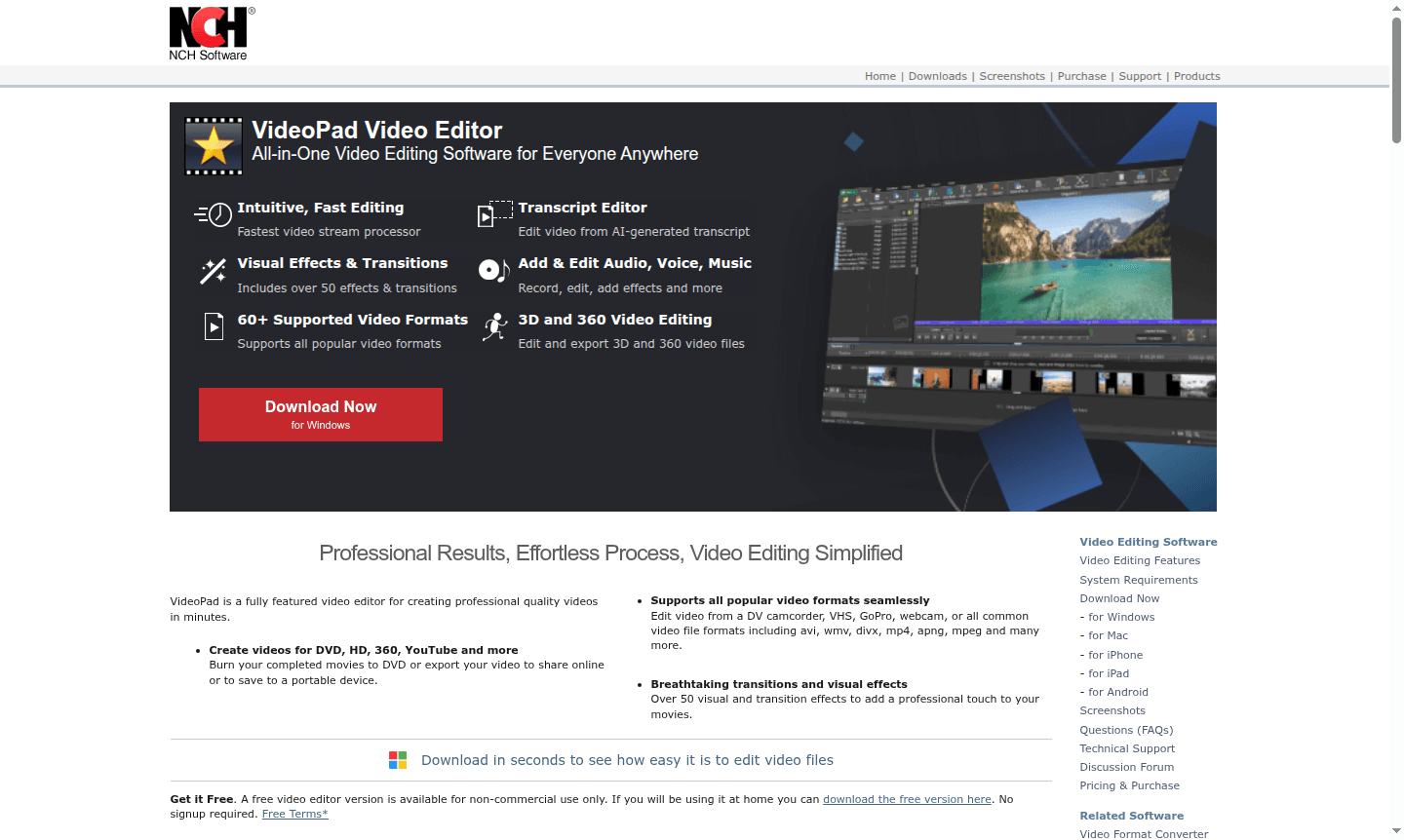
VideoPad Video Editor is a comprehensive video editing solution designed for creators of all skill levels, from beginners to professionals. This all-in-one software enables users to produce high-quality videos quickly with its intuitive interface and powerful editing capabilities. Whether you're creating content for YouTube, social media, DVDs, or personal projects, VideoPad supports a wide range of formats and output options including HD, 4K, and 360-degree video editing. The platform is particularly popular among Animation Software enthusiasts and Media Catalog users who need professional results without the steep learning curve of more complex editing suites.
Available across multiple platforms including Windows, macOS, iOS, and Android, VideoPad ensures accessibility for users regardless of their preferred device. The software's extensive feature set includes over 150 visual effects, professional transitions, audio editing tools, and support for green screen production. With its free version available for non-commercial use and no signup required, VideoPad democratizes video editing while maintaining the quality standards expected by professional videographers and casual users alike in the Media Catalog space.
How to Use VideoPad Video Editor
Getting started with VideoPad is straightforward: begin by importing your media files including video clips, photos, and audio tracks from various sources such as camcorders, smartphones, or existing files. Use the intuitive timeline to arrange your clips, then apply transitions between scenes and enhance your video with visual effects from the extensive library. Add background music, voiceovers, or sound effects using the built-in audio tools, then fine-tune color settings and apply stabilization if needed. Finally, export your completed project in your preferred format or share directly to platforms like YouTube, social media, or burn to DVD for physical distribution.
Core Features of VideoPad Video Editor
- Advanced Video Editing – Trim, split, and arrange clips with precision editing tools and timeline control
- Visual Effects Library – Access over 150 professional transitions, filters, and special effects
- Audio Production Tools – Mix multiple audio tracks, add sound effects, and record voiceovers
- Multi-Format Support – Import and export in all popular video formats including 4K and 360-degree
- Green Screen & PIP – Create professional chroma key effects and picture-in-picture compositions
Use Cases for VideoPad Video Editor
- YouTube content creation and video blogging for social media platforms
- Home movie editing and family video projects for personal archives
- Educational video production for online courses and tutorials
- Business presentations and marketing video content creation
- 360-degree video editing for virtual reality and immersive experiences
- Audio video synchronization for music videos and multimedia projects
- Mobile video editing directly on smartphones and tablets
Support and Contact
For technical support and customer service inquiries, contact contact@nchsoftware.com or visit the official VideoPad support page. The website provides comprehensive documentation, tutorials, and community forums to assist users with any questions about video editing software features, system requirements, or technical issues.
Company Info
VideoPad is developed by NCH Software, a company specializing in multimedia and utility software solutions. The company offers a diverse portfolio of audio, video, and business software tools designed for both personal and professional use across multiple platforms and devices.
Login and Signup
Access VideoPad Video Editor through the main product homepage. The free version requires no registration or login, allowing immediate download and use for non-commercial projects. For additional features or commercial licensing options, visit the official website for upgrade information and purchasing details.
VideoPad Video Editor FAQ
Is VideoPad Video Editor completely free to use?
VideoPad offers a free version for non-commercial home use with no signup required, though commercial use requires purchasing a license.
What video formats does VideoPad support for editing?
VideoPad supports all major formats including AVI, MP4, MOV, WMV, MPEG, and can edit footage from camcorders, GoPro, and smartphones.
Can I use VideoPad on my Mac or mobile device?
Yes, VideoPad runs on Windows, macOS, iOS, and Android, providing cross-platform video editing capabilities.
Does VideoPad include green screen and special effects?
VideoPad includes chroma key green screen, over 150 visual effects, transitions, and picture-in-picture features for professional results.
Can I upload videos directly to YouTube from VideoPad?
Yes, VideoPad allows direct uploading to YouTube, Vimeo, and other platforms, plus export for social media formats.
VideoPad Video Editor Pricing
Current prices may vary due to updates
Free Version
Free video editor for non-commercial home use with basic editing features, transitions, effects, and support for multiple video formats. Includes acce
VideoPad Video Editor Reviews0 review
Would you recommend VideoPad Video Editor? Leave a comment
VideoPad Video Editor Alternatives
The best modern alternatives to the tool
New Tools Releases
Recently added tools
