Zotero
Zotero is a free, open-source research tool for collecting, organizing, and citing academic references. It supports 9,000+ citation styles, integrates with Word and Google Docs, and offers sync and collaboration for students and researchers.
Overview of Zotero
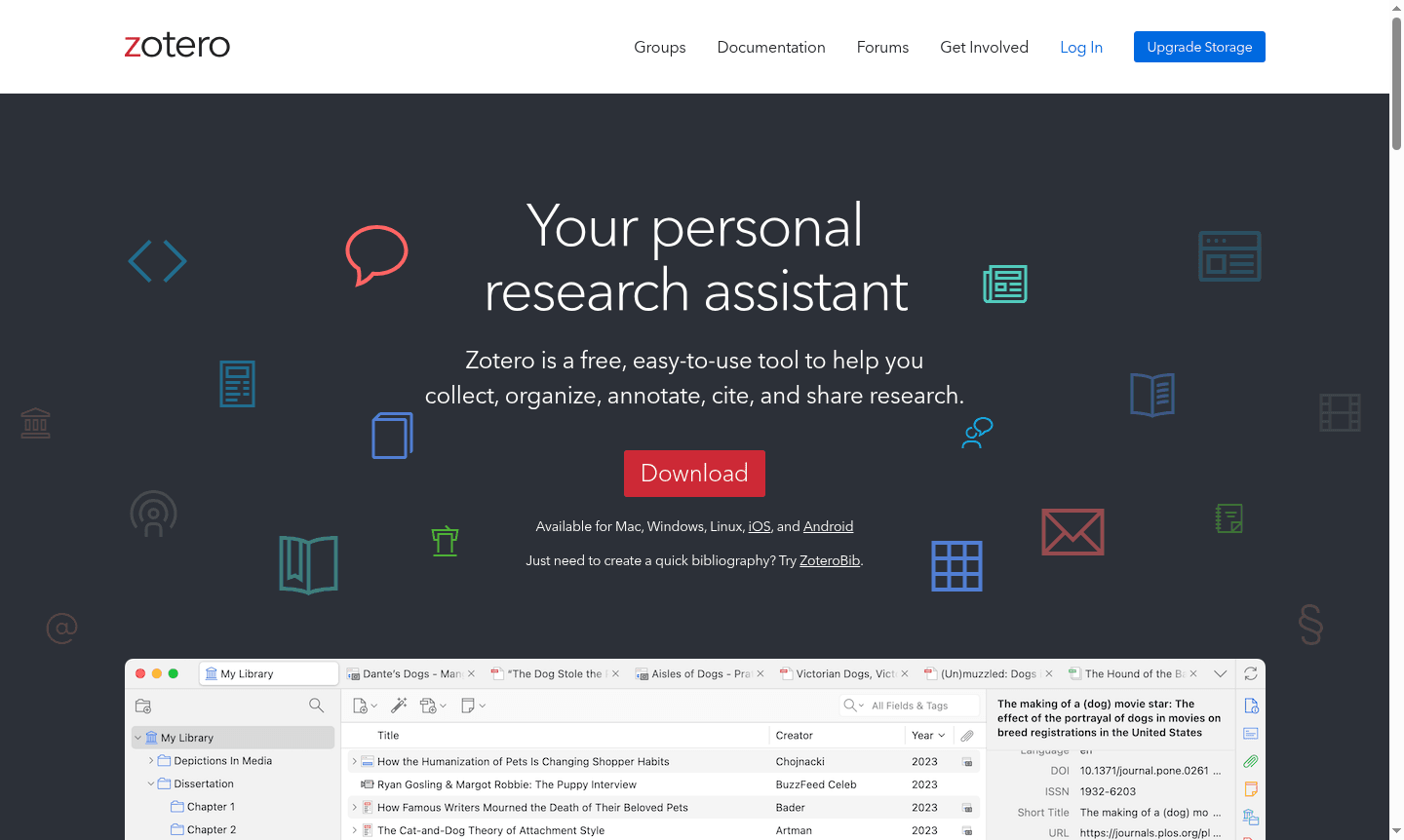
Zotero is a comprehensive research management tool that serves as your personal research assistant, helping academics, students, and professionals collect, organize, annotate, cite, and share research materials. This free, open-source citation manager automatically detects research content as you browse the web, capturing articles from academic databases like JSTOR, preprints from arXiv.org, news stories from major publications, and books from library catalogs. With its powerful organizational capabilities and extensive citation support, Zotero streamlines the entire research workflow from discovery to publication.
As a versatile Citation Manager and Research Organizer, Zotero supports over 9,000 citation styles and integrates seamlessly with popular word processors including Microsoft Word, LibreOffice, and Google Docs. The platform offers optional synchronization across devices, keeping your files, notes, and bibliographic records up to date while maintaining complete data privacy. Developed by an independent nonprofit organization, Zotero prioritizes user control and data security, making it an ideal choice for collaborative research projects and individual academic work.
How to Use Zotero
Getting started with Zotero is straightforward – simply download the desktop application and install the browser extension. As you conduct research online, click the Zotero connector icon in your browser to automatically save references, PDFs, and web pages to your personal library. Organize collected materials using customizable collections and tags, then use the Word processor plugins to insert citations and generate bibliographies directly within your documents. Enable optional cloud synchronization to access your research library from any device and collaborate with colleagues by sharing libraries for group projects.
Core Features of Zotero
- One-Click Research Collection – Automatically captures research materials from thousands of websites and academic databases
- Flexible Organization System – Sort items into collections, tag with keywords, and create automated saved searches
- Advanced Citation Management – Supports 9,000+ citation styles with direct integration into Word, Google Docs, and LibreOffice
- Cross-Device Synchronization – Optional cloud sync keeps your research library updated across all your devices
- Collaborative Research Tools – Share libraries with unlimited collaborators for team projects and group research
Use Cases for Zotero
- Academic researchers compiling literature reviews and managing reference libraries
- Students writing research papers and theses with proper citation formatting
- Professors organizing course materials and collaborative research projects
- Journalists and writers tracking sources and building bibliographies
- Legal professionals managing case law references and legal citations
- Scientists organizing research papers and collaborating on publications
- Librarians assisting patrons with research organization and citation management
Support and Contact
For technical support and general inquiries, visit the official Zotero support documentation and community forums. While no direct support email is publicly listed, comprehensive help resources are available through the Zotero Support Page and active user community.
Company Info
Zotero is developed and maintained by the Corporation for Digital Scholarship, an independent nonprofit organization dedicated to creating free, open-source software for academic research. The project receives support from various academic institutions and research organizations committed to advancing digital scholarship tools.
Login and Signup
Access your Zotero account or create a new one through the Zotero Login Page. New users can register for free at the Zotero Signup Page to begin using the research management platform immediately.
Zotero FAQ
Is Zotero completely free to use for academic research and citation management?
Yes, Zotero is completely free with full features including research collection, organization, citation generation, and collaboration tools without any subscription costs.
How does Zotero compare to other citation managers like Mendeley for research organization?
Zotero offers similar functionality to Mendeley but is completely free, open-source, and provides unlimited storage for references with optional paid storage for large files.
Can Zotero sync my research library across multiple devices and computers?
Yes, Zotero provides optional synchronization that keeps your research library, notes, and files updated across all your devices and accessible via web browser.
Does Zotero support mobile access?
Yes, Zotero offers mobile apps for iOS and Android, allowing you to access and manage your research library on mobile devices with full sync capabilities.
Zotero Pricing
Current prices may vary due to updates
Free
Complete research management tool with full features including automatic research collection, flexible organization, citation generation for 9,000+ st
Zotero Reviews0 review
Would you recommend Zotero? Leave a comment
Zotero Alternatives
The best modern alternatives to the tool
New Tools Releases
Recently added tools
