Annotation
- Introduction
- Getting Started with Beb.ai and Gemini Integration
- Unlocking AI App Development with Beb.ai
- The Power of Gemini Integration
- Why Build an AI-Powered QR Code Generator?
- Tutorial: Creating an AI-Powered QR Code Generator
- Step 1: Setting Up Your Beb.ai Project
- Step 2: Building Core Functionality with Plan Mode
- Step 3: Customizing QR Code Design
- Step 4: Implementing Data Input Methods
- Pros and Cons
- Conclusion
- Frequently Asked Questions
Build AI QR Code Generator with Beb.ai & Gemini Integration Tutorial
Learn how to build an AI-powered QR code generator using Beb.ai's low-code platform and Google Gemini integration. This step-by-step tutorial covers
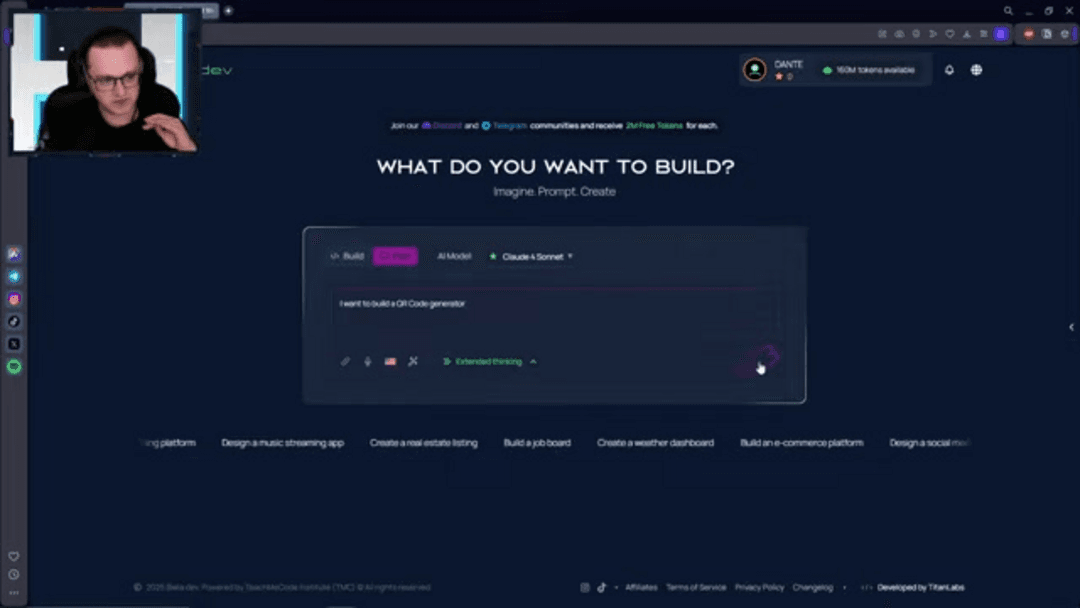
Introduction
In today's rapidly evolving technological landscape, the ability to quickly develop and deploy AI-powered applications is essential for businesses and developers. Beb.ai emerges as a powerful low-code/no-code platform that democratizes AI app development, making advanced capabilities accessible. With its integration of Google's Gemini models, Beb.ai empowers creators to build functional applications. This tutorial demonstrates how to leverage these tools to build an intelligent QR code generator, showcasing the platform's capabilities.
Getting Started with Beb.ai and Gemini Integration
Unlocking AI App Development with Beb.ai
Beb.ai's core mission centers around making AI application development accessible to a broad audience, from seasoned developers to business professionals with innovative ideas. The platform's visual, drag-and-drop interface significantly reduces the traditional barriers to entry in AI development. Instead of grappling with complex code syntax, users can focus on application logic and functionality, accelerating the development process considerably. This approach proves particularly valuable in the fast-paced AI sector, where rapid innovation and quick time-to-market provide significant competitive advantages. The platform's developer-focused tools enable creators to rapidly translate concepts into functional code, bridging the gap between imagination and implementation. For those exploring QR code generator tools, Beb.ai offers a streamlined path to creating customized solutions.
The Power of Gemini Integration
The integration of Google's Gemini models elevates Beb.ai's capabilities to new heights, providing sophisticated natural language processing and advanced machine learning algorithms that power intelligent applications. This powerful combination enables developers to create applications that can understand context, respond intelligently to user interactions, and even learn from ongoing usage patterns. The Gemini integration proves particularly valuable for building interactive experiences such as chatbots, virtual assistants, and the intelligent QR code generator featured in this tutorial. By leveraging Gemini's capabilities through Beb.ai's intuitive interface, developers can transform abstract concepts into real-world functional applications without the traditional complexity of AI development. This approach aligns well with modern AI automation platforms that prioritize accessibility and efficiency.
Why Build an AI-Powered QR Code Generator?
QR codes have evolved from simple barcode replacements to sophisticated bridges between physical and digital experiences, appearing everywhere from marketing materials and product packaging to event management and payment systems. An AI-powered QR code generator introduces advanced functionality that traditional generators lack, including dynamic content embedding, scan analytics tracking, and intelligent visual customization. This project serves as an excellent introduction to Beb.ai's capabilities while addressing genuine real-world needs. Imagine QR codes that update content based on geographic location, modify their appearance according to time of day, or deliver personalized offers based on user preferences – these are the types of intelligent features that AI-driven QR codes can provide. For developers working with AI APIs and SDKs, this project demonstrates practical integration techniques.
Tutorial: Creating an AI-Powered QR Code Generator
Step 1: Setting Up Your Beb.ai Project
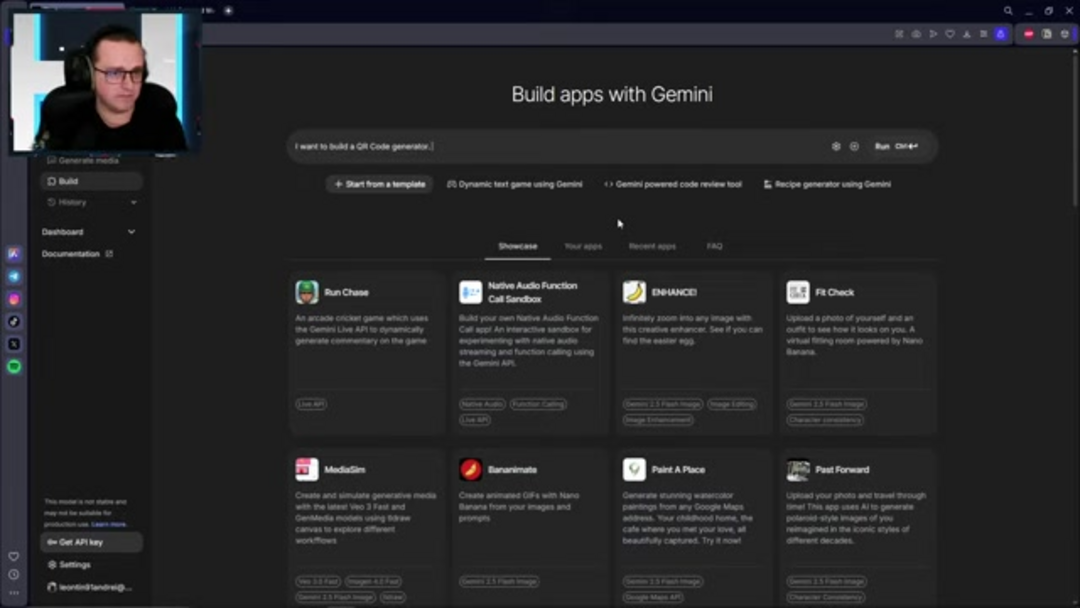
Begin by accessing your Beb.ai account – if you don't have one, the platform offers a free trial that provides full access to its development capabilities. Once logged in, create a new project with a descriptive name like 'AI QR Code Generator' to establish your development workspace. Select an appropriate layout optimized for web applications, ensuring clear navigation and user input areas. The crucial integration step involves connecting the Gemini model – choose the specific Gemini variant that aligns with your project requirements, considering factors like processing power and feature availability. This connection establishes the foundation for your application's AI capabilities, enabling the intelligent features that will distinguish your QR code generator from basic alternatives.
Step 2: Building Core Functionality with Plan Mode
Beb.ai's innovative 'Plan' mode provides structured guidance through application logic development, serving as a visual roadmap for your project. This phase involves defining three key components: a user-friendly input field for text or URLs, a QR code generation section powered by your selected AI model, and an export functionality that supports multiple formats like PNG and SVG. Pay particular attention to mobile responsiveness during implementation, as QR codes are frequently scanned using mobile devices. The Plan mode effectively translates your logical workflow into functional code, demonstrating how AI agents and assistants can streamline development processes.

Step 3: Customizing QR Code Design
One of the most compelling aspects of AI-powered QR code generation involves design customization capabilities that transcend basic black-and-white patterns. Through Beb.ai's integration with generative AI functions, developers can implement dynamic color schemes, incorporate branding elements, create gradient effects, and even embed subtle visual patterns that maintain scannability while enhancing aesthetic appeal. These customization features significantly improve user experience and open new commercialization opportunities through branded QR solutions. The most effective AI implementations solve real-world problems while integrating seamlessly into existing workflows – qualities that well-designed QR code generators exemplify.
Step 4: Implementing Data Input Methods
Consider the various data input scenarios your QR code generator might encounter, particularly when dealing with WiFi credential generation. Will users manually type SSID and password information, or can you implement more automated detection capabilities? The flexibility of Beb.ai's interface allows for multiple input approaches, from simple text fields to more advanced data capture methods. This consideration becomes particularly important when developing for different use cases – a public kiosk might benefit from automated detection, while a personal tool might prioritize manual input for security reasons. Exploring app customizer tools can provide additional insights into optimizing user input experiences.
Pros and Cons
Advantages
- Simplified AI development through visual interface
- Rapid deployment with faster time-to-market
- Advanced AI capabilities via Gemini integration
- Accessibility for non-technical users and creators
- User-friendly tools reducing development barriers
- Streamlined data management and transfer processes
- Cost-effective solution for prototype development
Disadvantages
- Limited customization compared to full coding
- Platform dependency with ecosystem constraints
- Potential oversimplification of complex algorithms
- Pricing structure may not suit all budgets
- Learning curve for advanced feature utilization
Conclusion
Beb.ai's integration with Google's Gemini models represents a significant step forward in democratizing AI application development, particularly for projects like QR code generators that benefit from intelligent features. The platform's low-code/no-code approach enables developers and non-technical users alike to create sophisticated applications that would traditionally require extensive programming expertise. While certain limitations exist regarding customization depth and platform dependency, the advantages of accelerated development, accessibility, and powerful AI capabilities make Beb.ai an excellent choice for rapid prototyping and implementation. As AI continues to transform digital experiences, tools like Beb.ai ensure that innovative application development remains accessible to creators across the technical spectrum.
Frequently Asked Questions
What are the main advantages of using Beb.ai?
Beb.ai simplifies AI app development through its visual interface, reduces coding requirements, accelerates development timelines, and enables non-technical users to create functional applications with advanced AI capabilities.
How does Gemini integration enhance Beb.ai?
Gemini models provide sophisticated natural language processing and machine learning capabilities, enabling intelligent app functionalities like dynamic content creation, user interaction tracking, and personalized experiences within Beb.ai applications.
Is Beb.ai suitable for complex AI projects?
Yes, Beb.ai supports various AI projects and can be extended through custom code integration. While most effective for medium-complexity applications, it provides solid foundations that can scale with project requirements.
Do I need coding experience to use Beb.ai?
Basic coding knowledge helps with advanced customizations, but Beb.ai's drag-and-drop interface allows users to build functional AI applications without extensive programming experience.
Can I use Beb.ai for other types of AI applications?
Yes, Beb.ai supports various AI applications beyond QR code generators, including chatbots, data analysis tools, and automated workflows, thanks to its flexible platform and Gemini integration.
Relevant AI & Tech Trends articles
Stay up-to-date with the latest insights, tools, and innovations shaping the future of AI and technology.
Grok AI: Free Unlimited Video Generation from Text & Images | 2024 Guide
Grok AI offers free unlimited video generation from text and images, making professional video creation accessible to everyone without editing skills.
Top 3 Free AI Coding Extensions for VS Code 2025 - Boost Productivity
Discover the best free AI coding agent extensions for Visual Studio Code in 2025, including Gemini Code Assist, Tabnine, and Cline, to enhance your
Hirecarta AI Job Search Tool Review 2025 - Free Career Platform
Hirecarta is a free AI-powered job search platform that offers resume building, job matching, career coaching, and interview preparation to help