Annotation
- Introduction
- Core Features and Customization
- Security and Compliance Capabilities
- Pros and Cons
- Conclusion
- Frequently Asked Questions
Element Pro: Matrix Enterprise Messaging for Secure Organizational Communication
Element Pro is a secure Matrix-based messaging client for enterprises, offering brand customization, DLP, and directory integration for government and corporate teams.
Introduction
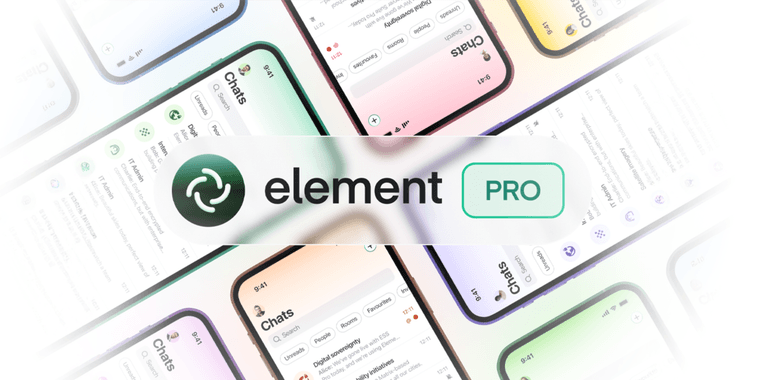
Element has launched Element Pro, a powerful Matrix-based messaging client tailored for organizational use. This enterprise-grade solution combines with Element Server Suite Pro to deliver sovereign, encrypted communication – ideal for government and corporate teams seeking alternatives to proprietary platforms.
Core Features and Customization
Building upon Element X's foundation, Element Pro introduces comprehensive brand customization managed server-side. Organizations can apply corporate colors across Android, iOS, web, and desktop clients while maintaining full compatibility with upstream updates. Whitelabeling extends to custom app names and icons, providing brand consistency without sacrificing functionality. IT administrators benefit from centralized Mobile Device Management (MDM) controls and server-enforced policies, streamlining deployment across teams using modern collaboration tools.
Security and Compliance Capabilities
Security remains paramount with certificate pinning, server-side content scanning, and Data Loss Prevention (DLP) features. Analytics and error reporting stay internal, ensuring complete data control. The platform supports directory integration through Active Directory, LDAP, or SCIM, automatically syncing user roles and permissions – crucial for organizations requiring robust encryption tools. Deployment flexibility includes public app store distribution or internal provisioning, even for fully branded versions.
Pros and Cons
Advantages
- End-to-end encrypted messaging ensures privacy
- Full brand customization across all platforms
- Centralized management through MDM integration
- Active Directory and LDAP synchronization
- Data Loss Prevention protects sensitive information
- Whitelabeling maintains brand identity
- Interoperable with Matrix ecosystem partners
Disadvantages
- Enterprise pricing may exclude smaller teams
- Requires technical expertise for full deployment
- Limited third-party integration compared to competitors
- Matrix protocol learning curve for new users
Conclusion
Element Pro represents a significant advancement in secure enterprise messaging, offering governments and organizations a sovereign alternative to mainstream platforms. With robust security features, extensive customization options, and seamless directory integration, it positions itself as a compelling choice for teams prioritizing data control and compliance. The upcoming modules interface and enhanced policy controls will further strengthen its position in the competitive messaging app landscape.
Frequently Asked Questions
What is Element Pro and who is it for?
Element Pro is a Matrix-based enterprise messaging client designed for organizations needing secure, customizable communication. It's ideal for government agencies, corporations, and public sector entities requiring sovereign messaging alternatives with full brand control and compliance features.
How does Element Pro ensure security and data protection?
Element Pro employs certificate pinning, server-side content scanning, and Data Loss Prevention (DLP) to protect sensitive information. All analytics and error reports remain internal, ensuring complete data control and compliance with organizational security policies.
What is the Matrix protocol used by Element Pro?
Matrix is an open standard for interoperable, decentralized, real-time communication. Element Pro builds on this protocol to offer secure messaging with end-to-end encryption and federation capabilities.
Can Element Pro be integrated with existing IT infrastructure?
Yes, Element Pro supports integration with directory services like Active Directory, LDAP, and SCIM for user management, and offers Mobile Device Management (MDM) for device control, making it compatible with most enterprise IT environments.
What are the deployment options for Element Pro?
Element Pro can be deployed via public app stores or internal provisioning, including fully branded versions. It offers flexibility for organizations to choose their preferred distribution method.
Relevant AI & Tech Trends articles
Stay up-to-date with the latest insights, tools, and innovations shaping the future of AI and technology.
Stoat Chat App: Complete Guide to Revolt Rebranding and Features
Stoat chat app rebranded from Revolt due to legal pressures, maintaining all user data, features, and privacy focus without any required actions from existing users for a seamless transition.
Zorin OS 18: Modern Linux OS with Windows App Support & New Features
Zorin OS 18 is a Linux distribution with a redesigned desktop, enhanced Windows app support, and web apps tool, ideal as a Windows 10 alternative with long-term support until 2029.
AV Linux 25 & MX Moksha 25 Released with Enhanced File Manager & VM Features
AV Linux 25 and MX Moksha 25 are new Linux releases based on Debian Trixie, featuring enhanced file management with Quickemu and YT-DLP integration, tailored for multimedia production and lightweight computing.