Annotation
- Introduction
- New Subscription Structure
- Enhanced Feature Set
- Interface and Platform Improvements
- Pros and Cons
- Conclusion
- Frequently Asked Questions
GoodNotes Major Update: New Plans, AI Features & Whiteboards 2024
GoodNotes' major update introduces new subscription tiers, AI features, whiteboards, and text documents, transforming digital note-taking with enhanced collaboration and tools.
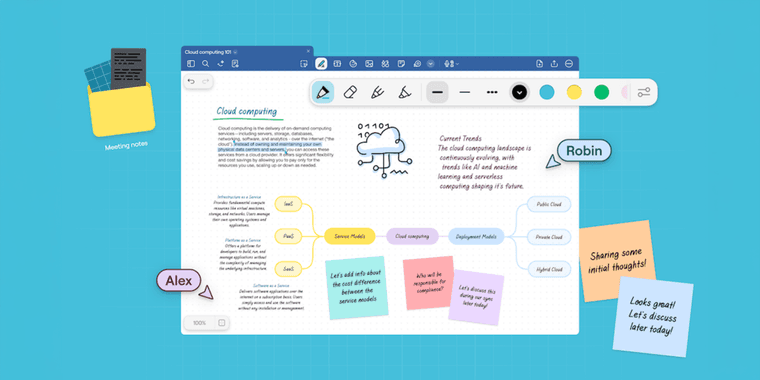
Introduction
GoodNotes has launched a major update with new subscription tiers, AI-powered tools, whiteboards, and text documents, enhancing digital note-taking.
New Subscription Structure
The platform introduces Essential, Pro, and Special Edition plans. Existing GoodNotes 6 users receive automatic upgrades—lifetime buyers to Special Edition, yearly subscribers to Essential.
Enhanced Feature Set
Essential tier offers Whiteboards and Text Documents. Pro elevates collaboration tool capabilities with real-time editing, sharing, and integrations with Google Calendar, Drive, and OneDrive. AI Meeting Assistant transcribes discussions, making it a powerful virtual whiteboard solution.
Interface and Platform Improvements
New toolbar, selection tools, and Shapes feature improve usability. Free users get Whiteboards and Text Documents. Pro features start on Apple, with Android and Windows support in 2025, expanding this document editor's reach.
Pros and Cons
Advantages
- Free tier includes whiteboards and text documents
- Automatic upgrades for existing users
- AI-powered meeting transcription and math support
- Real-time collaboration features
- Multiple cloud storage integrations
- Enhanced interface with improved tools
- Cross-platform availability expanding in 2025
Disadvantages
- Advanced AI features require subscription
- Some Pro features initially Apple-only
- Lifetime users get limited AI access
- Enterprise features may be overkill for individuals
Conclusion
GoodNotes' latest update shifts to subscriptions while expanding functionality with AI tools, collaboration, and document creation, positioning it as a comprehensive digital workspace for integrated AI writing tools and cloud storage solutions.
Frequently Asked Questions
What are the main new features in GoodNotes update?
The update introduces Whiteboards for unlimited creative space, Text Documents with multimedia support, AI-powered math tools, meeting transcription, and three new subscription tiers: Essential, Pro, and Special Edition.
Do existing GoodNotes users need to pay for the update?
No, existing GoodNotes 6 users and lifetime buyers receive automatic upgrades at no additional cost, with lifetime users moving to Special Edition and yearly subscribers transitioning to Essential plan.
What are the differences between the subscription plans?
Essential includes Whiteboards and Text Documents, Pro adds real-time collaboration, AI features, and cloud integrations, while Special Edition offers limited AI and sync for lifetime users.
Is there a free version of GoodNotes?
Yes, the free tier provides access to Whiteboards and Text Documents, but advanced AI and collaboration features require a Pro or Special Edition subscription.
When will Android and Windows support be available?
Pro features and AI Pass will debut on Apple devices first, with full support for Android and Windows platforms planned for release in 2025.
Relevant AI & Tech Trends articles
Stay up-to-date with the latest insights, tools, and innovations shaping the future of AI and technology.
Stoat Chat App: Complete Guide to Revolt Rebranding and Features
Stoat chat app rebranded from Revolt due to legal pressures, maintaining all user data, features, and privacy focus without any required actions from existing users for a seamless transition.
Zorin OS 18: Modern Linux OS with Windows App Support & New Features
Zorin OS 18 is a Linux distribution with a redesigned desktop, enhanced Windows app support, and web apps tool, ideal as a Windows 10 alternative with long-term support until 2029.
Immich 2.1.0 Release: Enhanced Slideshow Shuffle and Stack Upload Features
Immich 2.1.0 enhances photo management with improved slideshow shuffle, direct stack uploads, better mobile browsing, and collaboration features for self-hosted solutions.