
Doxygen
Doxygen is a free, open-source documentation generator for automated code documentation. Supports C++, Python, Java, C#, PHP with HTML, PDF output, markdown, cross-referencing, and diagrams.
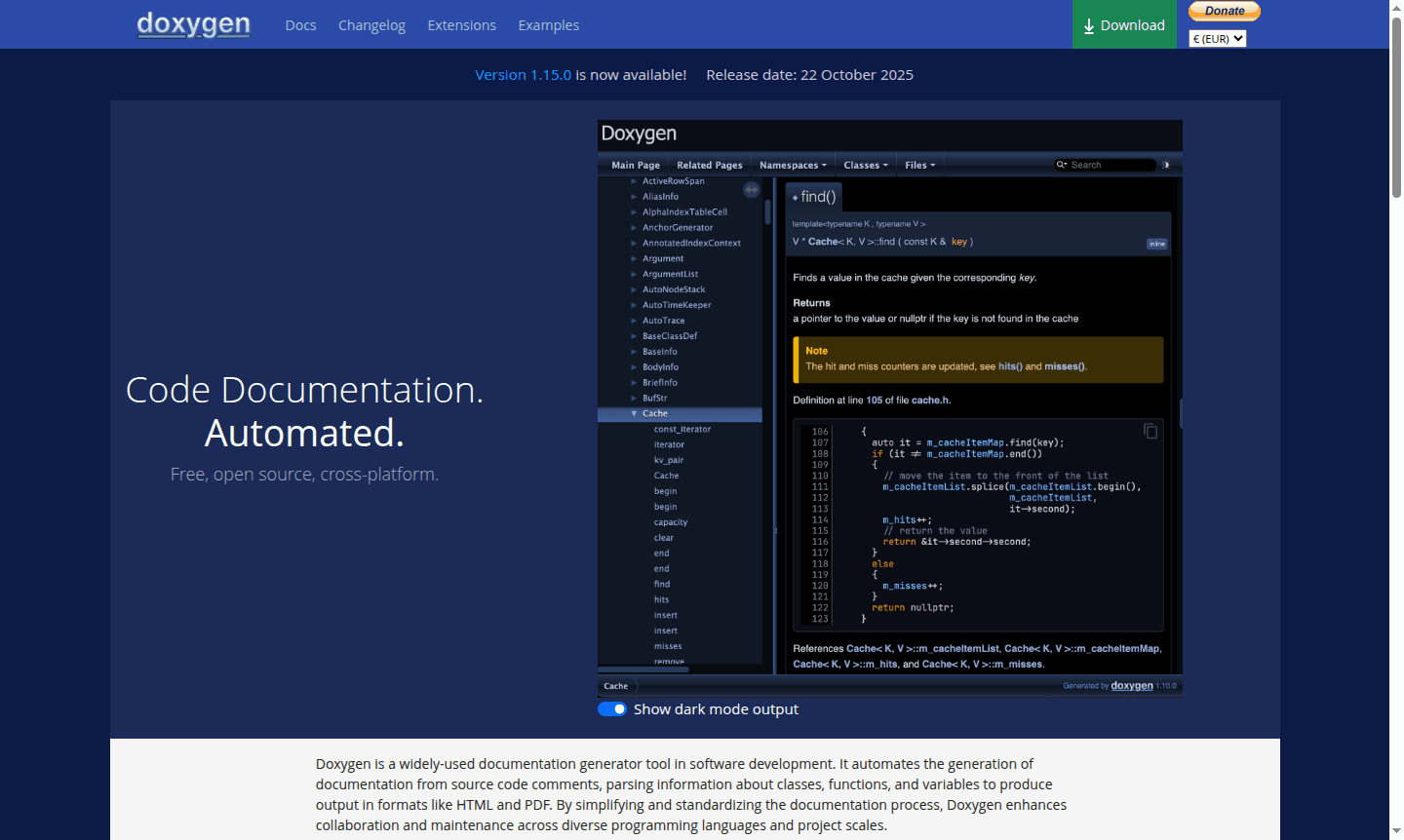
Overview of Doxygen
Doxygen is a powerful, open-source documentation generator that automates the creation of comprehensive technical documentation directly from annotated source code. This cross-platform tool parses code comments and structural elements to produce professional documentation in multiple formats, making it an essential resource for software development teams working across diverse programming languages and project scales. By standardizing documentation practices, Doxygen enhances code maintainability and facilitates better collaboration among developers.
As a widely-adopted solution in the development community, Doxygen supports numerous programming languages including C++, Python, Java, C#, PHP, and many others, and is ideal for IDE environments. Its ability to generate visual class hierarchies and cross-referenced documentation makes it invaluable for understanding complex codebases and maintaining up-to-date API references. The tool's flexibility and extensive feature set have made it a go-to choice for both individual developers and large enterprise projects seeking to improve their documentation workflows.
How to Use Doxygen
Getting started with Doxygen involves installing the tool, creating a Doxyfile configuration file, annotating source code with special comments, and running Doxygen to generate documentation. The configuration allows customization of output formats and structure, and the command-line interface supports integration with build systems and CI/CD pipelines.
Core Features of Doxygen
- Multiple Output Formats – Generate documentation in HTML, PDF, RTF, and XML formats for various needs
- Cross-Referencing Capabilities – Create hyperlinks between related code elements for easy navigation
- Diagram Generation – Automatically produce class hierarchy and collaboration diagrams
- Markdown Support – Combine Markdown simplicity with Doxygen's powerful documentation features
- Multi-Language Support – Document code in C++, Python, Java, C#, PHP, and many other languages
Use Cases for Doxygen
- Generating API documentation for software libraries and frameworks
- Creating technical documentation for open-source projects
- Maintaining up-to-date code documentation for enterprise applications
- Producing visual class diagrams for object-oriented design analysis
- Documenting multi-language projects with mixed codebases
- Automating documentation generation in CI/CD pipelines
- Creating searchable HTML documentation for web deployment
Support and Contact
For support and inquiries, visit the official Doxygen website. The project maintains active community support through its development channels and documentation resources.
Company Info
Doxygen is an open-source project originally developed by Dimitri van Heesch and maintained by a global community of contributors. The tool represents a long-standing commitment to improving documentation practices in software development.
Login and Signup
As an open-source tool, Doxygen does not require registration or login. Download and usage information is available on the official Doxygen website.
Doxygen FAQ
What programming languages does Doxygen support for documentation generation?
Doxygen supports C++, Python, Java, C#, PHP, Objective-C, Fortran, VHDL, and several other programming languages for automated documentation.
How does Doxygen handle markdown formatting in code comments?
Doxygen integrates markdown support alongside its special commands, allowing developers to use simple markdown syntax for formatting documentation content.
What output formats can Doxygen generate for documentation?
Doxygen can produce documentation in HTML, PDF (via LaTeX), Word (via RTF), XML, and other formats to suit different documentation needs.
How can I configure Doxygen for my project?
Doxygen uses a configuration file called Doxyfile to customize documentation settings such as output formats and input sources. Detailed configuration guides are available on the official website.
Doxygen Pricing
Current prices may vary due to updates
Free
Complete open-source documentation generator with full features including multiple output formats, markdown support, cross-referencing, diagram genera
Doxygen Reviews0 review
Would you recommend Doxygen? Leave a comment
Doxygen Alternatives
The best modern alternatives to the tool
New Tools Releases
Recently added tools
