
JSFiddle
JSFiddle is a leading online code editor for frontend development, enabling real-time testing of HTML, CSS, and JavaScript with support for React, jQuery, and TypeScript. Features include Monaco editor, AI code completion, and collaboration tools.
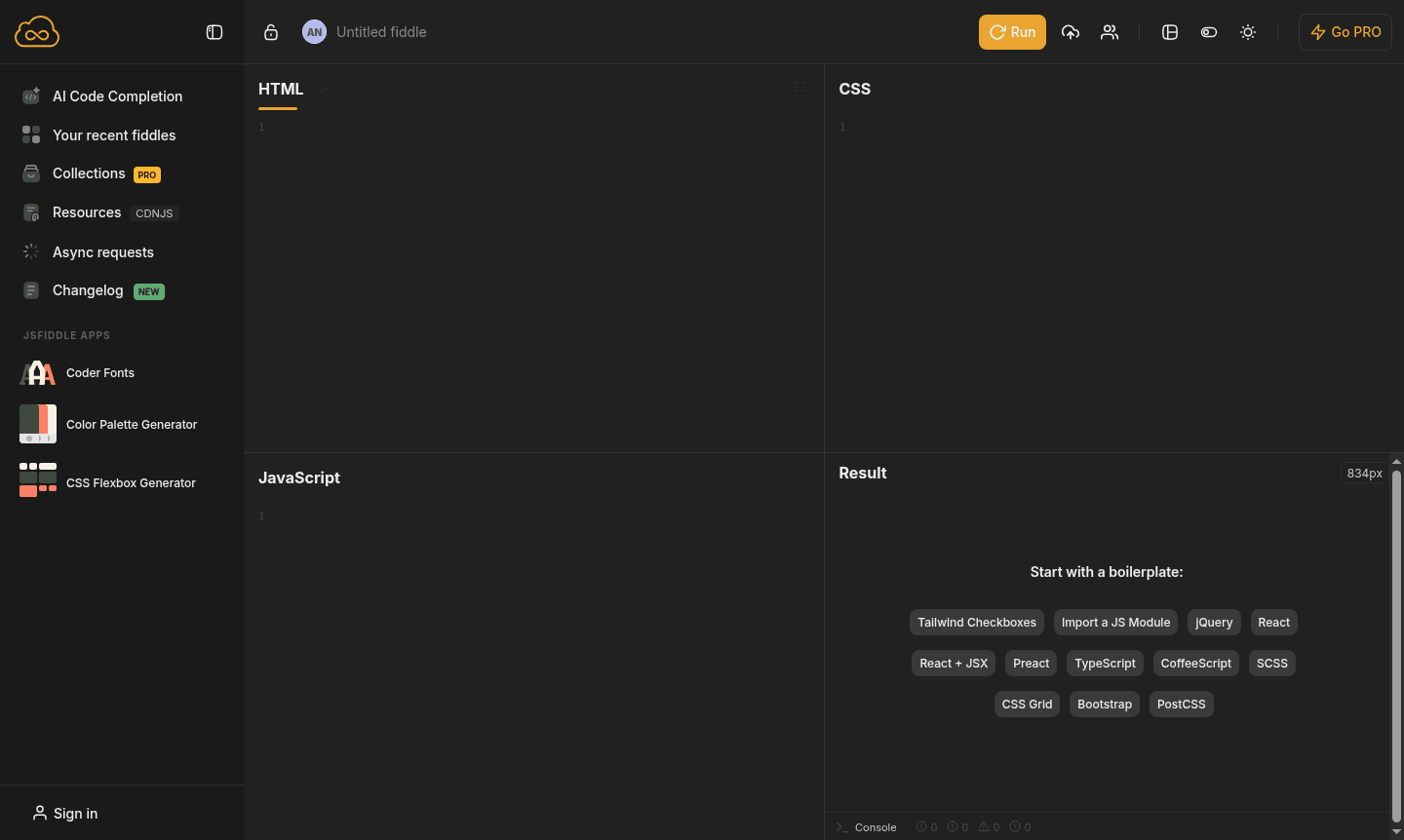
Overview of JSFiddle
JSFiddle is a powerful online code editor and playground that enables developers to test, share, and collaborate on HTML, CSS, and JavaScript code snippets in real-time. This web-based development environment supports multiple frameworks and libraries including React, jQuery, TypeScript, and Tailwind CSS, making it an essential tool for frontend developers, educators, and coding enthusiasts. The platform recently upgraded to the Monaco editor – the same engine powering Visual Studio Code – providing enhanced coding features and improved performance for all users.
As a comprehensive IDE and Code Repository Hosting platform, JSFiddle serves developers working on quick prototypes, debugging sessions, and collaborative coding projects. The platform's recent technical improvements have resulted in faster loading times and a 30% smaller JavaScript bundle, while new AI code completion features (currently in beta) leverage the Codestral model from Mistral AI. Whether you're testing a simple jQuery snippet or building complex React components, JSFiddle provides the perfect sandbox environment for frontend code testing and experimentation.
How to Use JSFiddle
Getting started with JSFiddle is straightforward – simply visit the website and begin coding in the intuitive four-panel interface featuring HTML, CSS, JavaScript, and Result sections. You can choose from numerous boilerplate templates for popular frameworks like React, jQuery, TypeScript, or Tailwind CSS to jumpstart your project. The platform automatically executes your code in real-time, displaying immediate results in the preview panel, while the built-in console helps debug JavaScript errors efficiently. For advanced features like AI code completion, users can integrate their own API keys from Mistral AI to enhance their coding workflow.
Core Features of JSFiddle
- Multi-Framework Support – Comprehensive compatibility with React, jQuery, TypeScript, and numerous CSS frameworks
- Real-time Preview – Instant code execution and live results display as you type and modify your code
- Monaco Editor Integration – Advanced code editing experience matching Visual Studio Code capabilities
- Collaboration Tools – Easy code sharing, embedding, and team collaboration features
- AI Code Completion – Beta AI assistance using Mistral's Codestral model for enhanced productivity
Use Cases for JSFiddle
- Rapid prototyping of HTML, CSS, and JavaScript components
- Educational demonstrations and coding tutorials for students
- Debugging and troubleshooting frontend code issues
- Creating shareable code examples for technical discussions
- Testing compatibility across different browsers and devices
- Collaborative coding sessions with team members
- Building and testing UI components before implementation
Support and Contact
For support, contact contact@jsfiddle.net or visit the JSFiddle homepage for resources and community forums.
Company Info
JSFiddle operates as an independent web-based development platform focused on providing robust coding tools for the global developer community. The service continues to evolve with regular updates and feature enhancements to meet modern web development requirements.
Login and Signup
Access your JSFiddle account or create a new one through the main website. The platform offers both free and PRO subscription options with varying feature sets to accommodate different user needs and project requirements.
JSFiddle FAQ
What is JSFiddle and how does it differ from other online code editors?
JSFiddle is a web-based code editor specifically designed for frontend development, supporting multiple frameworks with real-time preview and collaboration features.
Does JSFiddle offer AI code completion features for developers?
Yes, JSFiddle includes beta AI code completion using Mistral's Codestral model, though users need to provide their own API key for this feature.
What are the main benefits of upgrading to JSFiddle PRO subscription?
PRO users enjoy ad-free experience, private fiddles and collections, early access to new features, and enhanced debugging tools with built-in console.
What editor does JSFiddle use for code editing?
JSFiddle utilizes the Monaco editor, the same engine as Visual Studio Code, providing advanced features like syntax highlighting and improved performance.
JSFiddle Pricing
Current prices may vary due to updates
Free
Access to full online code editor with multiple framework support, public fiddles, community features, and AI code completion with own API key. Includ
PRO
Ad-free experience with pre-released features access, unlimited private fiddles and collections, built-in JavaScript console for debugging, and enhanc
JSFiddle Reviews0 review
Would you recommend JSFiddle? Leave a comment
JSFiddle Alternatives
The best modern alternatives to the tool
New Tools Releases
Recently added tools
