GeoGebra Classic
GeoGebra Classic is free mathematics software for graphing, geometry, 3D graphics, algebra, and probability. Ideal for students and teachers for interactive math learning.
Overview of GeoGebra Classic
GeoGebra Classic is a comprehensive mathematics software that combines dynamic geometry, algebra, calculus, and statistics in one integrated platform. This powerful educational tool serves students, teachers, and mathematics enthusiasts by providing an interactive environment for exploring mathematical concepts visually and numerically. The software bridges the gap between abstract mathematical theory and practical understanding through its multi-perspective approach to mathematical visualization and computation.
As a versatile Classroom Tools solution, GeoGebra Classic supports learning across various mathematical disciplines including geometry, algebra, calculus, and probability. The platform's unified interface allows users to seamlessly transition between different mathematical representations, making it particularly valuable for classroom instruction, self-study, and mathematical research applications.
How to Use GeoGebra Classic
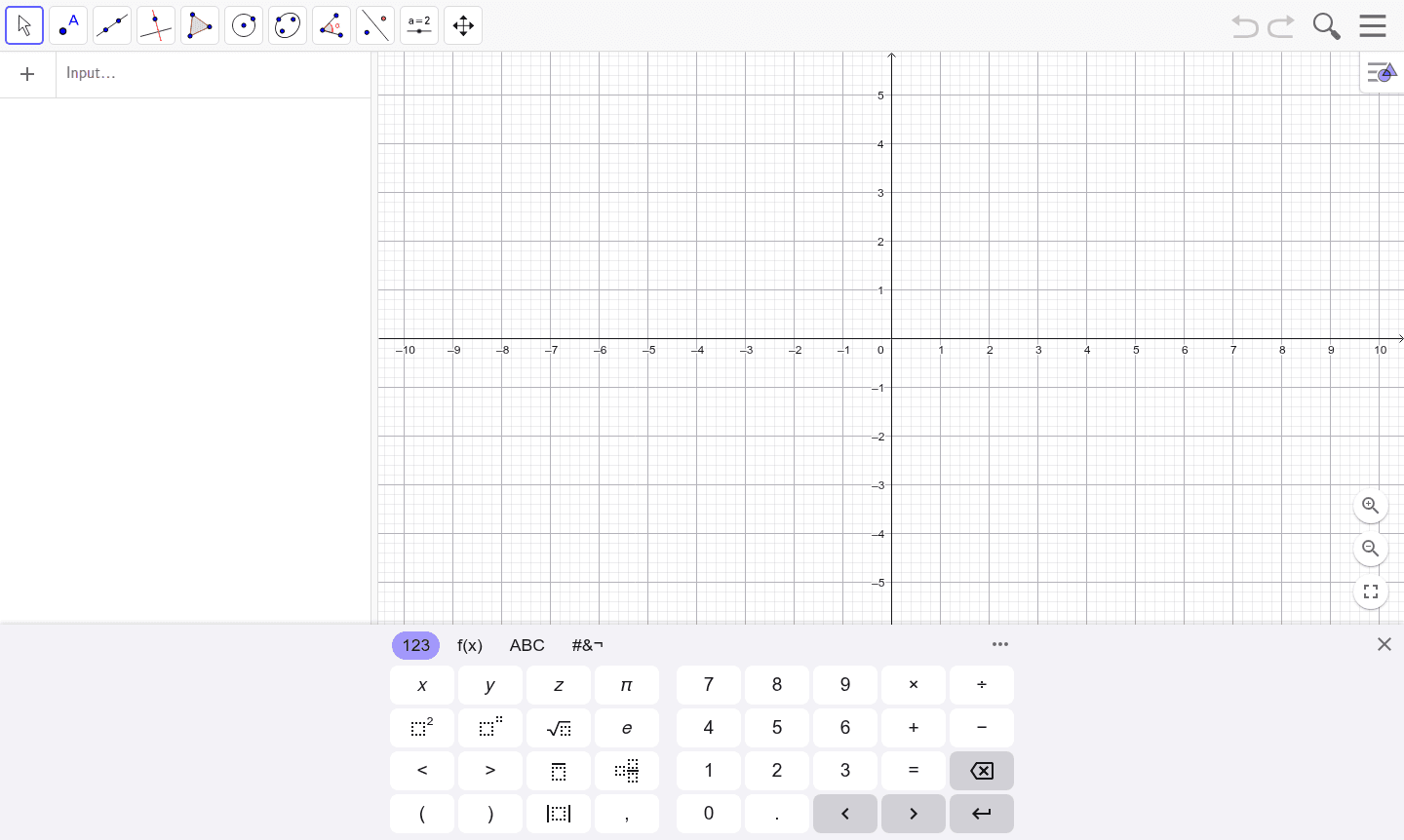
Getting started with GeoGebra Classic involves downloading the application from the official website or accessing the web version through any modern browser. Users can immediately begin creating mathematical constructions using the intuitive toolbar, which provides tools for points, lines, polygons, and function plotting. The software automatically maintains relationships between geometric objects and their algebraic representations, allowing for real-time updates and dynamic exploration of mathematical properties and relationships.
Core Features of GeoGebra Classic
- Dynamic Geometry – Interactive construction and manipulation of geometric figures with automatic constraint maintenance
- Algebraic Computation – Computer Algebra System (CAS) for symbolic calculations and equation solving
- 3D Graphics – Three-dimensional modeling and visualization of mathematical objects and surfaces
- Spreadsheet Integration – Data analysis and statistical functions with dynamic linking to geometric representations
- Probability Tools – Interactive probability simulations and statistical distribution modeling capabilities
Use Cases for GeoGebra Classic
- Classroom mathematics instruction and interactive demonstrations for teachers
- Student homework assistance and mathematical concept exploration
- Graphing calculator alternative for function analysis and curve plotting
- Geometry construction and theorem verification for mathematical research
- Statistical data analysis and probability distribution visualization
- 3D mathematical modeling and spatial geometry exploration
- Computer algebra computations for advanced mathematics problems
Support and Contact
For technical support and user assistance, visit the GeoGebra Classic website or email contact@geogebra.org. The platform maintains extensive documentation, tutorial resources, and community forums.
Company Info
GeoGebra is developed by the International GeoGebra Institute, a non-profit organization dedicated to providing free mathematics software for learning and teaching. The software represents a global collaborative effort among mathematics educators and developers committed to enhancing mathematical education worldwide.
Login and Signup
Access GeoGebra Classic at the main application page. No account is needed for basic use, but optional accounts enable saving work and accessing cloud features.
GeoGebra Classic FAQ
Is GeoGebra Classic completely free to use for educational purposes?
Yes, GeoGebra Classic is entirely free software with no hidden costs or premium requirements for educational use by students and teachers.
What mathematical areas does GeoGebra Classic cover in its integrated platform?
GeoGebra Classic covers graphing, geometry, 3D graphics, computer algebra, spreadsheets, and probability in one unified mathematics software environment.
Can GeoGebra Classic be used as an alternative to traditional graphing calculators?
Absolutely, GeoGebra Classic serves as a powerful graphing calculator alternative with enhanced visualization and computational capabilities beyond basic calculator functions.
Is GeoGebra Classic available on mobile devices?
Yes, GeoGebra Classic is available as a mobile app for iOS and Android, offering full functionality for on-the-go learning.
Can I use GeoGebra Classic without an internet connection?
GeoGebra Classic can be used offline after downloading the desktop application, while the web version requires an internet connection.
Does GeoGebra Classic support collaborative features?
GeoGebra Classic includes collaborative tools through GeoGebra Groups, allowing multiple users to work on mathematical projects together.
GeoGebra Classic Reviews0 review
Would you recommend GeoGebra Classic? Leave a comment
GeoGebra Classic Alternatives
The best modern alternatives to the tool
New Tools Releases
Recently added tools
