
GeoGebra Scientific Calculator
Use the free GeoGebra Scientific Calculator online for advanced mathematical computations. It provides trigonometric, logarithmic, statistical, and combinatorial functions for students, teachers, and professionals.
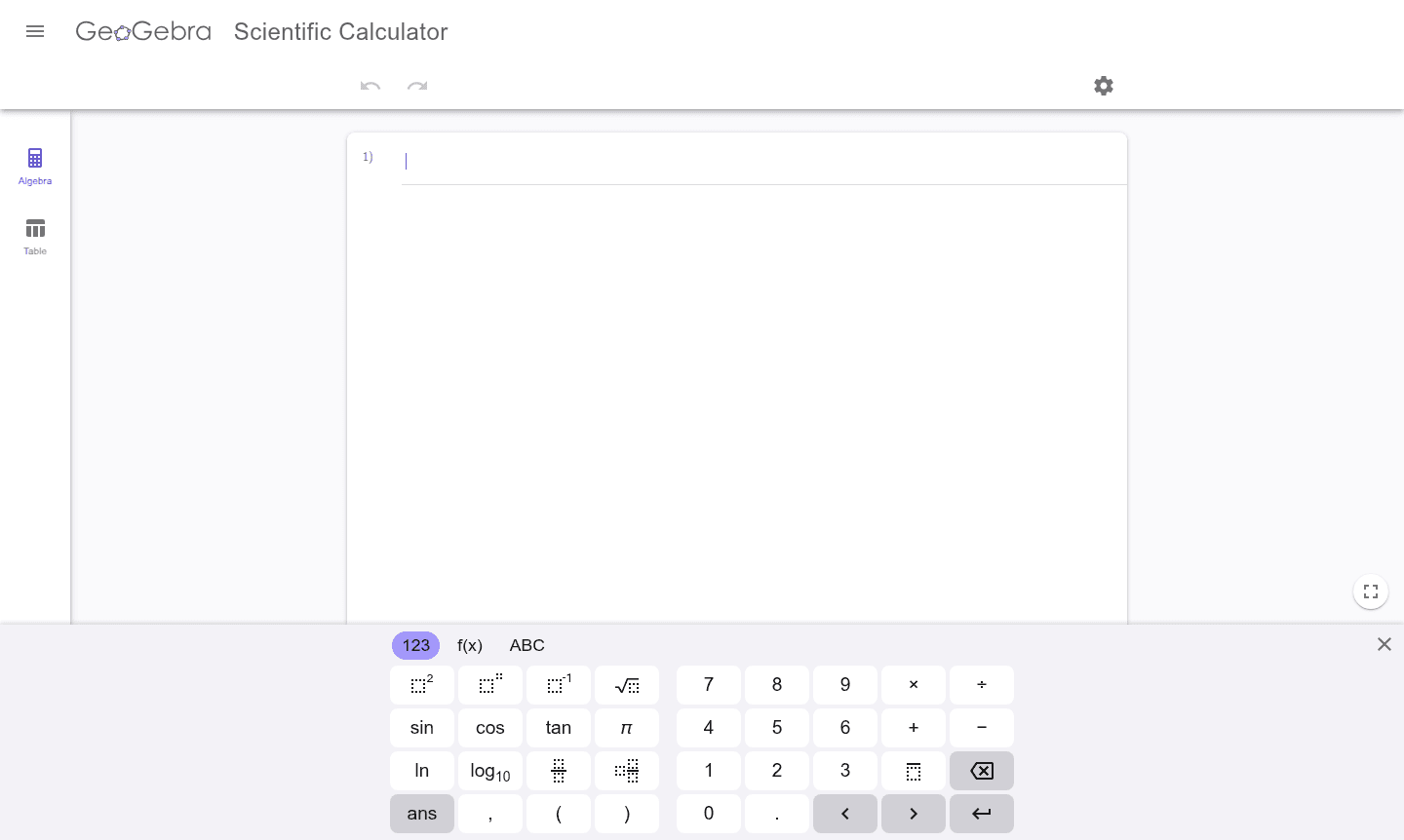
Overview of GeoGebra Scientific Calculator
The GeoGebra Scientific Calculator is a comprehensive online mathematics tool that provides advanced computational capabilities for students, educators, and professionals. This free scientific calculator online delivers powerful mathematical functions including trigonometric operations, logarithmic calculations, statistical analysis, and combinatorial mathematics. As part of the broader GeoGebra math tools ecosystem, it offers a reliable platform for solving complex mathematical problems without requiring software downloads or installations.
Designed specifically for educational and professional use, this scientific calculator with functions serves multiple audiences including Classroom Tools and Test Preparation. The calculator supports variables from a to z, enabling users to store and manipulate numerical values for extended calculations. With its clean interface and comprehensive feature set, it stands as one of the most versatile geogebra calculator alternatives available for mathematical computation and problem-solving.
How to Use GeoGebra Scientific Calculator
Using the GeoGebra Scientific Calculator is straightforward – simply access the tool through any web browser and begin entering mathematical expressions. The calculator follows standard mathematical order of operations, allowing users to input complex equations using the provided function buttons or keyboard shortcuts. For extended calculations, utilize the variable storage feature to save intermediate results, then recall them using the ans function or variable letters. The interface organizes functions logically, with basic arithmetic operations prominently displayed and advanced mathematical functions accessible through clearly labeled buttons.
Core Features of GeoGebra Scientific Calculator
- Advanced Mathematical Functions – Trigonometric, logarithmic, and statistical operations for complex math
- Variable Support – Store and use variables a-z for extended calculations and manipulations
- Statistical Analysis – Calculate mean, standard deviation, and other statistical measures easily
- Combinatorial Mathematics – Perform permutations, combinations, and factorial calculations
- Free Online Access – No downloads or installations required, works in any web browser
Use Cases for GeoGebra Scientific Calculator
- High school and college mathematics coursework requiring advanced computational capabilities
- Statistical analysis and data interpretation for research projects and academic studies
- Engineering calculations involving trigonometric functions and complex mathematical operations
- Probability and combinatorics problems requiring permutation and combination calculations
- Scientific research requiring precise mathematical computations and variable manipulation
- Test preparation and practice for standardized exams with mathematical components
- Professional work requiring quick access to advanced mathematical functions without specialized software
Support and Contact
For technical support and inquiries, contact contact@geogebra.org or visit the official GeoGebra website for documentation and community forums.
Company Info
GeoGebra is developed by the International GeoGebra Institute, a global non-profit organization dedicated to providing free mathematics software for learning and teaching worldwide.
Login and Signup
Login and signup are available at the GeoGebra website for additional features, but basic calculator use requires no account or registration.
GeoGebra Scientific Calculator FAQ
Is the GeoGebra Scientific Calculator completely free to use?
Yes, the GeoGebra Scientific Calculator is completely free with no hidden costs or subscription fees required for full functionality.
What mathematical functions does the GeoGebra calculator support?
It supports trigonometric, logarithmic, statistical, combinatorial functions, basic arithmetic, and variable operations for comprehensive mathematical calculations.
Can I use the GeoGebra Scientific Calculator on mobile devices?
Yes, the calculator works on all devices with web browsers including smartphones, tablets, and computers without requiring app installation.
Do I need an account to use the GeoGebra Scientific Calculator?
No, the GeoGebra Scientific Calculator does not require an account for basic functionality. You can use it directly in your web browser without signing up.
GeoGebra Scientific Calculator Reviews0 review
Would you recommend GeoGebra Scientific Calculator? Leave a comment
GeoGebra Scientific Calculator Alternatives
The best modern alternatives to the tool
New Tools Releases
Recently added tools
