Microsoft Whiteboard
Microsoft Whiteboard: Digital whiteboard for real-time collaboration, brainstorming, and planning with AI Copilot, 60+ templates, cross-platform sync. Integrated with Microsoft 365 and Teams for remote teams and classrooms.
Overview of Microsoft Whiteboard
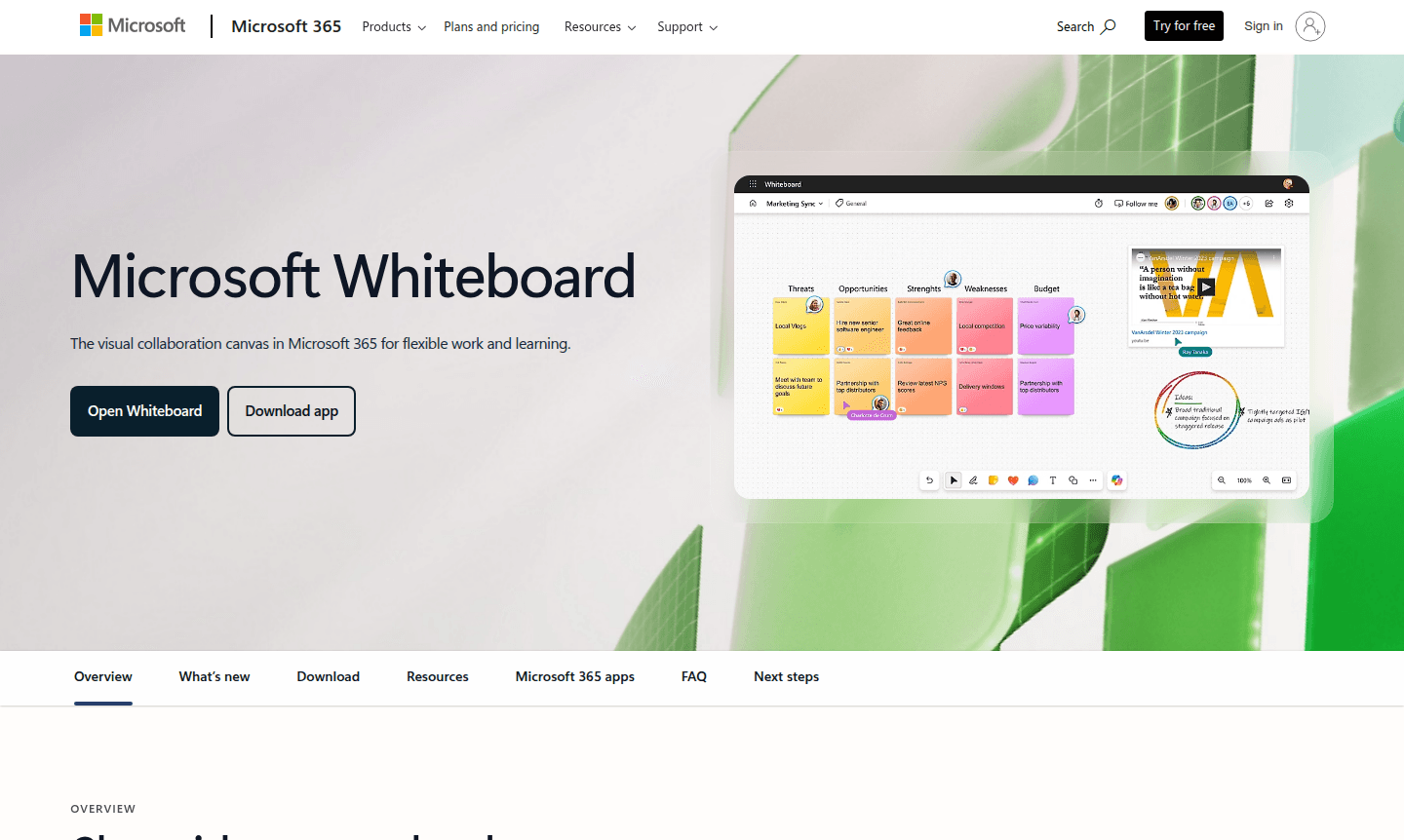
Microsoft Whiteboard is a comprehensive digital collaboration platform that transforms how teams brainstorm, plan, and work together visually. As part of the Microsoft 365 ecosystem, this virtual whiteboard app serves as an infinite canvas where distributed teams can share ideas in real-time using digital ink, sticky notes, templates, and various visual elements. Whether you're conducting remote meetings, classroom sessions, or creative workshops, Whiteboard provides the flexible tools needed to capture and develop concepts collaboratively.
The platform integrates seamlessly with Microsoft Teams, making it ideal for business meetings, educational environments, and creative brainstorming sessions. With support for multiple devices including Windows, iOS, Android, and web browsers, teams can collaborate regardless of their location or preferred device. The inclusion of AI-powered Copilot features helps accelerate ideation by visualizing, categorizing, and summarizing thoughts automatically, while over 60 customizable templates provide structure for various use cases from project planning to problem-solving. Microsoft Whiteboard is categorized under Virtual Whiteboard and Collaboration Tool for enhanced discoverability.
How to Use Microsoft Whiteboard
Getting started with Microsoft Whiteboard is straightforward – simply access it through your Microsoft 365 account via the web app or download the dedicated application for Windows, iOS, or Android. During Microsoft Teams meetings, you can instantly share a whiteboard with all participants, who can then contribute simultaneously using digital pens, sticky notes, text boxes, and shapes. For individual use, create new boards from templates or start with a blank canvas, then invite collaborators via sharing links. All content automatically syncs across devices and integrates with Microsoft Loop components for seamless workflow continuity across chats, emails, and documents.
Core Features of Microsoft Whiteboard
- Real-time Collaboration – Multiple users can edit simultaneously with live cursor tracking and presence indicators
- AI-Powered Copilot – Automatically organizes and summarizes ideas to accelerate brainstorming sessions
- Template Library – Choose from 60+ pre-designed templates for meetings, planning, and workshops
- Microsoft Teams Integration – Launch and share whiteboards directly within Teams meetings
- Cross-Platform Sync – Boards automatically update across web, mobile, and desktop applications
Use Cases for Microsoft Whiteboard
- Brainstorming and ideation sessions with distributed teams
- Running effective virtual meetings with visual engagement tools
- Classroom instruction and interactive learning activities
- Project planning and sprint planning for agile teams
- Problem-solving workshops with visual mapping techniques
- Incident management and response coordination
- Creative workshops and design thinking sessions
Support and Contact
For technical support and assistance with Microsoft Whiteboard, visit the Microsoft Support Center or access help resources through your Microsoft 365 admin portal. Enterprise customers can contact their dedicated Microsoft account representative for personalized assistance with deployment and configuration.
Company Info
Microsoft Corporation, headquartered in Redmond, Washington, USA, develops Microsoft Whiteboard as part of its Microsoft 365 productivity suite. The company provides enterprise-grade security, compliance, and reliability for business and educational institutions worldwide. Learn more about Microsoft's vision and products at microsoft.com.
Login and Signup
Access Microsoft Whiteboard by signing in with your Microsoft 365 account at whiteboard.microsoft.com. New users can start with a free one-month trial of Microsoft 365 by visiting microsoft.com/microsoft-365.
Microsoft Whiteboard FAQ
What is Microsoft Whiteboard and how does it differ from physical whiteboards?
Microsoft Whiteboard is a digital collaboration app that provides infinite canvas space with templates, real-time co-editing, and automatic saving, unlike physical whiteboards that have limited space and require manual cleanup.
Can Microsoft Whiteboard be used without a Microsoft Teams subscription?
Yes, Microsoft Whiteboard can be used as a standalone web and mobile app, though Teams integration enhances meeting collaboration features for subscribed users.
How does the AI Copilot feature work in Microsoft Whiteboard?
Copilot in Whiteboard uses AI to automatically categorize sticky notes, generate summaries, and create visual organization of ideas to accelerate brainstorming and planning sessions.
What devices and platforms support Microsoft Whiteboard?
Microsoft Whiteboard works on Windows 11, iOS, Android devices, and web browsers, with automatic synchronization across all platforms for seamless collaboration.
Is Microsoft Whiteboard suitable for educational institutions?
Yes, Whiteboard is specifically designed for both remote and classroom learning, with features that enhance student engagement and interactive lesson delivery.
Microsoft Whiteboard Pricing
Current prices may vary due to updates
Microsoft 365
Includes Whiteboard as part of Microsoft 365 subscription with online security, innovative apps, and cloud storage across devices. Free one-month tria
Microsoft Whiteboard Reviews0 review
Would you recommend Microsoft Whiteboard? Leave a comment
Microsoft Whiteboard Alternatives
The best modern alternatives to the tool
New Tools Releases
Recently added tools
