
Readwise
Readwise syncs highlights from Kindle, Instapaper, Pocket, and more. This spaced repetition app helps you remember what you read via daily emails and integrations with Notion, Evernote, and Roam. Ideal for students and professionals.
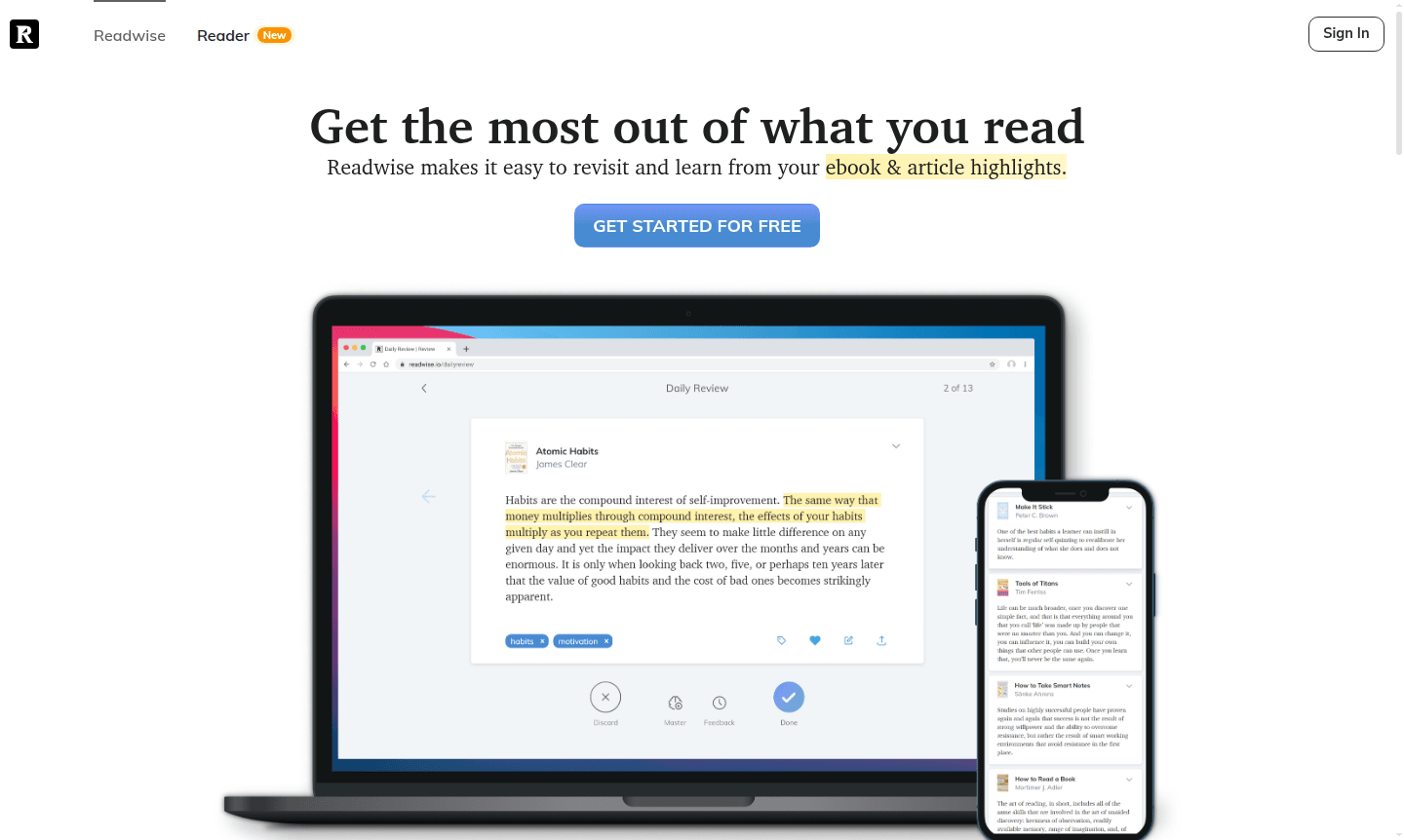
Overview of Readwise
Readwise revolutionizes reading engagement by creating a centralized hub for all your digital highlights and annotations. This platform automatically syncs your most important passages from Kindle, Apple Books, Instapaper, Pocket, Medium, Goodreads, and physical books using OCR technology. By implementing scientifically proven spaced repetition techniques, Readwise ensures you remember and apply valuable insights, turning passive reading into active learning.
Perfect for avid readers, students, researchers, and professionals, Readwise serves as your personal knowledge management system. It integrates seamlessly with Reading Assistant tools and Ebook Reader platforms, making it essential for improving information retention and application in academic, professional, and personal contexts.
How to Use Readwise
Getting started with Readwise is easy: connect your reading accounts from supported platforms like Kindle, Instapaper, Pocket, and Apple Books to import highlights. The system syncs and organizes content in your library. Establish a daily review routine via the mobile app or email digest to see relevant highlights. Enhance your experience by tagging passages, adding notes, and connecting to note-taking apps like Notion, Evernote, or Roam Research.
Core Features of Readwise
- Multi-Platform Highlight Sync – Imports and centralizes highlights from Kindle, Instapaper, Pocket, and other platforms
- Spaced Repetition System – Resurfaces highlights at optimal intervals using proven techniques for retention
- Daily Email Digest – Sends curated highlights to your inbox for daily review and reinforcement
- Note-Taking Integration – Syncs with Evernote, Notion, Roam Research, and other tools automatically
- Physical Book OCR – Captures highlights from physical books using phone camera and OCR
Use Cases for Readwise
- Academic researchers organizing and recalling key literature insights and citations
- Professionals maintaining continuing education and industry knowledge retention
- Students managing textbook highlights and study materials across multiple courses
- Book club members tracking discussion points and favorite passages from group readings
- Content creators collecting research materials and inspiration for future projects
- Lifelong learners building personal knowledge libraries from diverse reading sources
- Executives and managers keeping up with business literature
Support and Contact
For customer support, contact contact@readwise.io or visit the Readwise website. The platform provides support via website and social media channels.
Company Info
Readwise is developed by an independent team dedicated to improving digital reading and knowledge retention. The company operates globally with mobile apps on iOS and Android.
Login and Signup
Sign up for a Readwise account at readwise.io to start your free trial. Log in to access your library and settings.
Readwise FAQ
How does Readwise help with remembering what I read?
Readwise uses spaced repetition to resurface your highlights at optimal intervals, ensuring you review key ideas when you're most likely to forget them, dramatically improving long-term retention.
What reading platforms does Readwise sync with?
Readwise syncs highlights from Kindle, Apple Books, Instapaper, Pocket, Medium, Goodreads, and even physical books using OCR technology through their mobile app.
Can I export my Readwise highlights to other apps?
Yes, Readwise offers automatic continuous sync with popular note-taking apps including Evernote, Notion, and Roam Research, plus manual export options for other platforms.
How long is the Readwise free trial?
The Readwise free trial lasts for 30 days, offering full access to all features including highlight syncing and integrations.
Readwise Pricing
Current prices may vary due to updates
Free Trial
30-day free trial with full access to all Readwise features including highlight syncing from multiple platforms, daily email reviews, spaced repetitio
Readwise Reviews0 review
Would you recommend Readwise? Leave a comment
Readwise Alternatives
The best modern alternatives to the tool
New Tools Releases
Recently added tools
