
TextQuery
TextQuery is a powerful desktop app for local data analysis using SQL. Import Excel, CSV, JSON files without coding. Create charts, edit data inline, and export results. Privacy-focused with perpetual license. Free version available for evaluation.
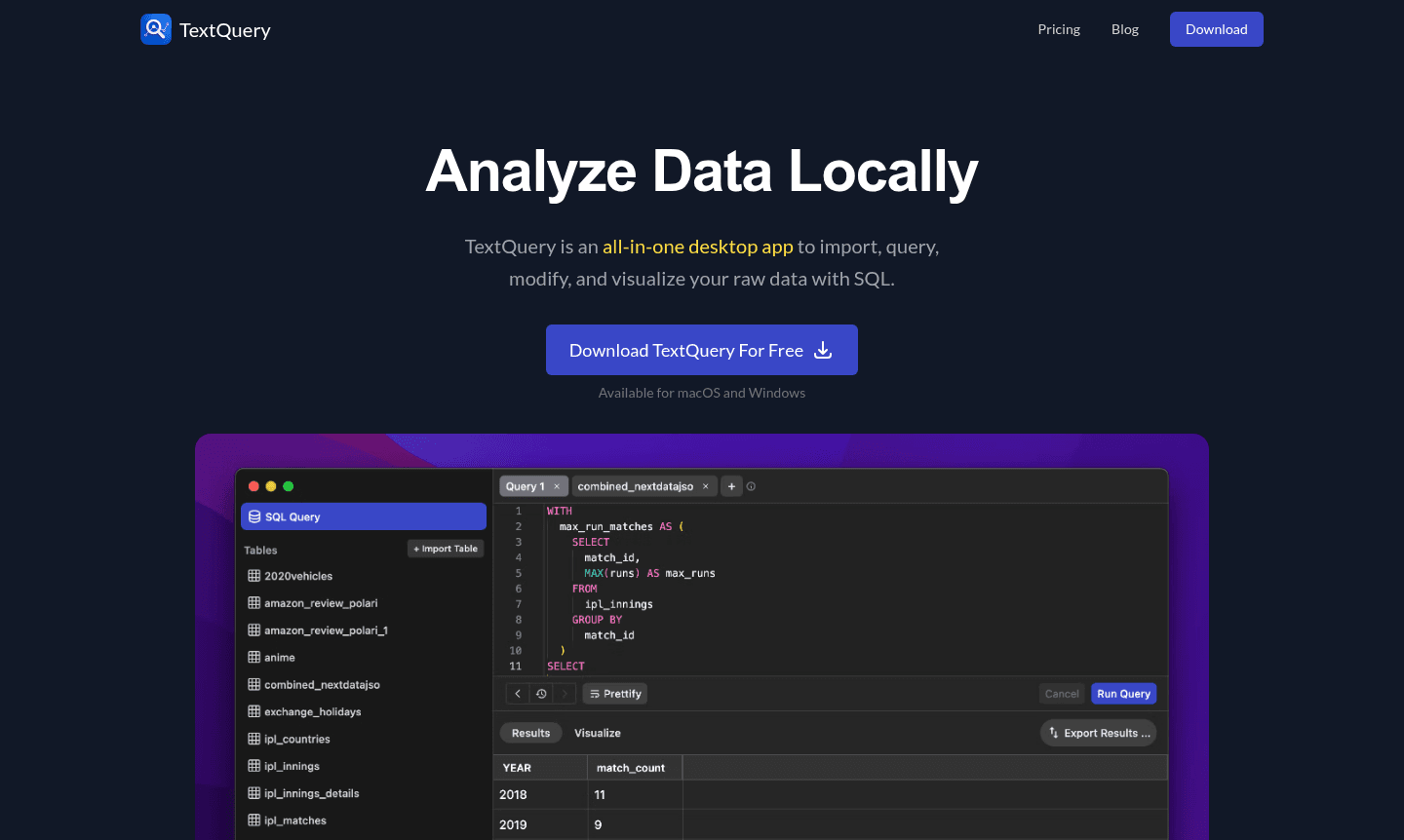
Overview of TextQuery
TextQuery is a powerful data analysis tool that allows users to perform local SQL queries on imported data without an internet connection. This desktop app supports macOS and Windows, providing a privacy-focused solution for data professionals handling sensitive information. With over 1,500 users, it eliminates the need for coding or complex setups, making data manipulation accessible.
The tool imports various formats like Excel, CSV, and JSON, and features a robust SQL editor with autocomplete. As a privacy-focused data tool, it processes everything locally, ensuring security. Its perpetual license model offers cost-effective, long-term use with free updates, and includes data visualization capabilities for comprehensive analysis.
How to Use TextQuery
Getting started with TextQuery involves a straightforward workflow: begin by importing your data files through the intuitive drag-and-drop interface, which automatically detects file formats and structures without requiring manual schema configuration. Once your data is loaded, utilize the powerful SQL editor to write and execute queries, taking advantage of features like autocomplete, query history, and formatting tools to streamline your workflow. After obtaining your results, you can either export the data in various formats (CSV, JSON, Excel, SQL) or create visualizations using the built-in chart creator, which supports multiple chart types including line, bar, area, scatter, and pie charts with customizable titles, descriptions, and color schemes.
Core Features of TextQuery
- Multi-Format Data Import – Supports Excel, CSV, JSON, and compressed archives without schema definition
- Advanced SQL Editor – Features autocomplete, query history, favorites, and formatting tools
- Built-in Visualization – Create and customize various chart types with export capabilities
- Inline Data Editing – Modify values directly and commit changes in batches
- Privacy-First Architecture – All data processing occurs locally with no external transmission
Use Cases for TextQuery
- Business intelligence and reporting for small to medium enterprises
- Academic research data analysis and visualization
- Financial data processing with sensitive information
- Marketing analytics and campaign performance tracking
- Database management and SQL query practice
- Data migration and transformation between formats
- Creating visual reports from raw datasets for presentations
Support and Contact
For support, contact contact@textquery.com or visit the official website for documentation and resources. The development team provides help through built-in features and online channels.
Company Info
TextQuery is developed by a team focused on creating practical desktop tools for data professionals. The company emphasizes user privacy and one-time payment models, standing against the trend of subscription-based software. Their commitment to continuous improvement is evidenced by regular updates incorporating user feedback and feature enhancements.
Login and Signup
TextQuery does not require account creation. Download the software from the official website and start using it immediately. The free version has limitations, while the Pro version requires a one-time purchase.
TextQuery FAQ
What operating systems does TextQuery support?
TextQuery is available for both macOS and Windows platforms, providing a consistent experience across both desktop environments.
Does TextQuery require an internet connection for data analysis?
No, TextQuery processes all data locally on your computer, ensuring complete privacy and offline functionality for your data analysis tasks.
What file formats can I import into TextQuery?
TextQuery supports Excel files (.xlsx, .xls), CSV, TSV, JSON, JSON-LD, and compressed archives including ZIP, GZ, TGZ, and TAR formats.
Are there any data size limits in the free version?
The free version has limitations on data import and features, but specific size limits are not detailed; upgrading to Pro removes all restrictions.
TextQuery Pricing
Current prices may vary due to updates
Free
Evaluation version with certain limitations, allowing users to test basic features before upgrading to the full Pro version. Ideal for trying out the
Pro
One-time payment with free updates forever, providing unlimited data import, advanced SQL editor features, complete chart creation tools, and all prem
TextQuery Reviews0 review
Would you recommend TextQuery? Leave a comment
TextQuery Alternatives
The best modern alternatives to the tool
New Tools Releases
Recently added tools
