
TeraCopy
TeraCopy enhances Windows file transfers with faster speeds, secure data handling, and file verification. It replaces Explorer copy with error recovery, checksum checks, and queuing for IT pros and creators.
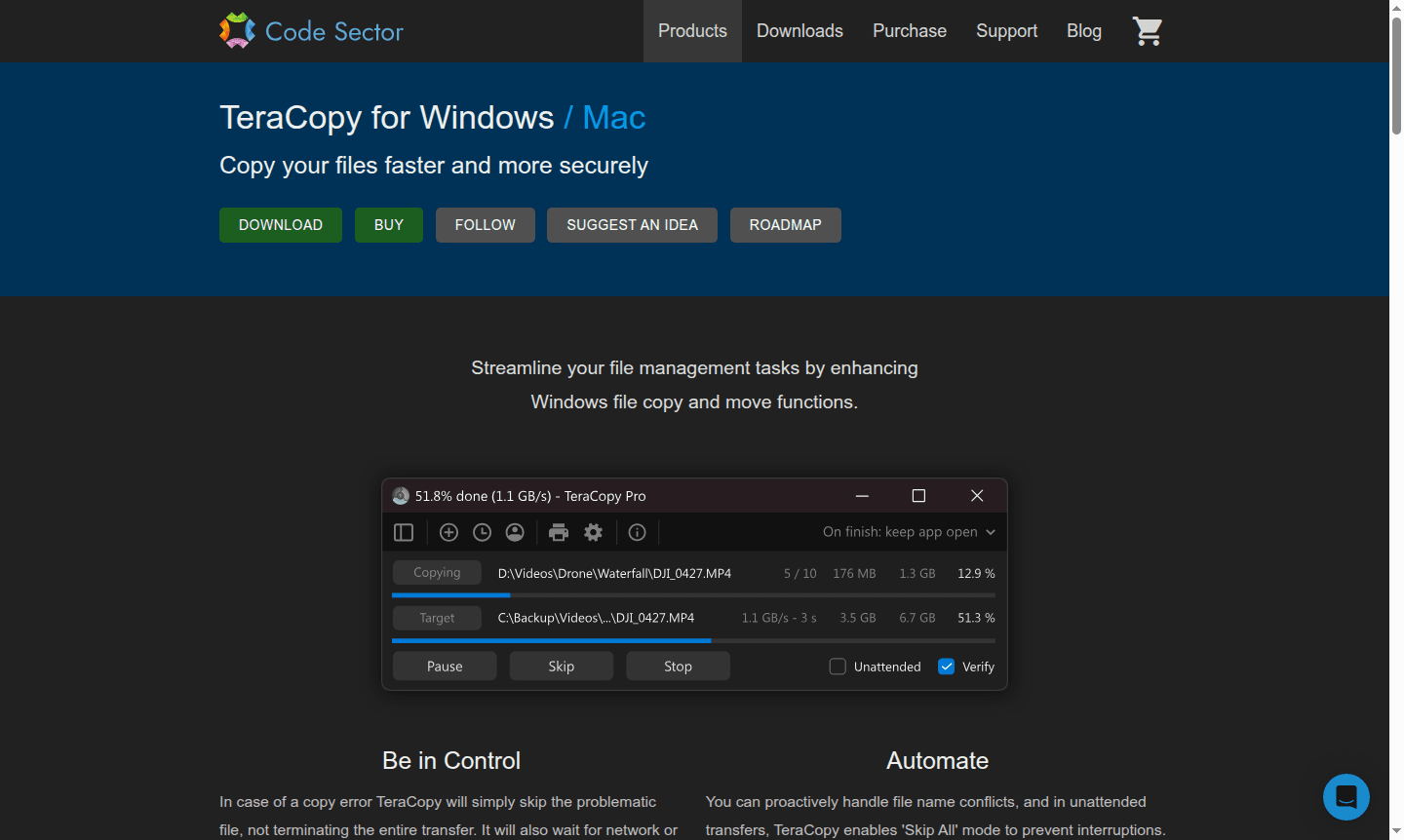
Overview of TeraCopy
TeraCopy is a powerful Windows file transfer utility designed to copy your files faster and more securely than traditional methods. This innovative software replaces the standard Windows copy function with advanced features that ensure reliable data transfer, error recovery, and comprehensive file verification. Whether you're moving large media files, backing up important documents, or transferring data between drives, TeraCopy provides the speed and reliability needed for efficient file management. The tool is particularly valuable for IT professionals, content creators, and anyone who regularly handles large file transfers where data integrity is crucial.
With its intelligent error recovery system, TeraCopy automatically skips problematic files without terminating the entire transfer process, allowing you to resume operations after network or device reconnection. The software supports 17 different checksum algorithms including CRC32, MD5, SHA1, BLAKE3, and xxHash3 to verify file integrity after copying. Users can benefit from faster file copy speeds on Windows while maintaining complete control over their transfer operations, making it an essential File Explorer Alternative and reliable File Transfer Automation solution for modern computing needs.
How to Use TeraCopy
Using TeraCopy is straightforward and integrates seamlessly with your existing Windows workflow. After installation, the software automatically replaces Windows Explorer's default copy and move functions. When you initiate a file transfer through drag-and-drop or standard copy commands, TeraCopy takes over and displays its intuitive interface showing transfer progress, speed graphs, and file details. You can manually skip unnecessary files during transfer to save time, queue multiple operations for sequential execution, and review the interactive file list that serves as both transfer log and management interface. After completion, you can retry only failed or skipped files and generate comprehensive transfer reports.
Core Features of TeraCopy
- Error Recovery – Automatically skips problematic files and resumes transfers after interruptions
- File Verification – Validates copied files using 17 checksum algorithms for data integrity
- Transfer Control – Provides detailed progress information with speed graphs and status updates
- Shell Integration – Seamlessly replaces Windows Explorer copy and move functions
- Task Management – Queues multiple transfers and maintains operation history for review
Use Cases for TeraCopy
- Transferring large media files between storage devices
- Backing up important documents with verification
- Moving project files across network locations
- Copying locked files that are in use by other applications
- Managing batch file operations with queuing
- Verifying data integrity after critical transfers
- Automating file copy tasks with PowerShell scripts
Support and Contact
For technical support and inquiries, please contact contact@codesector.com or visit the TeraCopy Support Page for documentation and resources.
Company Info
TeraCopy is developed by Code Sector, a software company specializing in utility applications for Windows systems. The company focuses on creating efficient tools that enhance user productivity and system performance through innovative solutions for common computing tasks.
Login and Signup
To download TeraCopy or learn more about its features, visit the TeraCopy Official Website. The free version is available for immediate download, while TeraCopy Pro can be purchased directly through their online store.
TeraCopy FAQ
What makes TeraCopy faster than Windows file copy?
TeraCopy uses dynamic buffer adjustment and error recovery to maintain optimal transfer speeds without stopping for minor issues.
Can TeraCopy verify that files were copied correctly?
Yes, TeraCopy supports 17 checksum algorithms to verify file integrity after transfer completion.
Does TeraCopy work with locked or in-use files?
TeraCopy can copy locked files using Windows Service and Volume Shadow Copy technology.
Can TeraCopy be used in commercial environments?
Yes, TeraCopy Pro includes a commercial use license, while the free version is for personal use only.
TeraCopy Pricing
Current prices may vary due to updates
TeraCopy
Free version offering core features like file verification, timestamp preservation, locked file copying, Windows Explorer integration, and more for pe
TeraCopy Pro
Professional version with commercial license, file list editing, favorite folder management, report export, and automatic ignore lists for advanced us
TeraCopy Reviews0 review
Would you recommend TeraCopy? Leave a comment
TeraCopy Alternatives
The best modern alternatives to the tool
New Tools Releases
Recently added tools
