
Google Help
Access comprehensive Google Help support with documentation, troubleshooting guides, account recovery, and access to community forums and Product Experts for all Google products.
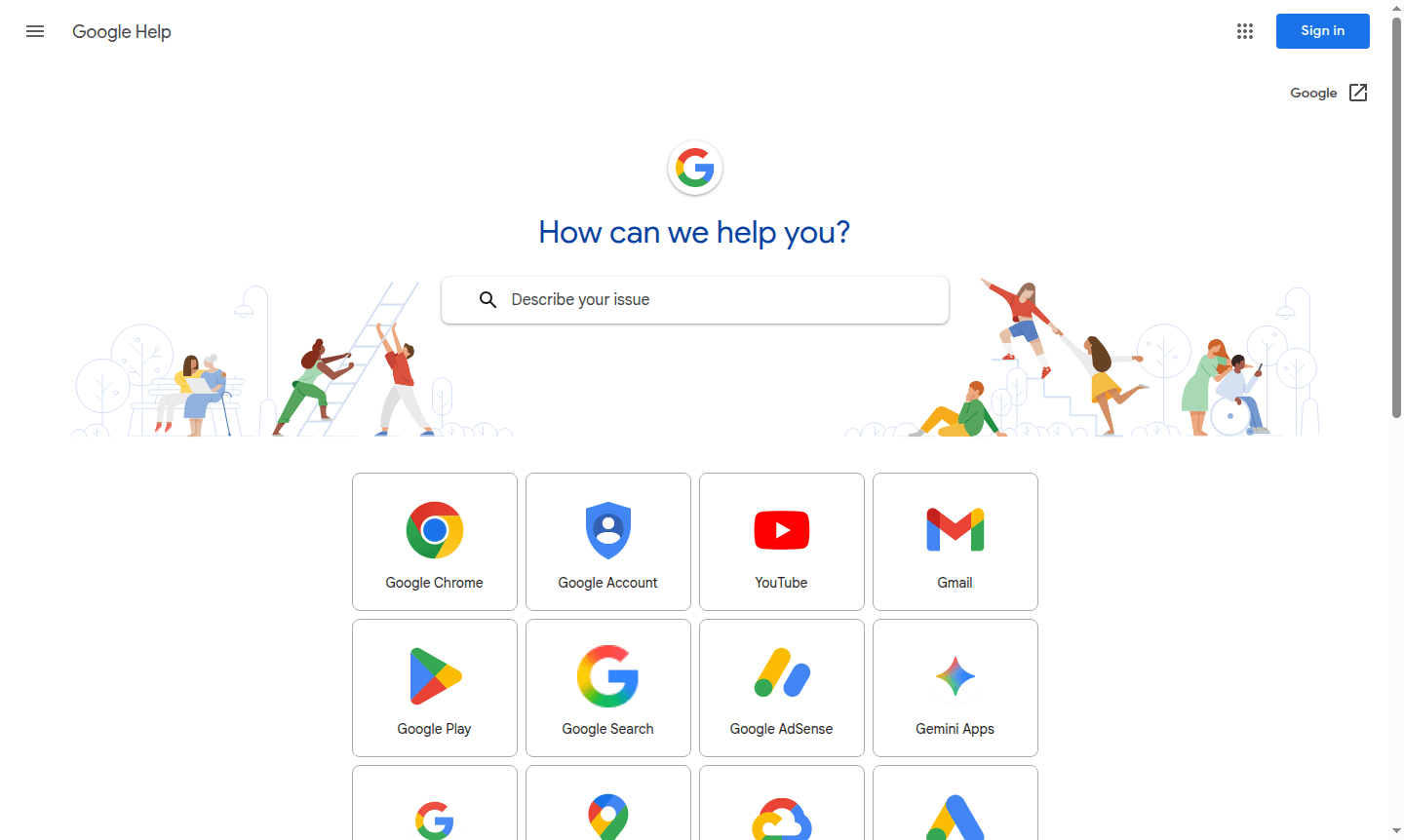
Overview of Google Help
Google Help serves as the comprehensive support hub for all Google products and services, providing users with extensive documentation, troubleshooting guides, and customer assistance resources. This centralized help center covers everything from consumer applications like Gmail and Google Maps to business solutions such as Google Workspace and developer tools including Google Cloud Platform. Whether you're experiencing technical issues, need account recovery assistance, or want to learn advanced features, Google Help offers structured guidance organized by product categories and user types.
The platform caters to diverse audiences including individual consumers, business administrators, and developers working with Google's ecosystem. Users can access detailed help articles, community forums, and official documentation covering hundreds of Google services across Knowledge Base, Collaboration Tool, and Document Editor categories. The help center also provides status updates for Google Workspace services and connects users with Google's Product Experts program for specialized assistance.
How to Use Google Help
To access Google Help support, navigate to the main help page and select your specific Google product from the categorized lists for Consumer, Business, or Developer tools. Browse through the available help articles or use the search functionality to find solutions for particular issues. For account-related problems, use the dedicated account recovery section, while technical troubleshooting guides provide step-by-step instructions for resolving common product issues. The platform also offers access to community forums where users can seek advice from other Google product experts and official support representatives.
Core Features of Google Help
- Product Documentation – Comprehensive help articles and user guides for all Google services
- Troubleshooting Resources – Step-by-step solutions for common technical issues and errors
- Account Recovery – Assistance with password reset and account access problems
- Status Dashboard – Real-time updates on Google Workspace service availability
- Community Support – Access to user forums and Google Product Experts program
Use Cases for Google Help
- Resolving Gmail access and configuration issues
- Troubleshooting Google Drive file synchronization problems
- Recovering locked or compromised Google accounts
- Learning advanced features in Google Workspace applications
- Checking service status during Google product outages
- Finding documentation for Google Cloud developer tools
- Getting assistance with Google Ads and marketing platforms
Support and Contact
For direct assistance, contact support at contact@google.com or visit the Google Help contact page. Users can also access comprehensive help resources through the main Google Help portal, including community forums, live chat options for certain products, and extensive knowledge base articles.
Company Info
Google Help is maintained by Google LLC, headquartered in Mountain View, California, United States. As part of Alphabet Inc., Google provides this comprehensive support platform to assist users across its extensive ecosystem of consumer, business, and developer products.
Login and Signup
Access Google Help resources at Google Help. Sign in with your Google account for personalized assistance and account-specific features.
Google Help FAQ
How do I access Google Help for specific product issues?
Visit support.google.com, select your product from the categorized lists, and browse help articles or use search to find solutions.
What should I do if I can't access my Google account?
Use the account recovery section on Google Help with your recovery email or phone number to regain access to your account.
Where can I check if Google services are experiencing outages?
Check the Google Workspace Status Dashboard available through Google Help for real-time service status updates.
How can I get help from the Google community?
Participate in the Google Help community forums to ask questions and get answers from other users and Product Experts.
Google Help Reviews0 review
Would you recommend Google Help? Leave a comment
Google Help Alternatives
The best modern alternatives to the tool
New Tools Releases
Recently added tools
