Google Sync
Google Sync syncs work email, contacts, and calendars between Google Workspace and iOS devices via Exchange ActiveSync. Includes setup guides, security policies, and transition info before May 2025 end of service.
Overview of Google Sync
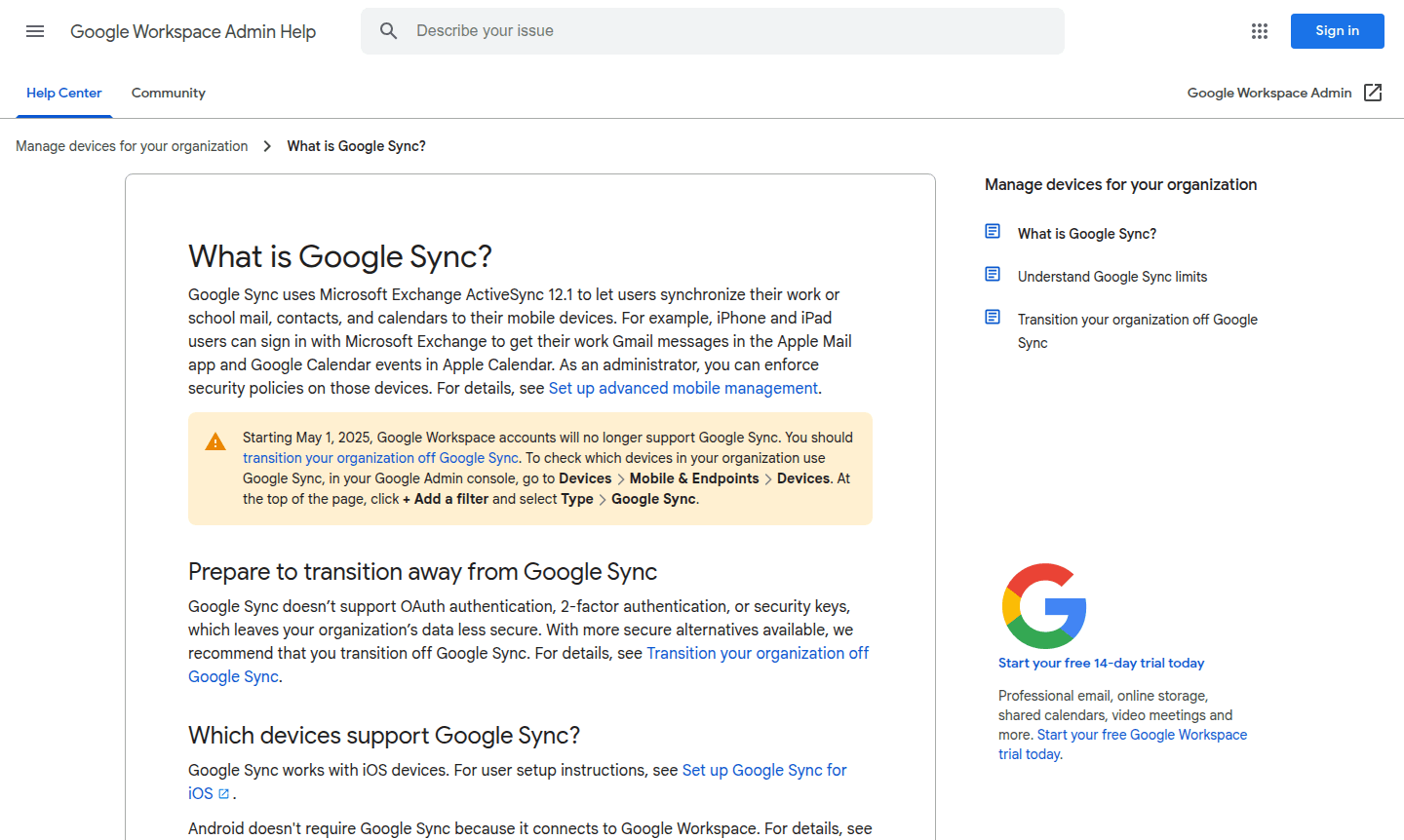
Google Sync is a mobile synchronization service that enables users to access their work or school email, contacts, and calendar data directly on iOS devices. It is categorized under Calendar App and File Sync on ToolPicker. Using Microsoft Exchange ActiveSync 12.1 protocol, it allows seamless integration between Google Workspace accounts and Apple's native applications. This service is particularly valuable for organizations managing mobile device access while maintaining centralized control over corporate data and security policies.
As part of Google Workspace ecosystem, Google Sync bridges the gap between enterprise email systems and mobile productivity. However, it's important to note that Google has announced the service will be discontinued after May 1, 2025, requiring organizations to transition to more secure alternatives. The service currently supports iOS devices exclusively, while Android users connect directly through Google Workspace integration without requiring additional sync setup.
How to Use Google Sync
Setting up Google Sync involves configuring Microsoft Exchange accounts on iOS devices through the device settings menu. Users sign in with their work or school Google account credentials, which establishes the connection between their Google Workspace data and Apple's Mail, Contacts, and Calendar applications. Administrators can enforce security policies on enrolled devices, requiring passcodes, encryption, or remote wipe capabilities to protect organizational data. Before setup, users should back up existing device data since configuring a new ActiveSync account may remove local information.
Core Features of Google Sync
- Email Synchronization – Sync work Gmail messages directly to Apple Mail app on iOS devices
- Calendar Integration – Access Google Calendar events within Apple Calendar application
- Contact Management – Synchronize work contacts between Google Workspace and iOS devices
- Security Policies – Administrators can enforce device security requirements and remote management
- Mobile Device Management – Centralized control over enrolled iOS devices within organizations
Use Cases for Google Sync
- Business professionals accessing work email on iPhone and iPad devices
- Organizations requiring centralized mobile device management for iOS users
- Companies transitioning from traditional Exchange servers to Google Workspace
- Teams needing calendar synchronization between Google and Apple ecosystems
- IT administrators managing security policies across employee mobile devices
- Users requiring offline access to work email and calendar information
- Organizations preparing for Google Sync end of life transition by May 2025
Support and Contact
For technical support and setup assistance, contact contact@google.com or visit the Google Sync setup guide. Additional resources include the Google Workspace Learning Center for comprehensive mobile management documentation.
Company Info
Google Sync is developed by Google LLC, headquartered in Mountain View, California, United States. As part of Google Workspace productivity suite, it integrates with Google's broader ecosystem of business and collaboration tools. Learn more about Google's enterprise services at their official Workspace website.
Login and Signup
Access Google Sync through your existing Google Workspace account at the Google Workspace login page. New organizations can explore features through the 14-day free trial offering professional email, online storage, shared calendars, and video meetings.
Google Sync FAQ
What is Google Sync and how does it work?
Google Sync uses Microsoft Exchange ActiveSync to synchronize work email, contacts, and calendars between Google Workspace and iOS devices through native Apple apps.
When will Google Sync be discontinued?
Google Sync service ends on May 1, 2025, requiring organizations to transition to more secure authentication alternatives before this date.
Which devices support Google Sync setup?
Google Sync works exclusively with iOS devices like iPhone and iPad, while Android connects directly to Google Workspace without additional sync.
What security features does Google Sync provide?
Administrators can enforce device passcodes, encryption, and remote wipe capabilities, though it lacks OAuth and two-factor authentication support.
Google Sync Reviews0 review
Would you recommend Google Sync? Leave a comment
Google Sync Alternatives
The best modern alternatives to the tool
New Tools Releases
Recently added tools
