
Webpack
Webpack is the leading open-source module bundler for modern JavaScript applications. Learn how to bundle scripts, manage dependencies, optimize assets, and implement code splitting with webpack configuration tutorials, loaders, plugins, and performance optimization techniques for web development projects.
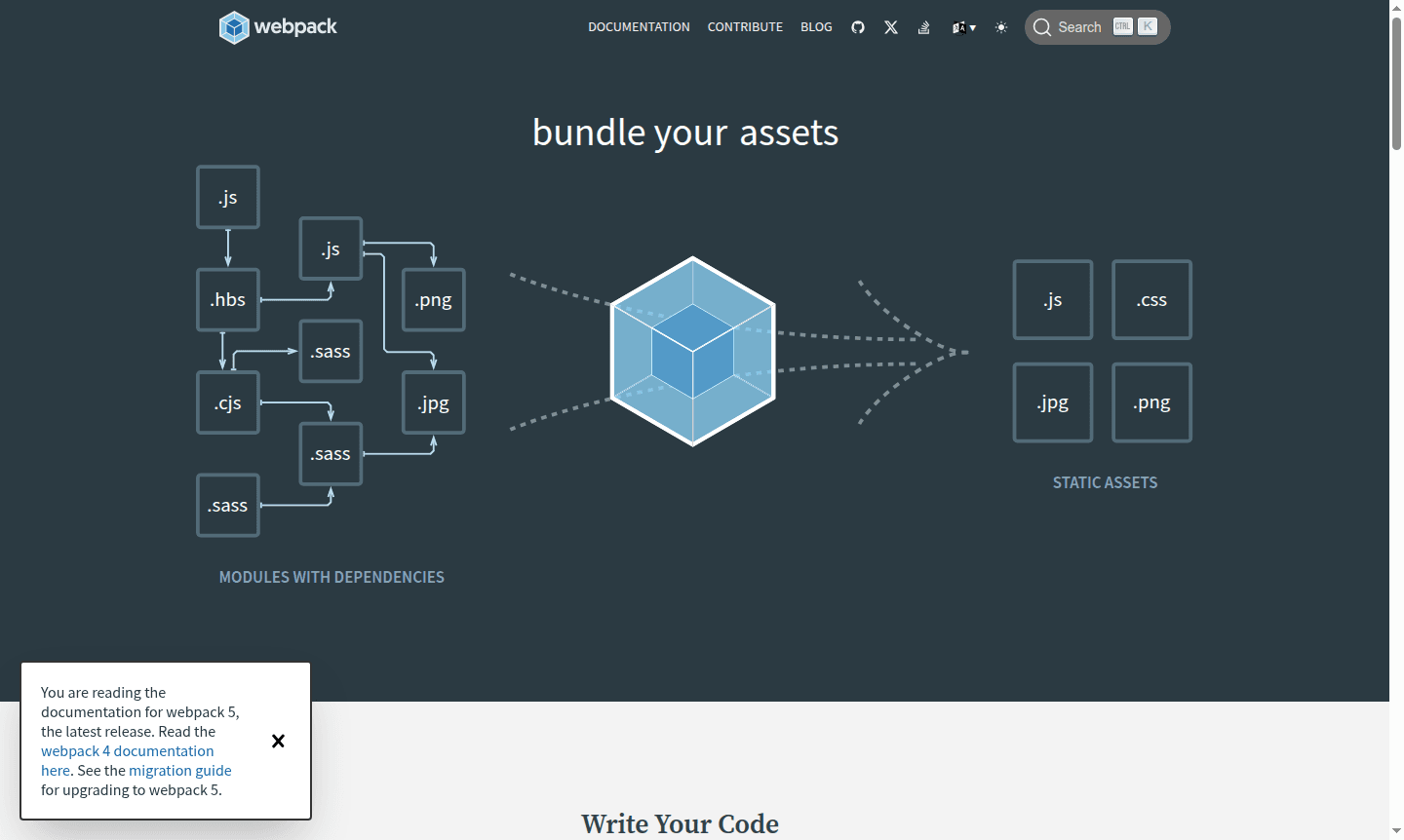
Overview of Webpack
Webpack is a leading Build Tool that bundles JavaScript modules and dependencies into optimized packages for web applications. It creates a dependency graph and outputs efficient bundles, essential for modern development workflows.
This open-source tool handles various assets like scripts, styles, and images through loaders. With support for ES6, CommonJS, CSS, Sass, and more, webpack is flexible for projects from simple sites to enterprise apps. Strong community and documentation are available on the official site, and it integrates with IDEs.
How to Use Webpack
Getting started with webpack is straightforward – begin by writing your JavaScript code with proper import/export statements to define module dependencies. Create a basic webpack configuration file (webpack.config.js) specifying entry points and output destinations, then run the webpack command via CLI to generate optimized bundles. The tool supports both zero-configuration setups for simple projects and highly customized configurations for complex applications, allowing developers to define specific loaders, plugins, and optimization strategies tailored to their project requirements.
Core Features of Webpack
- Module Bundling – Combines multiple JavaScript modules and dependencies into optimized bundles
- Asset Management – Processes and optimizes static assets like images, CSS, and fonts
- Code Splitting – Enables dynamic loading and better performance through bundle division
- Hot Module Replacement – Allows real-time updates during development without full reloads
- Tree Shaking – Eliminates dead code and unused exports from final bundles
Use Cases for Webpack
- Modern JavaScript application development and deployment
- Single Page Application (SPA) bundling and optimization
- Progressive Web App (PWA) asset management
- Library and framework development with complex dependencies
- Enterprise-level web application build processes
- Migration from legacy build systems to modern tooling
- Performance optimization through code splitting and tree shaking
Support and Contact
For support and community resources, visit the official webpack documentation. You can also reach out via email at contact@webpack.js.org for inquiries. The project maintains active community forums and comprehensive guides for troubleshooting and best practices.
Company Info
Webpack is developed and maintained by the Webpack team as an open-source project with strong community backing. The project thrives through contributions, donations, and sponsorship from organizations and individual developers worldwide, supporting ongoing development, documentation improvements, and community resources.
Login and Signup
As an open-source build tool, webpack doesn't require user accounts or login systems. Developers can access all resources, documentation, and downloads directly from the official website without registration requirements.
Webpack FAQ
What is webpack and what does it do?
Webpack is a module bundler that processes JavaScript applications by building dependency graphs and packaging modules into optimized bundles for browser loading.
How do I get started with webpack configuration?
Start with webpack's zero-config setup or create a webpack.config.js file to define entry points, output paths, and loaders for your specific project needs.
What are webpack loaders and plugins used for?
Loaders transform non-JS files like CSS and images, while plugins perform broader tasks like bundle optimization and asset management.
How to optimize webpack build performance?
Optimize webpack by using code splitting, tree shaking, and minimizing plugins. Configure cache and use production mode for faster builds.
Webpack Reviews0 review
Would you recommend Webpack? Leave a comment
Webpack Alternatives
The best modern alternatives to the tool
New Tools Releases
Recently added tools
