
x64dbg
x64dbg: Free Windows debugger for x64/x32. For reverse engineering, malware analysis, debugging. Features: memory editing, disassembly, plugins.
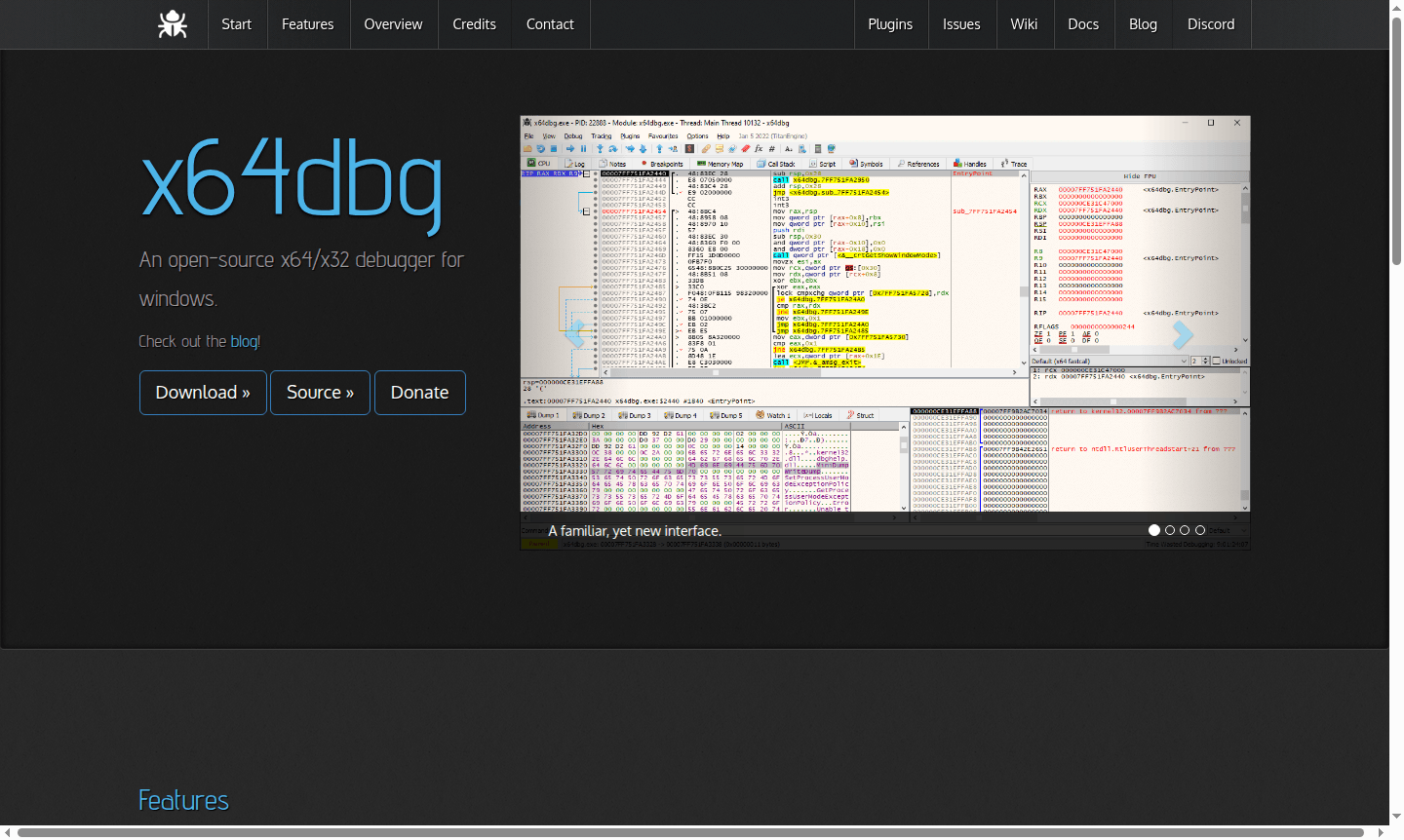
Overview of x64dbg
x64dbg is a powerful open-source debugger for Windows that supports both x64 and x32 applications through a single, intuitive interface. As a completely free tool licensed under GPLv3, it provides comprehensive debugging capabilities for DLL and EXE files, making it an essential resource for Debugger enthusiasts and Developer Tools professionals. The software features a familiar yet modern UI with fully customizable themes and color schemes, built on robust open-source libraries including Qt, TitanEngine, Zydis, and Scylla for reliable performance in reverse engineering and malware analysis scenarios.
This actively developed debugger offers extensive functionality for assembly debugging, memory editing, and software analysis, serving security researchers, software developers, and game modders alike. With its integrated scripting language, plugin support, and growing API, x64dbg enables users to extend functionality and automate debugging tasks efficiently. The tool's community-driven development ensures continuous improvements and feature enhancements based on real-world reversing needs, making it a versatile solution for both beginners and experienced professionals in Security Tools and software development workflows.
How to Use x64dbg
To begin using x64dbg, download the latest release from the official website and extract the portable package – no installation required. Launch x64dbg.exe and use the File menu to open any Windows executable or DLL file for analysis. Set breakpoints by clicking in the left margin of the disassembly view, then run the program with F9 to pause execution at your designated points. Use the memory map, register view, and stack panels to examine program state, while the graph view provides visual flow analysis. For advanced usage, create automation scripts using the built-in ASM-like language or install community plugins to extend functionality for specific reverse engineering tasks and vulnerability research.
Core Features of x64dbg
- Dual Architecture Support – Debug 64-bit and 32-bit Windows apps in one interface
- Advanced Disassembly – Fast disassembler with IDA-like sidebar and token highlighting
- Memory Analysis Tools – Comprehensive memory map, symbol view, and dynamic stack analysis
- Extensible Plugin System – Growing API for C++ plugins and script commands to customize functionality
- Automation Scripting – Debuggable scripting language for automated reverse engineering
Use Cases for x64dbg
- Reverse engineering Windows applications and game modifications
- Malware analysis and security vulnerability research
- Software debugging and patch development for legacy applications
- Educational purposes for learning assembly language and program internals
- Game hacking and cheat engine development for security testing
- Digital forensics and incident response investigations
- Software cracking analysis and protection mechanism testing
Support and Contact
For technical support and community assistance, contact the development team at contact@x64dbg.com. Additional resources including documentation, tutorials, and plugin development guides are available through the official x64dbg website. The active community forum and GitHub repository provide extensive knowledge sharing and collaborative development opportunities.
Company Info
x64dbg is an open-source project developed by a global community of reverse engineering enthusiasts and security researchers. The tool represents collaborative efforts from contributors worldwide, maintained as a free resource under the GPLv3 license. Project information and development updates are available through the official project homepage and GitHub repository.
Login and Signup
As a standalone desktop application, x64dbg requires no account registration or login process. Simply download the software from the official website and begin using it immediately. The portable nature of the tool ensures privacy and convenience without mandatory user accounts or online authentication requirements.
x64dbg FAQ
What is x64dbg used for in reverse engineering?
x64dbg is used for analyzing and debugging Windows executables, helping researchers understand program behavior, find vulnerabilities, and modify software functionality through its comprehensive debugging tools.
How does x64dbg compare to OllyDbg for debugging?
x64dbg offers modern 64-bit support, active development, and extensive plugin ecosystem, while OllyDbg is primarily 32-bit with limited recent updates, making x64dbg better for current Windows applications.
Can x64dbg debug both 32-bit and 64-bit applications?
Yes, x64dbg provides complete debugging support for both x32 and x64 Windows applications through a unified interface without needing separate installations or tools.
What operating systems does x64dbg support?
x64dbg is designed for Windows operating systems and supports both 32-bit and 64-bit versions.
x64dbg Pricing
Current prices may vary due to updates
Free
Completely free and open-source debugger with full features including x64/x32 support, plugin system, scripting language, memory analysis, disassembly
x64dbg Reviews0 review
Would you recommend x64dbg? Leave a comment
x64dbg Alternatives
The best modern alternatives to the tool
New Tools Releases
Recently added tools
