
DBConvert Studio
DBConvert Studio is a cross-database migration tool for 30+ formats with parallel processing and bidirectional sync. Ideal for database administrators.
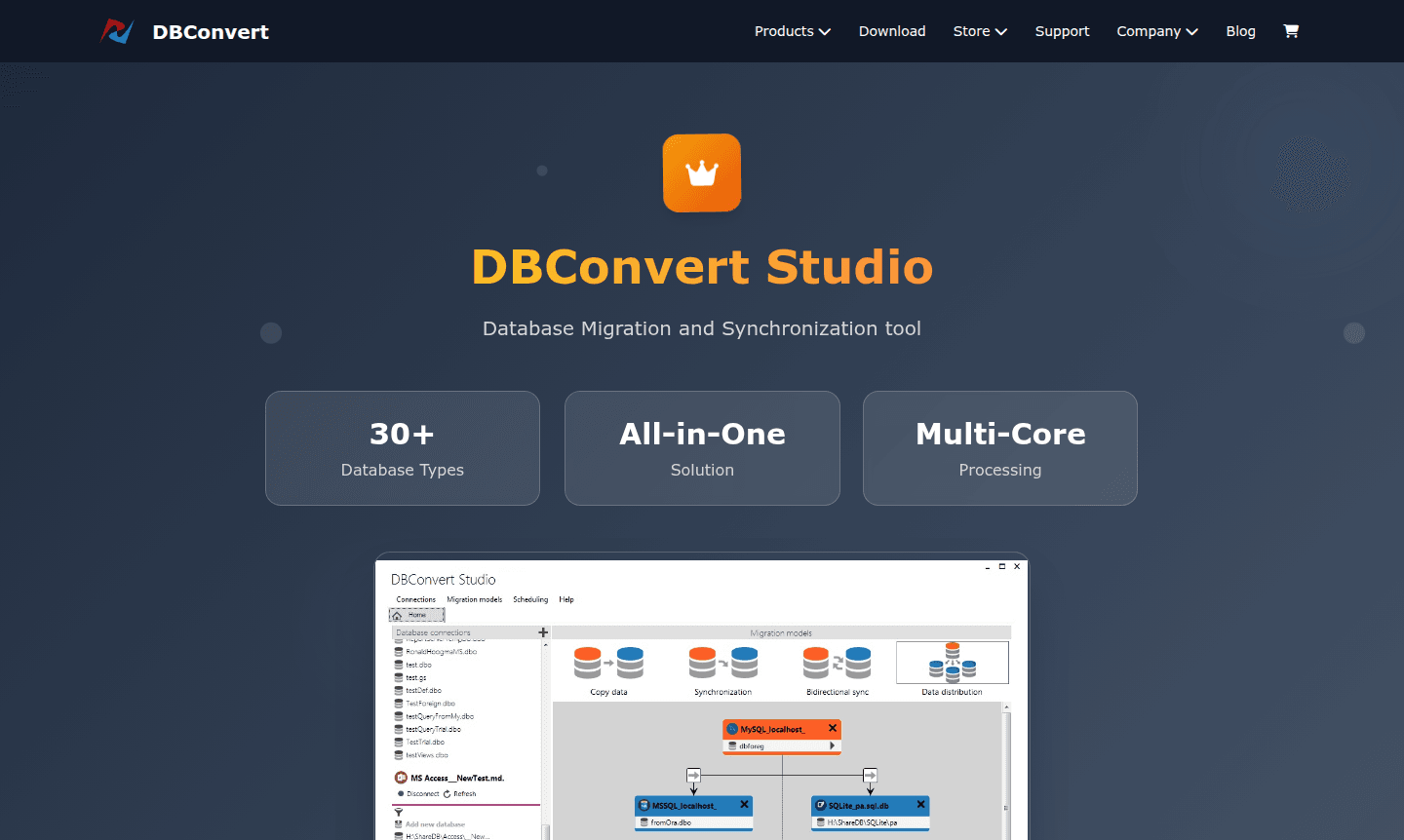
Overview of DBConvert Studio
DBConvert Studio is a comprehensive database migration and synchronization solution that bridges over 30 different database formats. This all-in-one platform combines mature conversion cores with a modern user interface, making it essential for database administrators and developers in heterogeneous environments. The software excels at converting both database structures and data between disparate systems, supporting everything from legacy file-based formats to modern cloud databases across Windows, Linux, and macOS platforms. It is particularly useful for File Sync and IDE integrations.
The platform's parallel migration engine leverages multi-core processors to accelerate data conversion, especially for large tables. DBConvert Studio dynamically adapts algorithms to maximize throughput based on environment constraints, ensuring fast migration times while maintaining data integrity across various synchronization scenarios.
How to Use DBConvert Studio
Getting started involves a straightforward workflow: first, add and configure database connections by selecting the database type and providing details like IP address, port, username, and password. After testing the connection, choose your migration scenario – data copying, one-way sync, bidirectional sync, or data distribution to multiple targets. Configure data mapping rules, field assignments, and filtering options to control what data gets transferred.
Core Features of DBConvert Studio
- Universal Database Support – Supports 30+ databases including Oracle, SQL Server, MySQL, PostgreSQL
- Parallel Migration Engine – Uses multi-core processing to speed up large database migrations
- Flexible Synchronization – Enables one-way, bidirectional, and data distribution sync
- Automated Scheduling – Includes scheduler for automating migration and sync jobs
- Intelligent Data Mapping – Automates data type conversion with custom rules
Use Cases for DBConvert Studio
- Migrating from MySQL to PostgreSQL for improved performance
- Synchronizing SQL Server databases across dev and prod environments
- Converting Oracle databases to Microsoft SQL Server
- Distributing data from a central database to multiple targets
- Migrating legacy Access databases to modern SQL systems
- Keeping databases in sync across different locations
- Automating regular database replication for backups
Support and Contact
For technical support and inquiries, visit the official website at dbconvert.com or email contact@dbconvert.com. The platform provides comprehensive documentation, video tutorials, and community resources.
Company Info
DBConvert Studio is developed by experienced database professionals focused on creating robust cross-database solutions. The company maintains a strong commitment to supporting both legacy and modern database systems.
Login and Signup
Access DBConvert Studio resources and purchase licenses through the official website at dbconvert.com where you can explore features, documentation, and licensing options.
DBConvert Studio FAQ
What databases does DBConvert Studio support for migration?
DBConvert Studio supports over 30 database types including Oracle, SQL Server, MySQL, PostgreSQL, SQLite, Access, and cloud databases like Amazon Aurora and Google Cloud SQL.
Can DBConvert Studio handle bidirectional database synchronization?
Yes, DBConvert Studio supports both one-way and bidirectional synchronization scenarios to keep databases synchronized across connected nodes.
How does parallel migration improve database conversion speed?
The parallel migration engine utilizes multiple processor cores simultaneously, significantly accelerating data transfer for large tables and complex structures.
What support options are available for DBConvert Studio?
Support includes documentation, video tutorials, and community resources on the official website at dbconvert.com.
DBConvert Studio Pricing
Current prices may vary due to updates
DBConvert Studio
Complete database migration and synchronization solution supporting 30+ database types with parallel processing, multi-core optimization, and cross-pl
DBConvert Studio Reviews0 review
Would you recommend DBConvert Studio? Leave a comment
DBConvert Studio Alternatives
The best modern alternatives to the tool
New Tools Releases
Recently added tools
