
Mihon
Mihon is a free open-source manga reader for Android, offering multi-source content access, automatic tracking with MyAnimeList and AniList, customizable reading, offline access, and library tools.
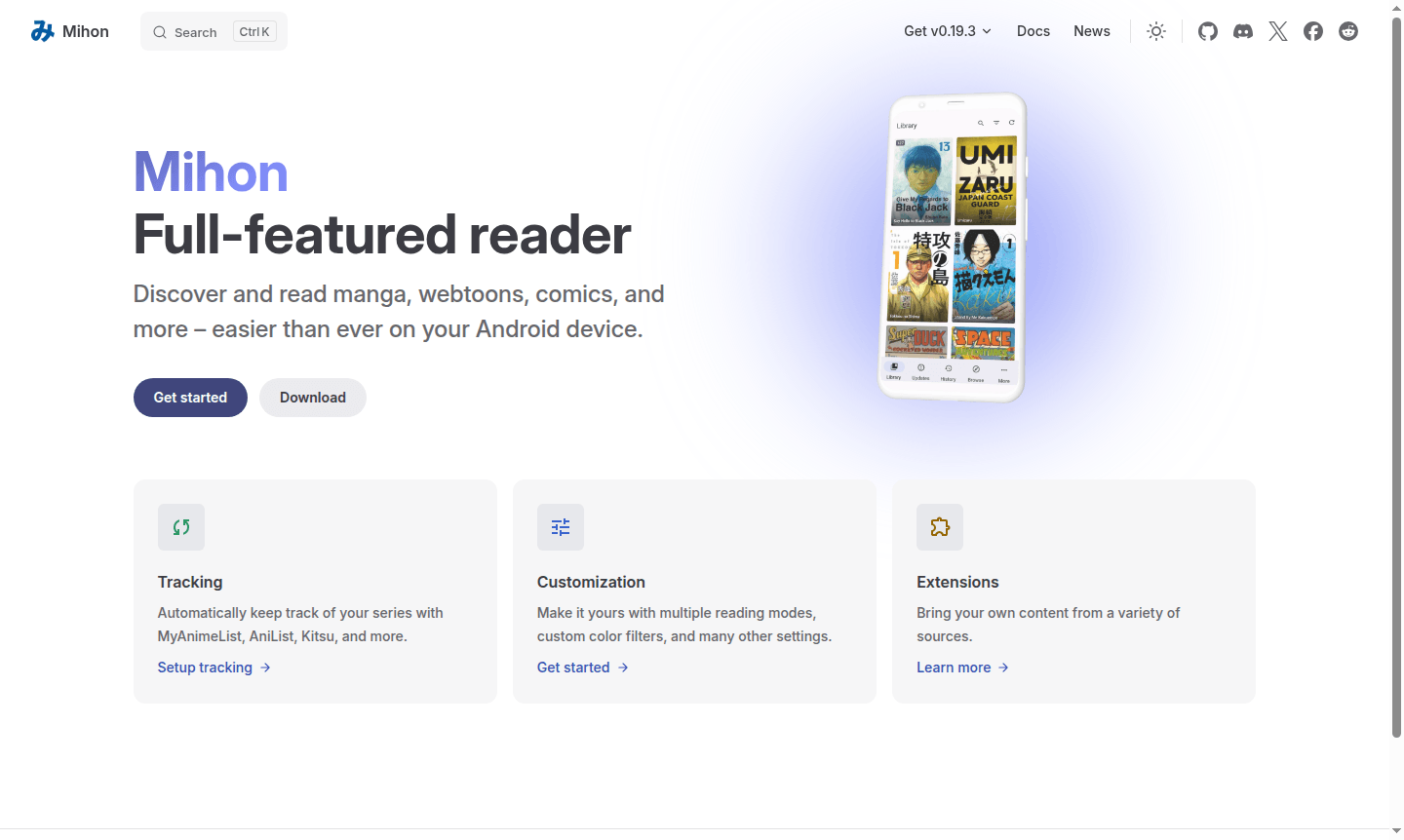
Overview of Mihon
Mihon is a full-featured open-source manga reader for Android devices, designed as a successor to Tachiyomi with enhanced functionality. This app lets you discover, read, and organize manga, webtoons, comics, and other content from various online sources while offering robust offline reading. With its intuitive interface and many customization options, Mihon turns your Android device into a digital library for all manga fans.
As an open-source project, Mihon provides free access without subscription fees. It supports tracking services like RSS Reader integrations with MyAnimeList, AniList, and Kitsu for syncing progress. Whether casual or dedicated, Mihon helps build and manage your library with scheduled updates, backups, and cloud compatibility.
How to Use Mihon
Start by downloading Mihon from its official website on Android 8.0 or higher. After installation, browse and add content via extensions to access manga sources. Organize with custom categories, set up automatic tracking, and customize reading with viewing modes, color filters, and display settings. The app also supports scheduled updates and local backups for progress preservation.
Core Features of Mihon
- Multi-Source Content Access – Read manga, webtoons, and comics from multiple online sources using extensions.
- Automatic Progress Tracking – Sync reading progress with MyAnimeList, AniList, Kitsu, and other platforms.
- Customizable Reading Experience – Choose from various reading modes, color filters, and display settings.
- Offline Reading Capabilities – Download content for offline access and create local backups.
- Library Organization Tools – Categorize collections, schedule updates, and manage reading materials efficiently.
Use Cases for Mihon
- Discover and read latest manga from multiple sources in one app
- Track reading progress with auto-sync to tracking services
- Create a personalized manga library with custom categories
- Read offline by downloading chapters for travel
- Customize reading with different modes, themes, and settings
- Schedule updates for new chapter notifications
- Back up library locally or to cloud for data preservation
Support and Contact
For support, email contact@mihon.app or visit the official Mihon website. The Mihon App team maintains the app, with community resources available online.
Company Info
Mihon is developed by Mihon App, an open-source project for accessible manga reading on Android. It's available worldwide and supports multiple languages, welcoming community feedback.
Login and Signup
Mihon does not require user accounts for basic use. It connects to content sources via extensions. For tracking services, log into platforms like MyAnimeList through the app. Visit download Mihon for installation.
Mihon FAQ
What is Mihon and how does it differ from other manga readers?
Mihon is an open-source Android manga reader that succeeds Tachiyomi, offering multi-source content access, automatic tracking, and extensive customization options.
Is Mihon free to use and does it require any subscriptions?
Yes, Mihon is completely free and open-source with no subscription fees or hidden costs – all features are accessible without payment.
What Android version do I need to run Mihon on my device?
Mihon requires Android 8.0 or higher to function properly and use all its manga reading and library management features.
How do I add extensions in Mihon?
Extensions can be added through the app's extension system; visit the official Mihon website for guides on accessing new manga sources.
Mihon Reviews0 review
Would you recommend Mihon? Leave a comment
Mihon Alternatives
The best modern alternatives to the tool
New Tools Releases
Recently added tools
