
Kindle
Discover Kindle, Amazon's digital reading platform with millions of books, customizable features, cross-device sync, and built-in tools. Ideal for book lovers, students, and professionals.
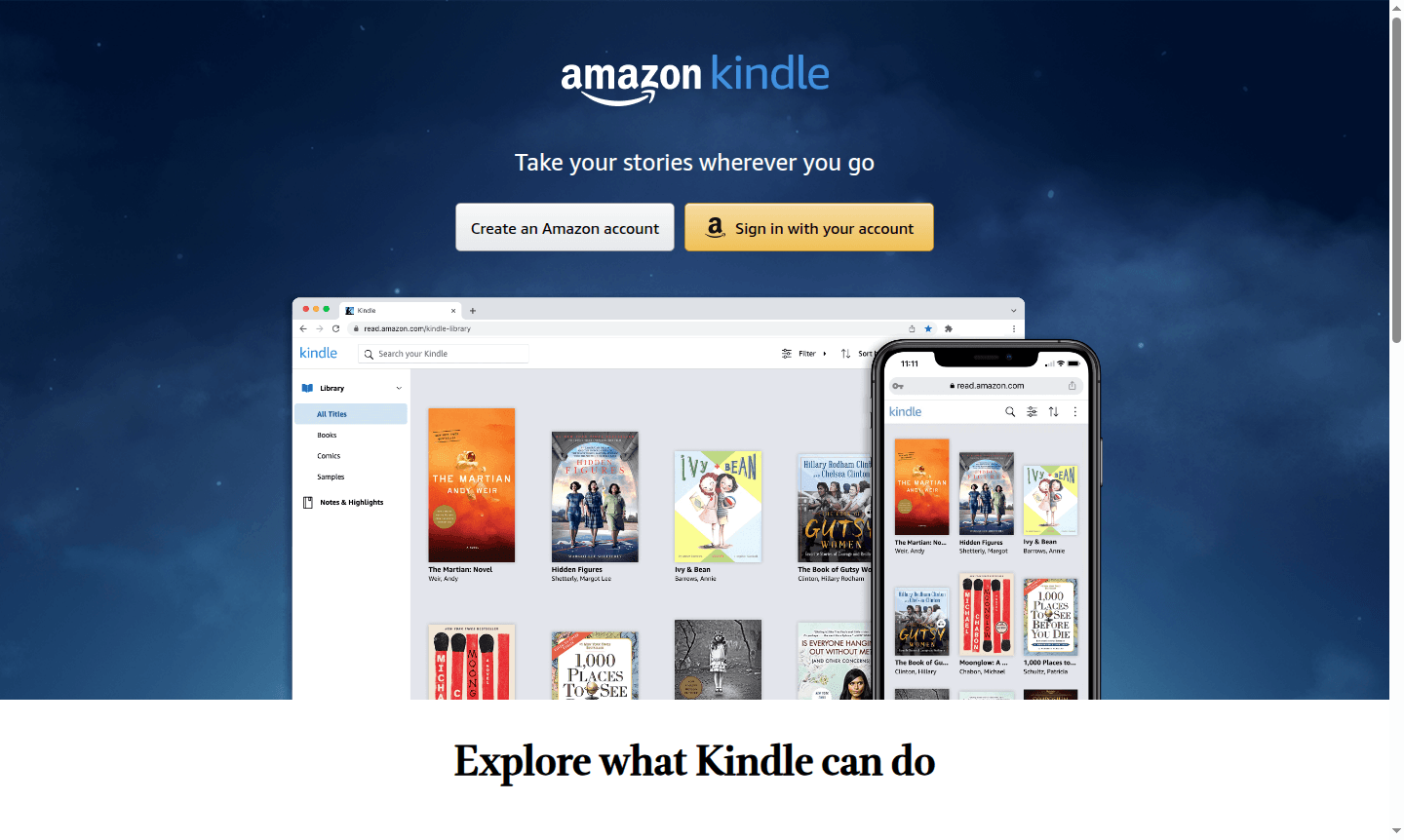
Overview of Kindle
Kindle is Amazon's comprehensive digital reading platform that transforms your devices into portable libraries. With access to millions of books, magazines, comics, and manga, Kindle enables readers to enjoy their favorite content anytime, anywhere. The platform supports various reading formats and offers extensive customization options to create the perfect reading experience for every user, whether you're commuting, relaxing at home, or traveling.
As one of the world's leading Ebook Reader platforms, Kindle serves readers across all genres and interests. The service integrates seamlessly with Amazon's ecosystem, providing access to Kindle Unlimited subscriptions and Prime Reading benefits. With cross-device synchronization and multiple reading modes, Kindle has become the go-to choice for digital book enthusiasts seeking convenience and variety in their reading habits.
How to Use Kindle
Getting started with Kindle is straightforward – simply download the free Kindle app on your smartphone, tablet, or access it through Kindle for Web on your computer. Create or sign in with your Amazon account to instantly access your entire library across all devices. Browse the extensive Kindle store to discover new titles, sample books before purchasing, and organize your reading list. The app automatically syncs your reading progress, bookmarks, and annotations, ensuring a seamless transition between devices as you read.
Core Features of Kindle
- Customizable Reading Experience – Adjust text size, fonts, margins, and background colors for optimal comfort
- Built-in Dictionary & Research Tools – Tap words for definitions and access Wikipedia for additional context
- Cross-Device Synchronization – Seamlessly continue reading across multiple devices with automatic progress saving
- Annotations & Highlights – Bookmark pages, highlight text, and take notes that sync across your library
- Extensive Content Library – Access millions of books, magazines, comics, and audiobooks in one platform
Use Cases for Kindle
- Commuting and travel reading with lightweight digital books
- Academic research with instant dictionary lookups and note-taking
- Book club participation with shared highlights and annotations
- Language learning through built-in translation features
- Accessibility reading with adjustable text sizes and fonts
- Professional development with business and technical books
- Entertainment reading with comics, manga, and magazines
Support and Contact
For assistance with your Kindle experience, visit the Amazon Help & Customer Service page or email contact@amazon.com. Amazon offers comprehensive online resources, community forums, and live chat support for all Kindle-related inquiries and technical support needs.
Company Info
Kindle is developed and maintained by Amazon, the global e-commerce and technology company headquartered in the United States. Amazon has revolutionized digital reading since introducing the first Kindle device in 2007, continually expanding the platform's capabilities and content offerings to serve readers worldwide.
Login and Signup
Access your Kindle library by visiting Kindle for Web or downloading the Kindle app from your device's app store. New users can create an Amazon account directly through the Kindle application or website, while existing Amazon customers can sign in using their current credentials to immediately access their digital reading materials.
Kindle FAQ
How does Kindle sync my reading progress across devices?
Kindle automatically saves your current page, bookmarks, and notes to the cloud, allowing seamless continuation on any device where you're signed in.
Can I read Kindle books without an internet connection?
Yes, once downloaded, Kindle books can be read offline, with your progress syncing when you reconnect to the internet.
What types of content can I read on Kindle?
Kindle supports millions of books, magazines, newspapers, comics, manga, and audiobooks across all genres and interests.
What subscription services does Kindle offer?
Kindle offers Kindle Unlimited for unlimited access to over a million titles and Prime Reading for Prime members to borrow books at no extra cost.
Kindle Reviews0 review
Would you recommend Kindle? Leave a comment
Kindle Alternatives
The best modern alternatives to the tool
New Tools Releases
Recently added tools
