NVIDIA App
Download the free NVIDIA App for GPU management, driver updates, game optimization, and recording. Features ShadowPlay, performance overlay, Freestyle filters, DLSS Override, Smooth Motion. Essential for gamers and creators.
Overview of NVIDIA App
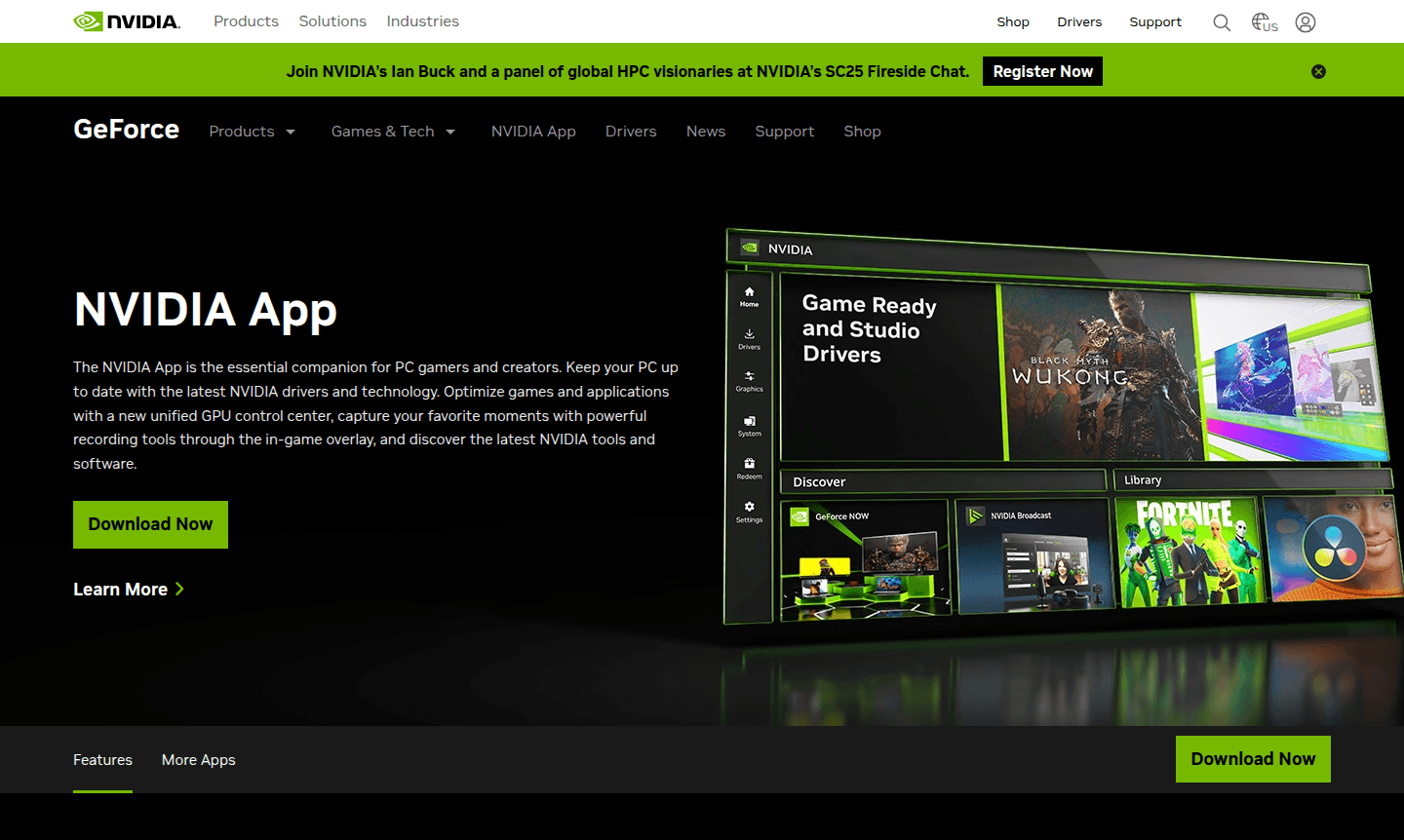
The NVIDIA App serves as the essential companion software for PC gamers and creative professionals, providing comprehensive GPU management and optimization capabilities. This unified application combines driver updates, performance tuning, and content creation tools into a single intuitive interface, replacing the legacy GeForce Experience while adding powerful new features. Designed specifically for NVIDIA graphics card owners, the app delivers real-time optimization, advanced recording capabilities, and AI-enhanced visual filters to maximize your gaming and creative workflow. It is ideal for System Optimizer and Driver Updater categories.
Whether you're a competitive gamer seeking peak performance or a content creator needing reliable drivers, the NVIDIA App provides the tools to enhance your PC experience. The platform integrates seamlessly with NVIDIA's ecosystem of applications including GeForce NOW cloud gaming, NVIDIA Broadcast for stream enhancement, and RTX Remix for game remastering. With support for over 1200 games and creative applications, this versatile toolset ensures your system stays current and optimized for any task.
How to Use NVIDIA App
Getting started with the NVIDIA App is straightforward – simply download and install the application from NVIDIA's official website. Once installed, the app automatically scans your system to identify installed games and creative applications, then provides personalized optimization settings based on your specific hardware configuration. Users can access the in-game overlay with Alt+Z to quickly adjust settings, record gameplay, or monitor performance metrics without leaving their game. Regular driver updates are delivered automatically, ensuring your system always has the latest performance enhancements and compatibility fixes.
Core Features of NVIDIA App
- Driver Management – Automatic updates for Game Ready and Studio Drivers with optimized performance
- GPU Optimization – Cloud-based settings optimization and one-click performance tuning
- ShadowPlay Recording – High-quality gameplay capture up to 8K HDR with minimal performance impact
- Performance Overlay – Real-time FPS monitoring and system metrics with Reflex Analyzer support
- Freestyle Filters – AI-enhanced visual customization including RTX HDR and Dynamic Vibrance
Use Cases for NVIDIA App
- Optimize gaming performance with automatic settings configuration
- Record and share gameplay moments with high-quality capture tools
- Monitor system performance and latency in real-time during gameplay
- Enhance visual clarity with AI-powered filters for competitive advantage
- Keep graphics drivers updated for optimal game compatibility
- Access cloud gaming through integrated GeForce NOW platform
- Improve streaming quality with NVIDIA Broadcast AI effects
Support and Contact
For technical support and assistance with the NVIDIA App, email contact@nvidia.com or visit the official NVIDIA Support page. Comprehensive documentation, driver downloads, and community forums are available through NVIDIA's website.
Company Info
NVIDIA Corporation, headquartered in Santa Clara, California, is the leading manufacturer of graphics processing units and AI computing technologies. Founded in 1993, the company has pioneered advancements in computer graphics, artificial intelligence, and high-performance computing. Learn more at their About NVIDIA page.
Login and Signup
The NVIDIA App does not require account creation for basic functionality, though some features may benefit from NVIDIA account integration. Users can create or access their existing NVIDIA account through the NVIDIA website.
NVIDIA App FAQ
What is the difference between NVIDIA App and GeForce Experience?
The NVIDIA App replaces GeForce Experience with a redesigned interface, new features like DLSS Override and Smooth Motion, and improved performance optimization tools.
Does NVIDIA App support automatic driver updates?
Yes, the NVIDIA App automatically downloads and installs the latest Game Ready and Studio Drivers for optimal game and application performance.
Can I record gameplay with NVIDIA App without performance loss?
NVIDIA ShadowPlay captures gameplay with minimal performance impact, supporting up to 8K HDR recording and AV1 codec for RTX 40-series GPUs.
What system requirements does NVIDIA App have?
The NVIDIA App requires Windows 10 or later and an NVIDIA GeForce graphics card, with specific features available on RTX 20-series and newer GPUs.
How does NVIDIA App optimize game settings automatically?
The app uses NVIDIA's cloud data center to analyze your hardware and deliver personalized graphics settings for each game based on your GPU, CPU, and display.
NVIDIA App Reviews0 review
Would you recommend NVIDIA App? Leave a comment
NVIDIA App Alternatives
The best modern alternatives to the tool
New Tools Releases
Recently added tools
