
Sleipnir Browser
Sleipnir Browser is a free web browser with advanced font rendering, gesture controls, and smart tab management for Windows and macOS. Download for enhanced browsing.
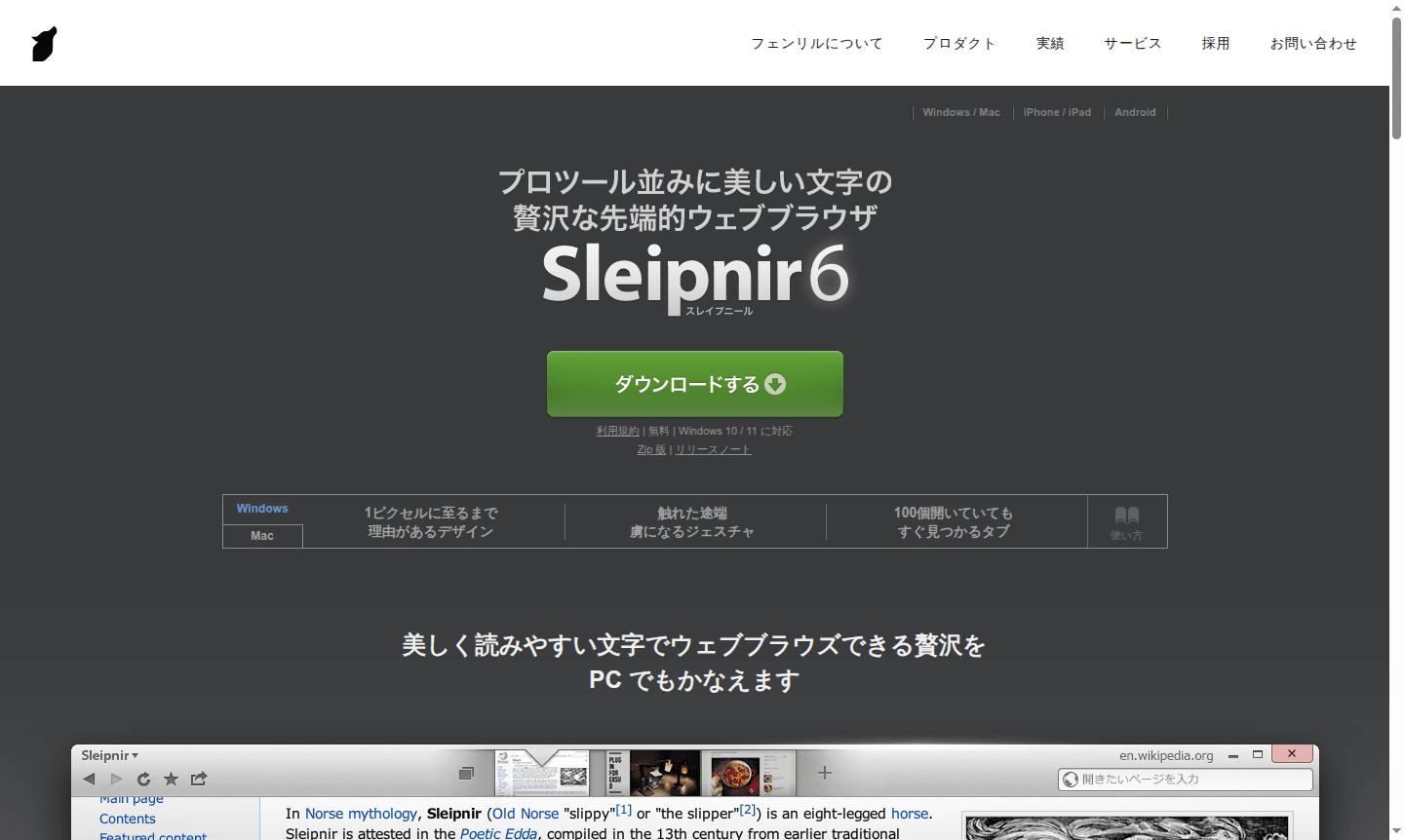
Overview of Sleipnir Browser
Sleipnir 6 is a premium web browser that combines professional-grade typography with intuitive navigation features, offering users a refined browsing experience on both Windows and macOS platforms. Developed by Fenrir Inc., this free browser reimagines web navigation from the ground up with its emphasis on beautiful text rendering and streamlined interface design. The browser appeals to users who value visual clarity and efficient workflow management, positioning itself as a sophisticated alternative to mainstream browsers like Chrome and Firefox within the Web Browser category.
Built on Google's Blink rendering engine, Sleipnir delivers exceptional speed and compatibility while introducing unique features like advanced gesture controls, thumbnail-based tab management, and a remarkably compact toolbar. The browser's focus on readability and user experience makes it particularly suitable for professionals, designers, and anyone who spends significant time reading online content. Its cross-platform availability and seamless bookmark synchronization across devices enhance its appeal for users seeking a consistent browsing experience.
How to Use Sleipnir Browser
Getting started with Sleipnir is straightforward – simply download the installer from the official website and run it on your Windows 10/11 or macOS 10.13+ system. The browser automatically imports bookmarks and settings from other installed browsers like Internet Explorer or Google Chrome, allowing you to transition smoothly within seconds. Once installed, you can immediately begin using the intuitive mouse gesture controls by holding the right button while moving the mouse to navigate back, close tabs, or perform other actions without reaching for keyboard shortcuts.
Core Features of Sleipnir Browser
- Advanced Font Rendering – Professional-quality text display with custom font optimization for superior readability
- Mouse Gesture Controls – Navigate efficiently using right-click mouse movements for common actions
- Smart Tab Management – Visual thumbnail tabs that show page content for easy identification
- Compact Toolbar Design – Ultra-slim 54-pixel interface that maximizes screen real estate
- Portal Search Field – Intelligent search that finds pages with just 4 keystrokes
Use Cases for Sleipnir Browser
- Professional users requiring superior text readability for extended reading sessions
- Power users managing multiple tabs who need visual tab identification
- Designers and developers seeking high-quality font rendering comparable to graphic tools
- Users transitioning from other browsers who want seamless bookmark migration
- Mac users with Retina displays wanting optimized high-resolution browsing
- Chrome extension enthusiasts needing full extension compatibility
- Multi-device users requiring cross-platform bookmark synchronization
Support and Contact
For technical support and general inquiries, visit the official Sleipnir website at Fenrir Inc.. While no direct support email was found, the company provides comprehensive documentation and resources through their online platform. Users can access detailed guides on browser features, troubleshooting tips, and community forums for additional assistance with installation, customization, or technical issues.
Company Info
Sleipnir is developed by Fenrir Inc., a Japanese software company known for creating innovative browsing solutions. The company focuses on redefining web navigation through thoughtful design and user-centric features. Fenrir's approach emphasizes eliminating unnecessary complexity while enhancing the core browsing experience, with Sleipnir representing their flagship browser offering that has evolved through multiple versions to its current sixth iteration.
Login and Signup
Sleipnir Browser requires no account creation or login process for basic usage, allowing immediate access to all core features upon installation. For accessing synchronized bookmarks across multiple devices, users can set up synchronization through the browser's settings menu. All downloads and updates are available directly from the official website without registration requirements.
Sleipnir Browser FAQ
Is Sleipnir Browser completely free to use?
Yes, Sleipnir Browser is completely free with no hidden costs or premium tiers, offering all features at no charge for both Windows and macOS users.
Does Sleipnir support Chrome extensions?
Yes, Sleipnir fully supports Chrome extensions since it uses the same Blink engine, allowing you to install any extension from the Chrome Web Store.
Can I import my bookmarks from other browsers to Sleipnir?
Absolutely, Sleipnir automatically imports bookmarks and settings from browsers like Chrome and IE during installation, making transition seamless.
What operating systems support Sleipnir Browser?
Sleipnir Browser is compatible with Windows 10/11 and macOS 10.13+ operating systems for optimal performance and installation.
Sleipnir Browser Pricing
Current prices may vary due to updates
Sleipnir 6
Completely free web browser featuring advanced font rendering, gesture controls, smart tab management, and full Chrome extension support for Windows 1
Sleipnir Browser Reviews0 review
Would you recommend Sleipnir Browser? Leave a comment
Sleipnir Browser Alternatives
The best modern alternatives to the tool
New Tools Releases
Recently added tools
